Do a TREC home inspection
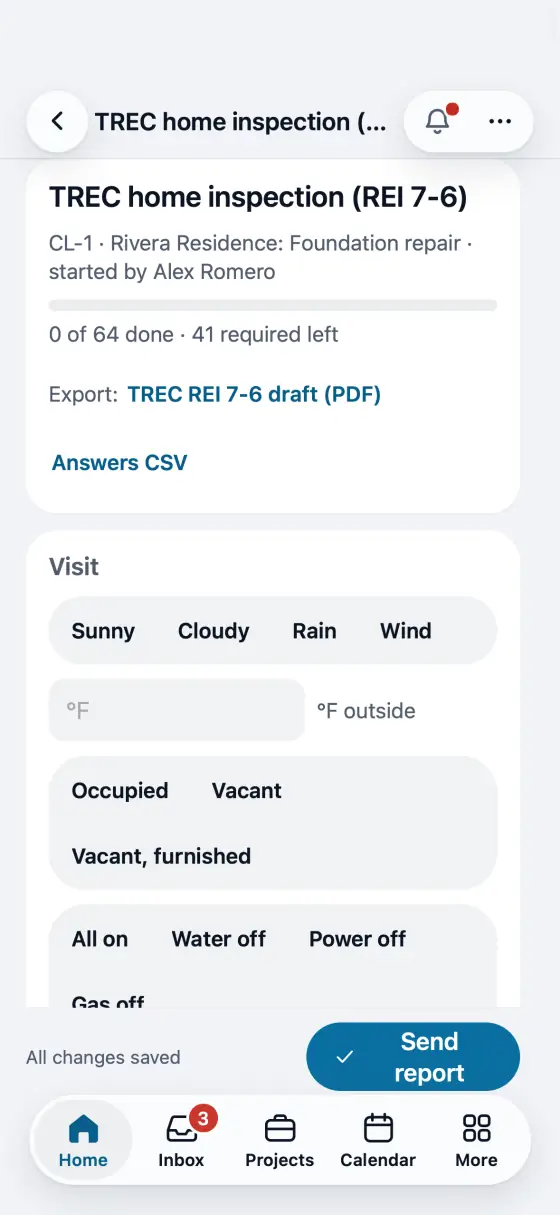
The Texas REI 7-6 form item by item on the phone. The PDF is the form itself.
Steps
Put your TREC license number in My profile, and your sponsor if you are sponsored. It prints on page 1.
Open the lead or the job and start the TREC home inspection (REI 7-6) checklist.
Walk the 41 items in the form's order. Tick I, NI, NP or D (more than one is fine) and keep a comment on every item. All good marks what you have not touched in a section as Inspected, with the standard comment.
Fill the lines under each item (type of foundation, roof covering, water pressure) with one tap on a quick pick, or type your own.
Found a deficiency? Take the photo or say it. The item gets D next to I, with your comment and the photo. Not inspected asks why.
Tap Send report. FollowStack first checks what TREC asks (a box and a comment on every item, your license, the client and the address) and marks what is missing on the item.
The PDF is TREC's form word for word, every page numbered. Export it from the checklist any time; until the report is done it says DRAFT.
On your phone: Walk it on the phone with no signal. Complete and send it once the phone has signal: the form is checked first.
In the app, open Help & guides and tap Show me: FollowStack points at each button as you go.
Related guides
- Do a Texas wood destroying insect report
- Draw a house plan in Field CAD
- Turn a plan picture into a drawing
- Place piers around the house
- Scan the whole house with LiDAR
- Start a drawing from the address
- Show the drawing in 3D and share it
- Elevation readings and the heat map
- A reference point for each area of the house
- Add stairs and porch steps
- Measure a roof and send the roof report
- Turn an area into materials with kits
- Record the products you apply
- Keep each home equipment and its service history
- Plan drainage and grading
- Fill the elevation survey by voice
- Track cracks over time
- The yearly follow-up visit
- Take and file job photos
- Make a 360 tour