Do a Texas wood destroying insect report
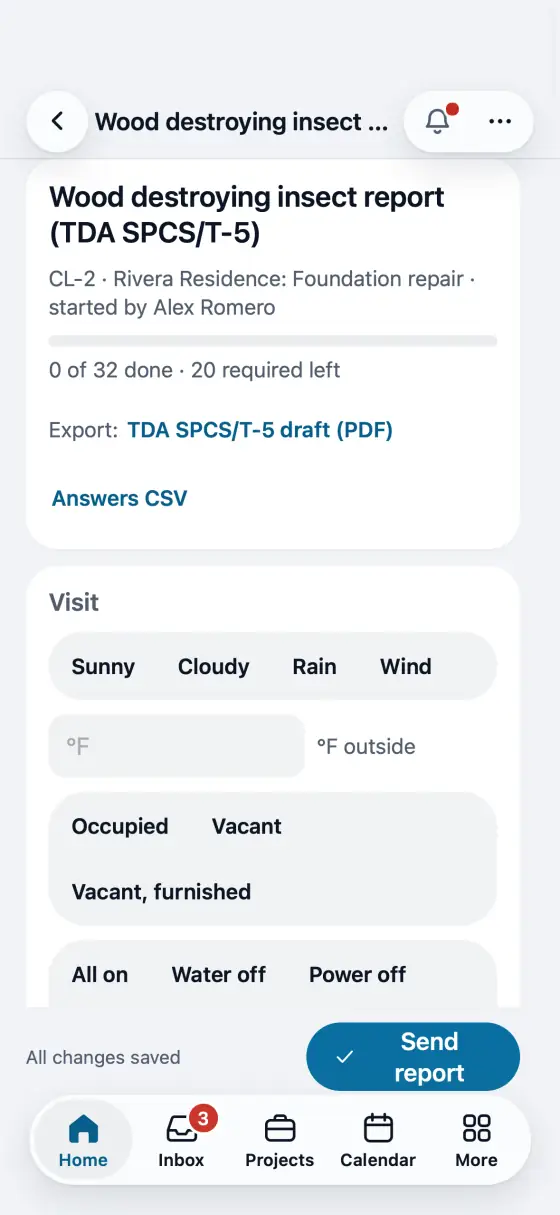
The TDA SPCS/T-5 form line by line on the phone. The PDF is the department's own form, filled in.
Steps
Put your SPCS license number and type in My profile. The office adds the company's SPCS business license in Company profile.
Start the Wood destroying insect report (TDA SPCS/T-5) checklist on the job. Draw the structures in Field CAD with their measurements and name the rooms. The drawing goes on the form's diagram, and the codes from your findings print on it by themselves: a room you list under 11G by its name (start the area with it, like Garage door jamb) gets the code, or E when there are several, with a key of every code under the drawing. A drawing you already marked with codes stays as you drew it.
Answer the lines in the form's order: the structures, any treatment and warranty, where you posted the notice, what you could not reach and the conducive conditions.
Fill the evidence table: for each insect, an active or previous infestation, a previous treatment, or None. FollowStack asks for 11F and 11G when they apply.
Corrective treatment may be recommended only for an active infestation, or a previous one with no sign of treatment. FollowStack checks it before the report goes out.
Sign as the inspector, then the purchaser signs or you mark them not here. Tap Send report: they get the department's form filled in, with the diagram and photos attached.
On your phone: Walk it on the phone with no signal. Complete and send it once the phone has signal: the form is checked first.
In the app, open Help & guides and tap Show me: FollowStack points at each button as you go.
Related guides
- Draw a house plan in Field CAD
- Turn a plan picture into a drawing
- Place piers around the house
- Scan the whole house with LiDAR
- Start a drawing from the address
- Show the drawing in 3D and share it
- Elevation readings and the heat map
- A reference point for each area of the house
- Add stairs and porch steps
- Measure a roof and send the roof report
- Turn an area into materials with kits
- Record the products you apply
- Keep each home equipment and its service history
- Plan drainage and grading
- Fill the elevation survey by voice
- Track cracks over time
- The yearly follow-up visit
- Take and file job photos
- Make a 360 tour