Contractor proposal software with e-signature and deposits
With FollowStack's contractor proposal software you send the proposal from the drawing or the inspection. The customer picks an option, signs and pays the deposit on the same page.
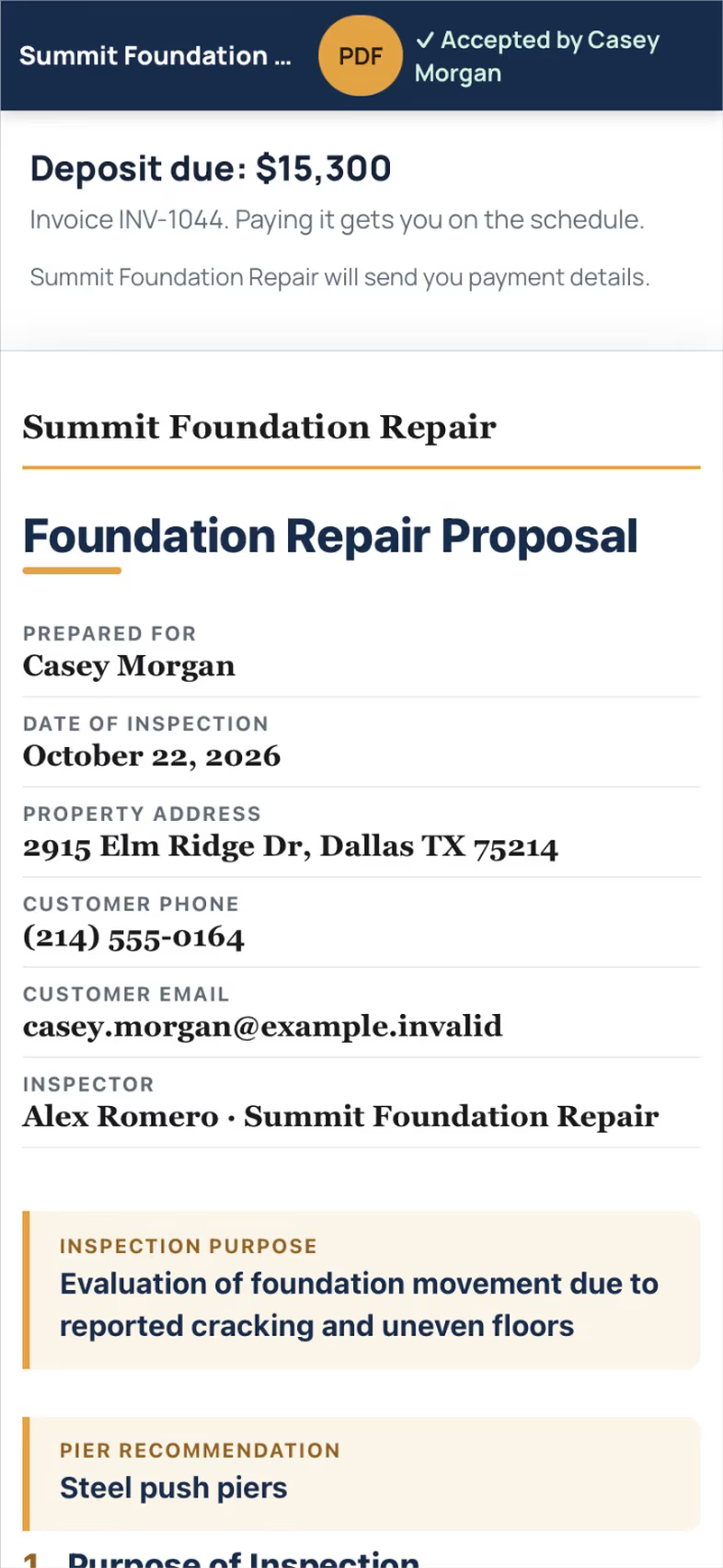
Proposals from what you measured
The takeoff and the inspection feed the proposal, where you can offer Good, Better and Best options with the 3D picture of the plan. It turns Signed the moment the customer signs.
- Proposals
Proposals and quick contracts from the inspection or drawing, with your own products and the plan picture.
- E-signature
The customer signs from a link; the proposal turns Signed at once; the signed copy is retried until delivered.
- Good, Better, Best
Send to proposal offers three options; other systems print as options outside the total.
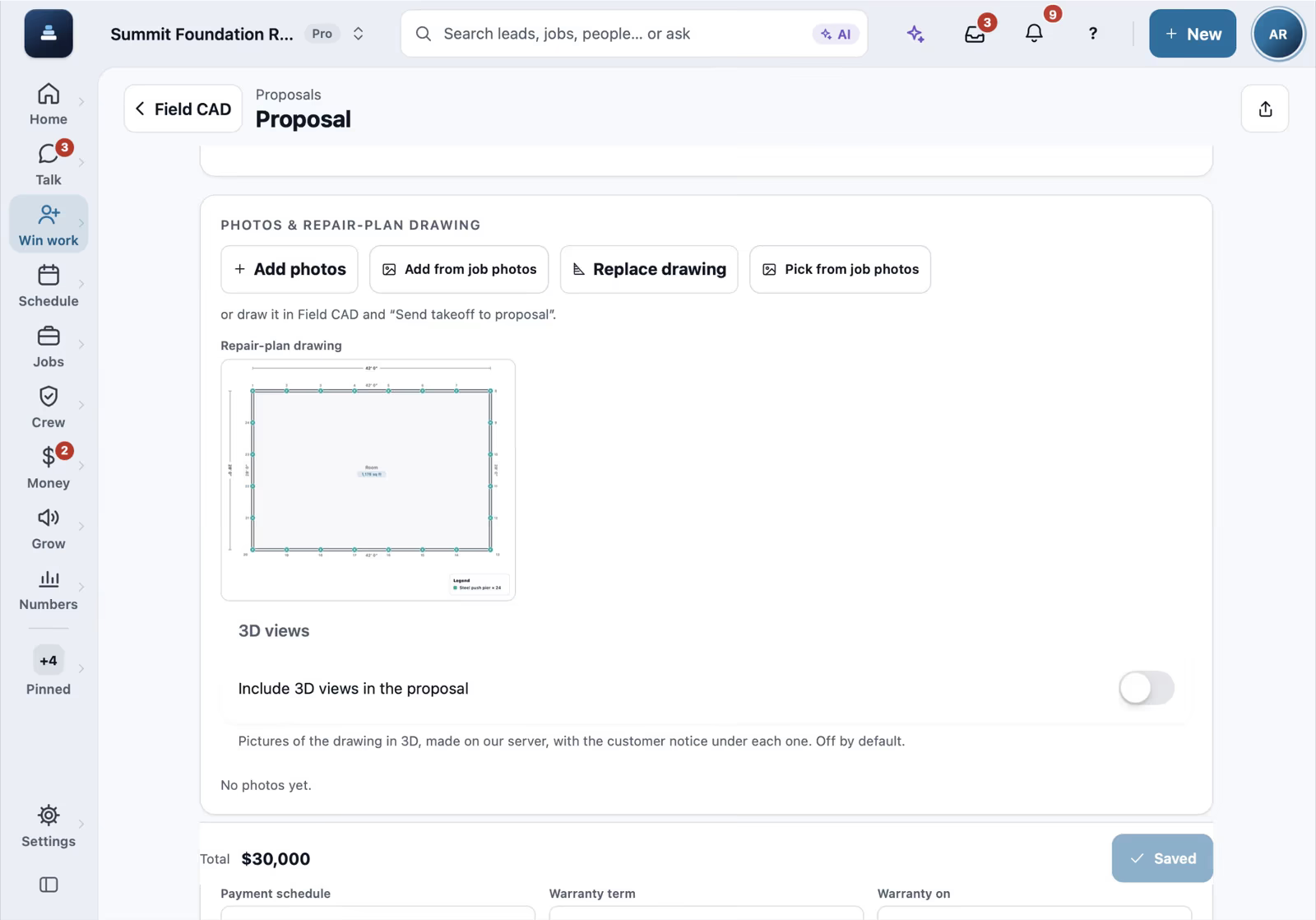

Three price options on one proposal
On a complete proposal, the Estimate tab lists the pier lines and the drain. The options card groups them into Good, Better and Best, each with its own price and warranty, and Better is marked recommended.

Presenting the proposal at the kitchen table
From the proposal, More and Present to the customer open the customer's page big and easy to read. Next walks through the findings, the foundation sketch with the pier layout, the drainage plan and the repair estimates, with Review and sign at the top.

Contract layouts
On the proposal's Design tab, the contract layout switches between Compact, Classic and Modern. Modern and Compact arrange the sections, like the cover, the estimate and the terms, and Classic prints the proposal as it always has.
Get paid as the job moves
Take a deposit at signing, bill milestones as work starts and finishes, and send invoices with a pay page. Offer monthly payments with your lender's link and payment plans on a saved card.
- Deposits
Take a deposit on signing and invoice the balance.
- Milestone billing
Bill as the job moves: deposit, work begins, completion.
- Invoices and online pay
Line-item invoices with a pay page through the company's Stripe account.
- Customer financing
"As low as" monthly pricing on proposals from your lender's link and promo table, with applications tracked.
Works with your own lender's link. - Payment plans
Installments charged to the customer's saved card.

Change orders and documents to sign
Change orders update the contract. The document writer turns templates into warranty certificates, lien waivers and notices your customer signs from a link.
- Change orders
Signed changes that update the contract.
- Document writer
Warranty certificates, completion certificates, lien waivers and notices from templates, e-signed from a link.
- QuickBooks CSV export
Export invoices and payments as CSV for QuickBooks today. A live QuickBooks sync is coming soon.


QuickBooks export files
The QuickBooks export picks this month, then downloads the invoices and the customer list as files that import into QuickBooks Online. The live sync waits for Intuit's approval.

A change order on a job
On a job's Change orders tab, New change order asks what changed (a hidden condition, a customer request, a design change or a credit), the price lines and the photos. The customer signs it on the spot, it goes out for signature, or you log a verbal approval.
Reports for the office and your CPA
Pick a report and a range, then export it to Excel, Word, PDF or CSV, or email it to your accountant every month. Sales, purchases, what customers and vendors owe, profit and loss, cash flow, sales tax and 1099 vendors are ready at year end in one package, a customer statement goes to the customer in one tap, and every list in the app exports the same way. A vendor statement puts one supplier's bills and your payments in a running balance to check against theirs, and sales by product or service shows what you sell most, with quantities.
- Management reports
More than 35 reports: sales, sold jobs, sales by product or service, open proposals, backlog, customer list and customer statements, purchases, vendor statements, accounts receivable and payable aging, expenses, profit and loss, cash flow, sales tax, 1099 vendors, commissions, work in progress (WIP), deposits held, hours and crew use, plus a year-end package for your CPA in one Excel file.
- Excel, Word, PDF and CSV
Every report and every list exports to Excel with real numbers and dates, Word, PDF with your company name and page numbers, or CSV.
- Reports by email
Email any report as a file to up to 10 people, your CPA included, or send it every day, week or month at the hour you pick.
- Job costing
Receipts, bills, purchase orders and the Costs panel per job.
- Customer engagement reports
Nine reports, such as Speed to lead, Response times, Document opens and Best time to reach.
- Lead quality by source
Each source's leads, spam and leads not worth it, so you can see which paid sources send junk.

The warranty register
In Reports, a search for warranty finds the Warranty register, which lists finished jobs whose proposal carried a warranty, with the term, what it covers, when it started and ends, and whether it is active, lifetime or expired.

A purchase order for a job
On Purchase orders, New PO picks the job and where it is delivered, adds six steel push pier brackets at $185, and Create draft opens PO-0001 with its total and Send to vendor.
See it in use
A call turned into a signed proposal
The missed call gets a text, the visit is booked near the address, and the proposal is signed on site.
See the stepsJob costing and reports for your CPA
What each job costs and earns, and the reports your accountant asks for, sent every month.
See the stepsThe customer portal and payments
A portal for each customer, signatures on the phone, deposits and invoices.
See the steps
User guides for proposals and payments
- Send an inspection report or proposalFrom the visit to a signing link: findings, photos, your prices and the payment schedule.5 min
- Get the proposal signedThe customer signs from a link. The proposal turns Signed right away and the signed copy reaches them.2 min
- Take a deposit and invoice the balanceA deposit at signing, the balance at completion, and nothing slips.4 min
- Financing, payment plans and milestone billing"As low as" monthly prices from your lender, installments on a saved card, and bills as the job moves.4 min
- Send invoices and collect paymentsSend invoices with a pay link, connect Stripe, and chase what is overdue.3 min
- Run reports and send them to your team and your CPASales, purchases, what customers and vendors owe, profit and loss, taxes and hours, as Excel, Word, PDF or CSV, by email now or on a schedule.4 min
- Track what a job costsReceipts, supplier bills, purchase orders and subs, and the profit on each job.4 min
- Send your books to QuickBooksCSV exports of invoices, customers, payments and bills, ready to import.3 min
- Make a change orderA signed change that updates the contract.3 min
- Present the proposal at the kitchen tableOpen the customer's own page on a tablet as a guided walk through, then they sign right there.2 min
Used by these trades
- Basement waterproofing
- Concrete and flatwork
- Roofing
- Gutters
- Siding, windows and doors
- Painting
- Solar and energy
- Hardscape, decks and patios
- Fencing
- Asphalt, paving and sealcoating
- Plumbing
- HVAC and mechanical
- Electrical and lighting
- Security systems
- Low voltage, telecom and building controls
- Remodeling and home improvement
- General contractors and builders
- Subcontractors
- Flooring
- Handyman services
- Pool service
- Window cleaning
- Chimney sweep and repair
- Locksmith
- Drywall and insulation
- Snow removal
- Garage doors
- Appliance repair
- Junk removal
- Dumpster rental
- Moving
- Masonry
Questions
Which payment processor do you use?
Card and online payments run through your own Stripe account.
See FollowStack on one of your own jobs
Bring an address you're bidding this week. We'll draw it and price it with you, live on the call.