An inspection report app that builds the report while you walk
FollowStack is an inspection report app for the field. Mark a clean section All good in one tap, snap a photo for a finding, and send the web report and PDF before you leave the driveway.
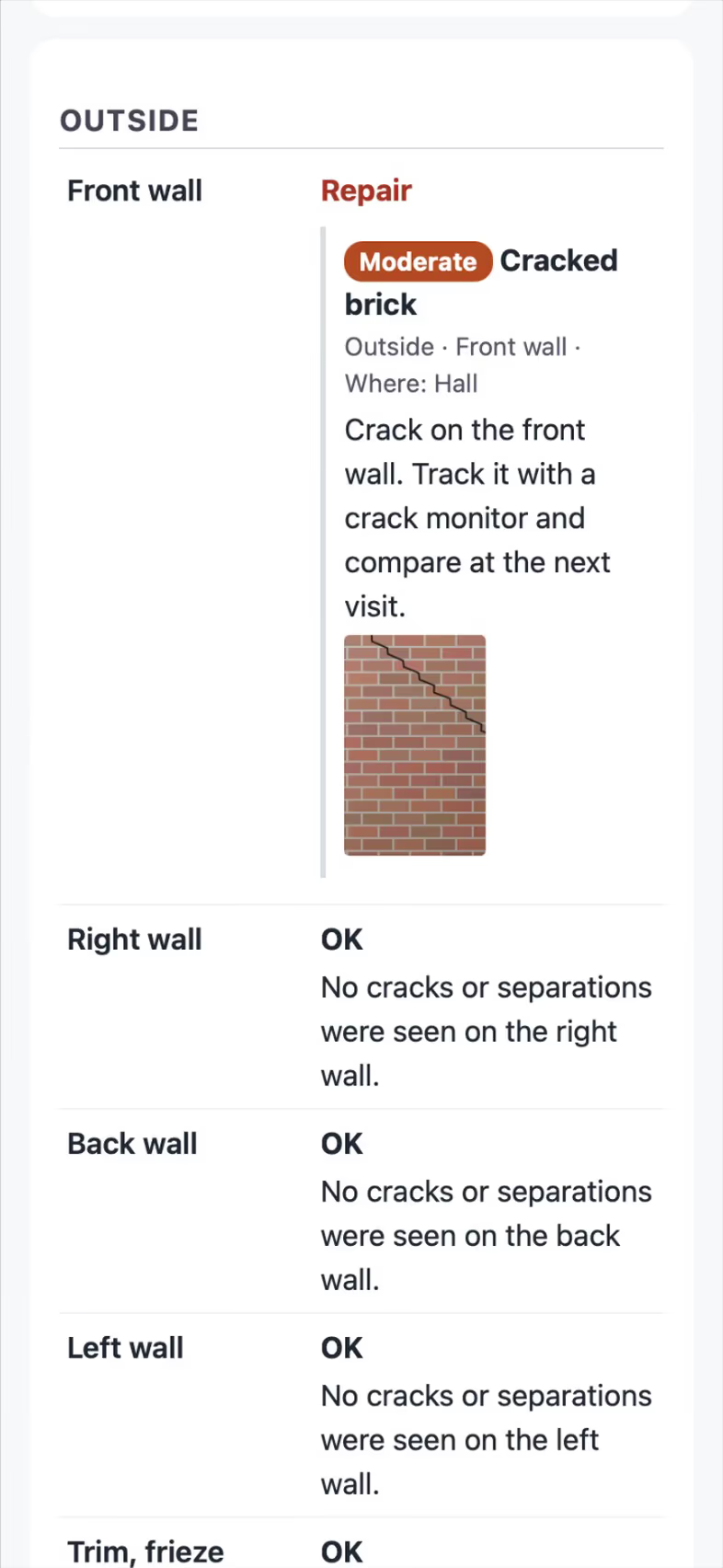
Clean sections take one tap
All good rates every untouched item in a section and fills in its comment with 1 tap. Marking an item Not inspected with a reason chip takes 2. A photo finding proposes the item, severity, comment and room, and you confirm it in 3.
- Guided inspections
Checklists in walking order with a Look / How / Report guide under each item, All good per section in 1 tap, Not inspected with a reason in 2, flags for later, repeatable zones and a visit header.
- Photo findings Turn it on in Settings
Snap a photo and the item, severity, library comment and room are proposed; Add confirms (3 taps).
Off until a manager turns it on. Uses credits. Without AI, the comment library is used. - Say it
Speak a finding ("one millimetre crack above the hall door") and it becomes a finding in your library's words. It's free and uses no AI.

Findings on the plan
Tap the room or the exact spot on the Field CAD plan and the finding lands there. The web report and the PDF get a numbered plan page.
- Findings pinned on the plan
Tap the room or exact spot on the plan; the report gets a numbered plan page.
- Rating sets
OK / Monitor / Repair, Pass / Fail, Good / Fair / Poor, TREC (Inspected, Not inspected, Not present, Deficient) and Ready / Needs work.

Sending the report and correcting it
Send report delivers the web report and PDF to the customer portal, by email and by text, each delivery logged. Need a correction? Re-send with a Corrected banner while the first PDF stays readable with its fingerprint.
- One-tap send
Send report delivers the web report and PDF to the portal, email and text, each delivery logged, a repeat tap never sends twice.
- Corrected reports
Correct and re-send with a Corrected banner; the first PDF stays readable with its SHA-256.

Works with no signal
A guided run starts and finishes offline. Photos, findings and the send sync in order when the signal is back. Two inspectors can fill different sections of the same run at once. Photos never make you wait: each one is saved on the phone at once and uploads in the background.
- Photos that never make you wait
Each photo is saved on the phone and shows at once, so the camera is ready for the next one. Photos upload in the background, keep trying with no signal and never upload twice, and a checklist waits for its photos before it goes out.
- Offline inspections
A guided run starts and finishes with no signal and syncs in order, with no duplicates and no lost photos.
- Two inspectors, one report
Two inspectors fill different sections of one run at once and the report names both.
- Inspect before it is a job
A lead gets its own inspection, plan and readings before the sale; everything moves to the job once it converts.
- Voice elevation survey
Speak readings onto a suggested grid of about 30 spots in English or Spanish; misheard values held back with a one-tap fix; "zero here" re-bases.
- Readings and reading sets
One reading shape for surveys, cracks, drawings and checklists, with average, max difference and closure, and a photo of the instrument.


Photos that upload in the background
An inspector takes six photos in a row on an inspection, with every upload slowed to a second and a half like a weak signal. Each photo shows at once with a small uploading mark, the bar at the top counts them, such as Uploading 5 of 6, and Add photo is ready for the next shot right away. When the last one lands, each photo has its caption box and Save keeps the inspection. The company, the people and the address are made up, and the photos are drawings.
See it in use
A call turned into a signed proposal
The missed call gets a text, the visit is booked near the address, and the proposal is signed on site.
See the stepsA Texas TREC home inspection
The REI 7-6 item by item on the phone, sent as TREC's own form.
See the stepsA Texas T-5 termite report
The TDA SPCS/T-5 in the form's order, with your diagram and the rules checked.
See the steps
User guides for inspections and reports
- Run a guided inspectionA checklist in walking order with a Look, How and Report guide under each item. Works with no signal.6 min
- Send the inspection reportOne tap sends the web report and PDF to the portal, email and text.3 min
- Do a TREC home inspectionThe Texas REI 7-6 form item by item on the phone. The PDF is the form itself.6 min
- Do a Texas wood destroying insect reportThe TDA SPCS/T-5 form line by line on the phone. The PDF is the department's own form, filled in.6 min
- Take and file job photosPhotos file themselves to the job. Mark them up, request photos from a customer, and find them on a map.3 min
- A fine foundation, drainage work or a repairPick the report type that fits the visit. A fine foundation costs the customer nothing, drainage work is priced without piers, a repair is the full proposal.3 min
Questions
Can I use my own checklists?
Yes. Start from the template library or build your own with photo, signature, pass/fail and reading items. Comments you write in the field can be saved to the library.
Does it fill the TREC REI 7-6 form?
Not yet. Guided inspections already use the TREC rating words (Inspected, Not inspected, Not present, Deficient). The REI 7-6 report layout is coming soon.
See FollowStack on one of your own jobs
Bring an address you're bidding this week. We'll draw it and price it with you, live on the call.