Contractor software that answers your phone and draws the house
FollowStack answers your calls and books the visit at the right address. On site it draws the house and writes the report, then it prices the job and collects the deposit. It's the same contractor software on your iPhone, iPad and computer.
Bring an address you're bidding this week to the 30-minute demo call, and we'll draw it and price it with you live.
- Foundation repair
- Roofing
- Landscaping
- Home inspectors
- Insurance restoration
- Remodeling and home improvement
- All 52 trades
Already using FollowStack? Log inGet early access
A 40-second tour of FollowStack
01 Calls The AI receptionist answers calls, texts and web leads
Recorded in FollowStack with demo data. Names, addresses and numbers are made up. The AI replies come from a test stand-in, written the way the real feature drafts them, and no real texts, calls or emails were sent. The clip has no sound.
How an inspection gets done in one visit
We design every screen so the report is done and sent before you leave the driveway. It builds while you walk, and a clean section or a finding takes only a few taps.
- 1 tapto mark a whole section All good
- 3 tapsto turn a photo into a finding
- 0 tapsto re-price a bed when you drag a corner
Every release is tested against these tap counts.
How a job moves through FollowStack
The AI receptionist answers calls, texts and web leads
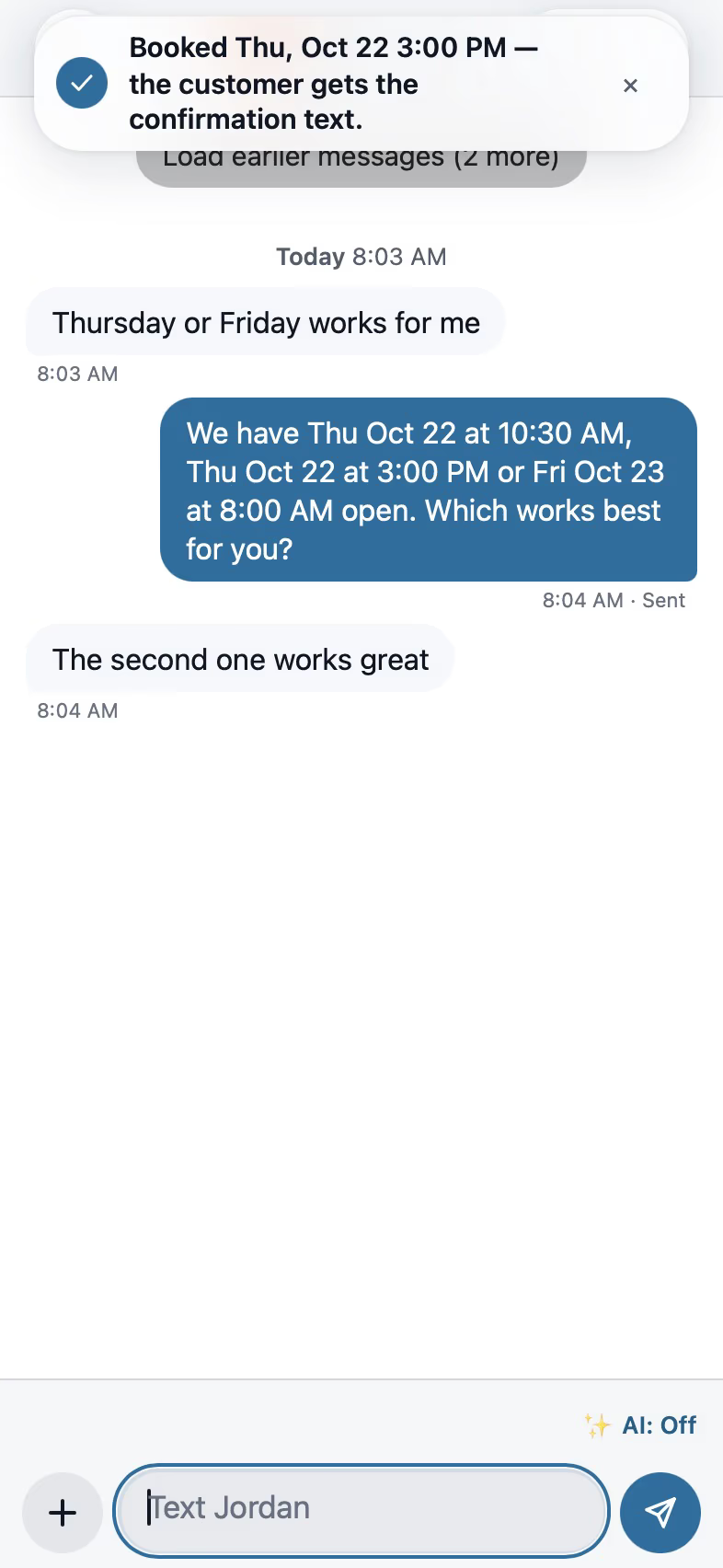
The AI receptionist picks up and the website chat can book the visit. If you miss a call, the caller gets a text within a minute, and all of it lands in one inbox.
AI front desk
Booking starts with the address
Times are offered only after the address is in. Each inspector's own day is checked, and the visit goes to whoever adds the least driving.
Scheduling
Draw the house in minutes
Hints keep the walls square while you draw, or a LiDAR scan does the whole house. In supported Texas counties the lot and the footprint draw themselves from the address.
Field CAD
Inspections follow the order you walk
Guided checklists follow the order you walk the house. You add findings from a photo or by voice, they pin to the plan, and the report goes out in one tap.
Inspections and reports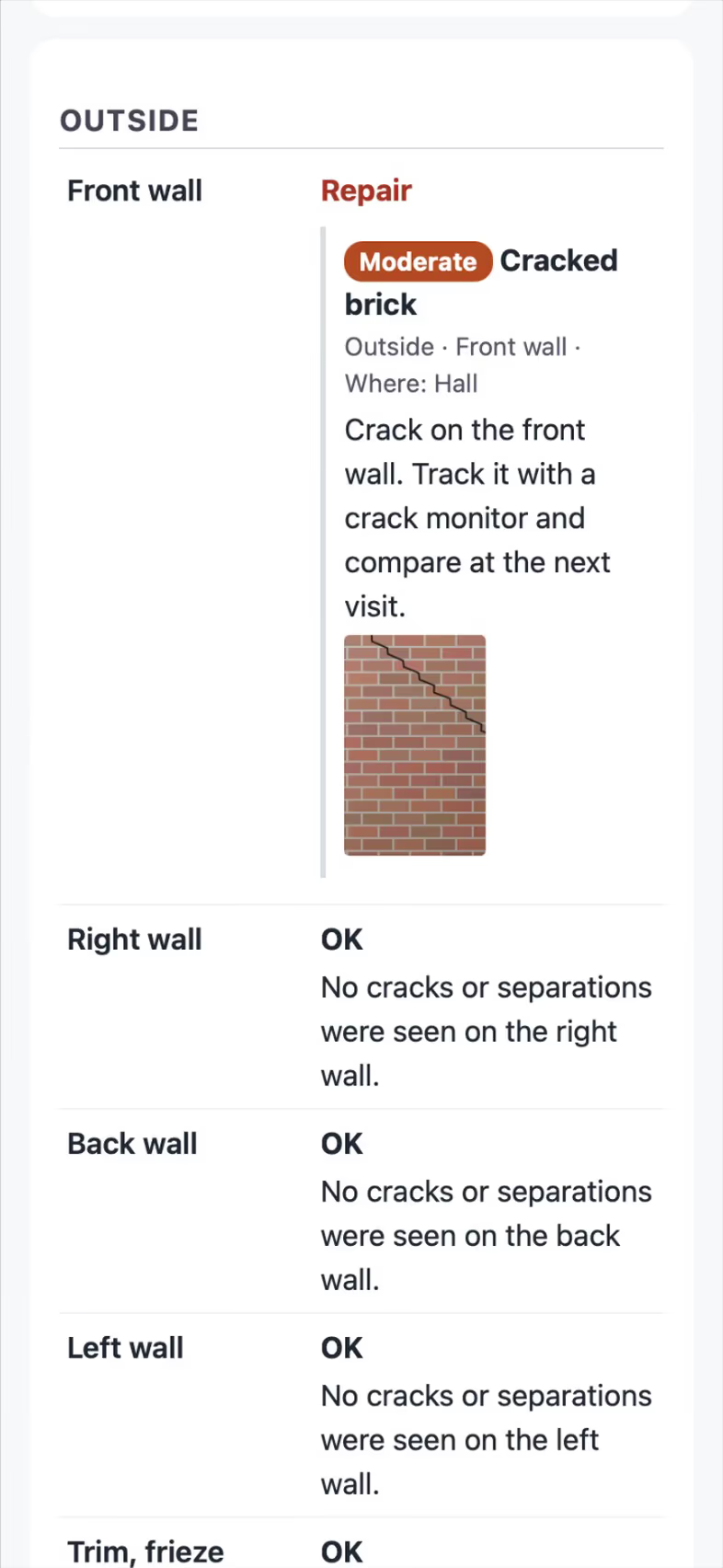
Takeoffs price the materials for you
Roof mode measures the roof, and kits turn a drawn bed, patio, drain or gutter run into priced materials with the reason on every line.
Takeoffs and Roof mode
The customer signs and pays the deposit on site
The proposal shows Good, Better and Best options with a 3D picture of the plan. The customer signs and pays the deposit on the same page.
Proposals and payments
The crew has it on their phone
Work orders, time cards, photos, the 811 ticket and the close-out sheet are on the crew's phone. When the last crew day ends, the office is told to collect.
Crews and jobs
Yearly follow-ups and a customer portal
The customer portal keeps every photo, the 360 tour and the 3D view. Review requests are sent the right way, and each yearly follow-up starts from last year's data.
Customer portal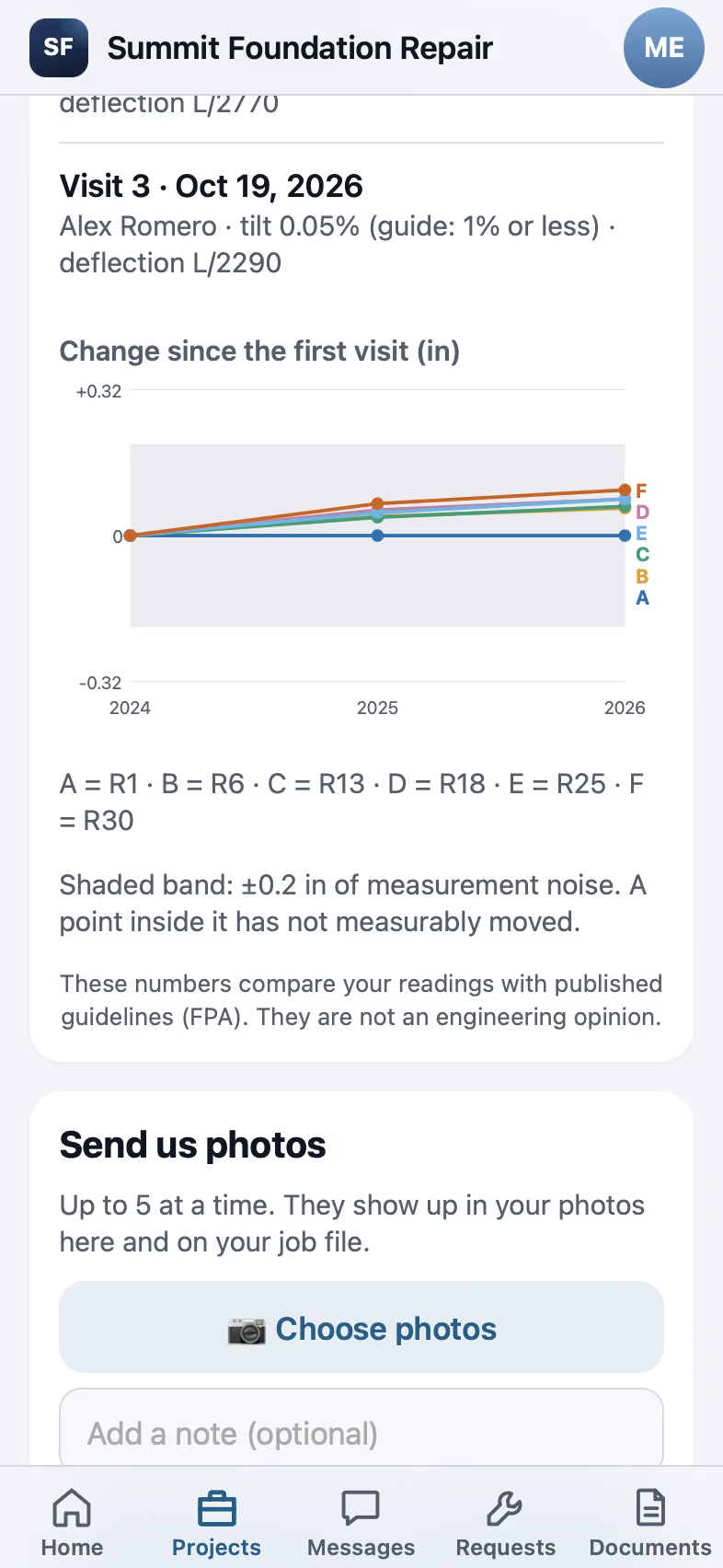
What's in FollowStack
How a Field CAD drawing feeds the rest of the job
You draw the house once. The takeoff, the proposal, the inspection report, the insurance sketch and the customer's 3D view all use that drawing.
Hints line up corners and match lengths while you draw, and on an iPhone Pro or iPad Pro a LiDAR scan does the whole house. The satellite background comes from public imagery with its source and date. One tap shows the plan in 3D with a floor heat map in plain words, and 360 tours pin to the plan.

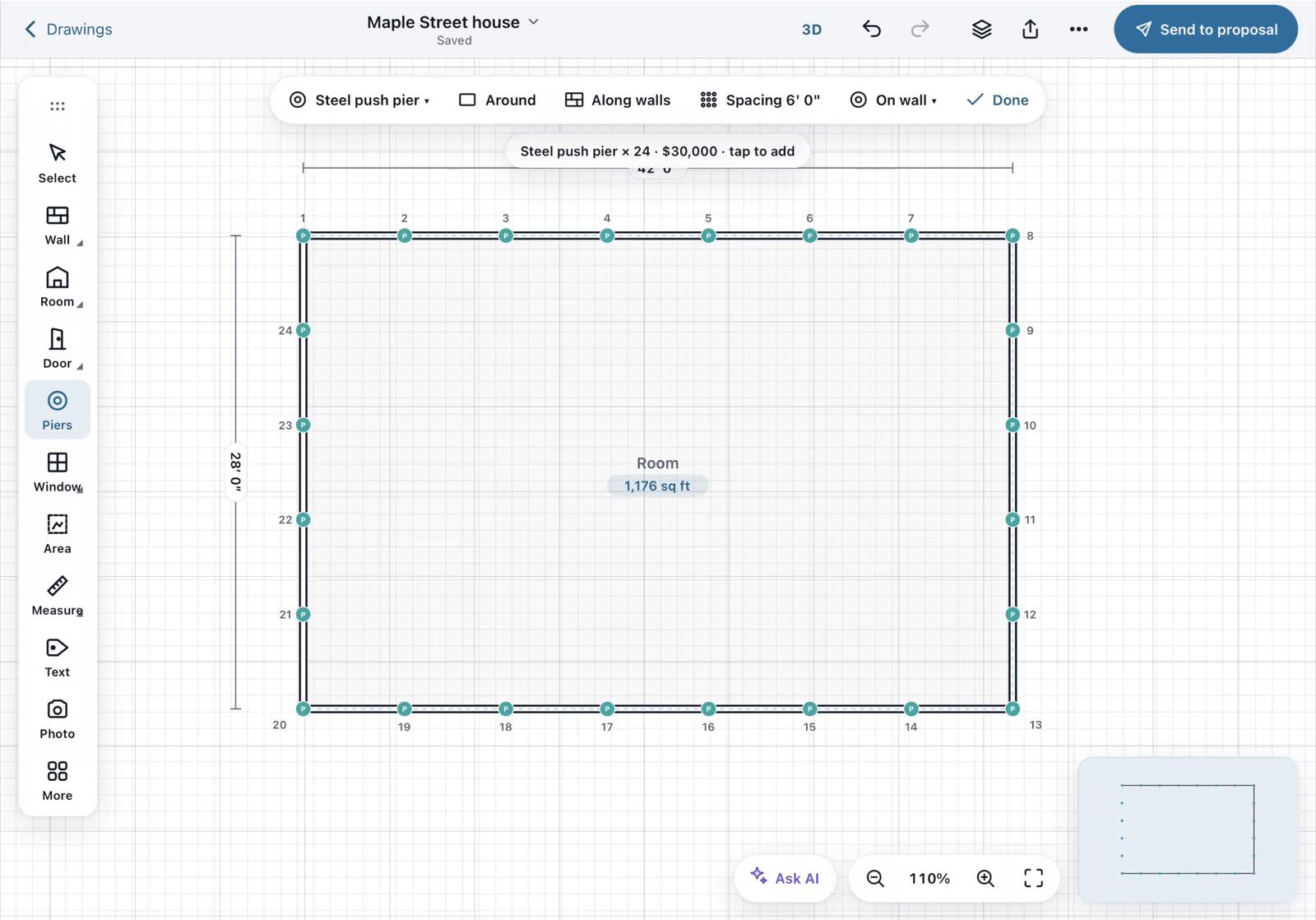
Draw each wall with a finger and type its length on the keypad.

With the outline closed at 1,176 sq ft, Around spaces 24 steel push piers 6 feet apart and shows the $30,000 total before you place them.

The takeoff goes into the proposal as a repair estimate with 24 piers at $1,250 each, the permit and the engineer's letter, and a 50 percent deposit.
The homeowner signs with a finger on their own phone and accepts the proposal.
Recorded in FollowStack with demo data. Names, addresses and numbers are made up.
FollowStack for your trade
Foundation repair, roofing, gutters, landscaping, lawn care, irrigation and drainage have their own packs. Plumbers, HVAC techs, remodelers, agents, property managers and 29 more trades run on the same system today.
FollowStack in Spanish for your crew and your customers
Every screen reads in Spanish for a Spanish-preferring user. A customer who writes in Spanish gets every text, page and signed PDF in Spanish from then on. The website chat switches with the visitor.


How FollowStack is tested and kept safe
Thousands of checks per release
Every release runs the full automated suite on iPhone, iPad and desktop layouts before it ships.
Every lead is saved first
Forms, chat and booking store what the visitor typed first. If anything fails after that, the office gets one alert and the visitor reads an honest message with your phone number.
Works with no signal
Field CAD and guided inspections run offline and sync in order when the signal is back.
Who can see your data
Roles are enforced on the server, and support can only look inside with an owner's approval. You can export everything any time.
The free field checklist kit
These are 14 checklists we built into FollowStack, for foundation evaluations, irrigation checks, crew visits, 811 safety, final walkthroughs and listing prep. Each one is a printable PDF, and most come in English and Spanish.
Plans from $80 a month
Every plan has the full CRM and credits each month for AI, texts and calls. Book a demo to get started.
Questions
What is FollowStack AI?
It's contractor software for home-service companies. It answers calls, texts and web leads with an AI front desk and books visits by address. It also covers Field CAD drawings, guided inspections, takeoffs, proposals with e-signature and deposits, invoices, crews and a customer portal.
Which devices does it run on?
iPhone, iPad and any modern web browser, including Android phones. LiDAR scanning needs an iPhone Pro or iPad Pro with a LiDAR sensor.
Does it work in Spanish?
Yes. The app, the customer pages, the texts and the signed PDFs all work in Spanish.
Do you integrate with Roofr, EagleView or Hover?
No. FollowStack has its own roof measuring tool and roof report. You trace the roof yourself.
Can I bring my data?
Yes. Import customers and jobs from CSV, bring your CompanyCam photos, and export everything any time.
See FollowStack on one of your own jobs
Bring an address you're bidding this week. We'll draw it and price it with you, live on the call.