FollowStack demo videos

Every clip is a screen recording of the real app, on a demo company with made-up customers.

Recorded in FollowStack with demo data. Names, addresses and numbers are made up. The AI replies in these clips come from a test stand-in, written the way the real feature drafts them. No real texts, calls or emails were sent.

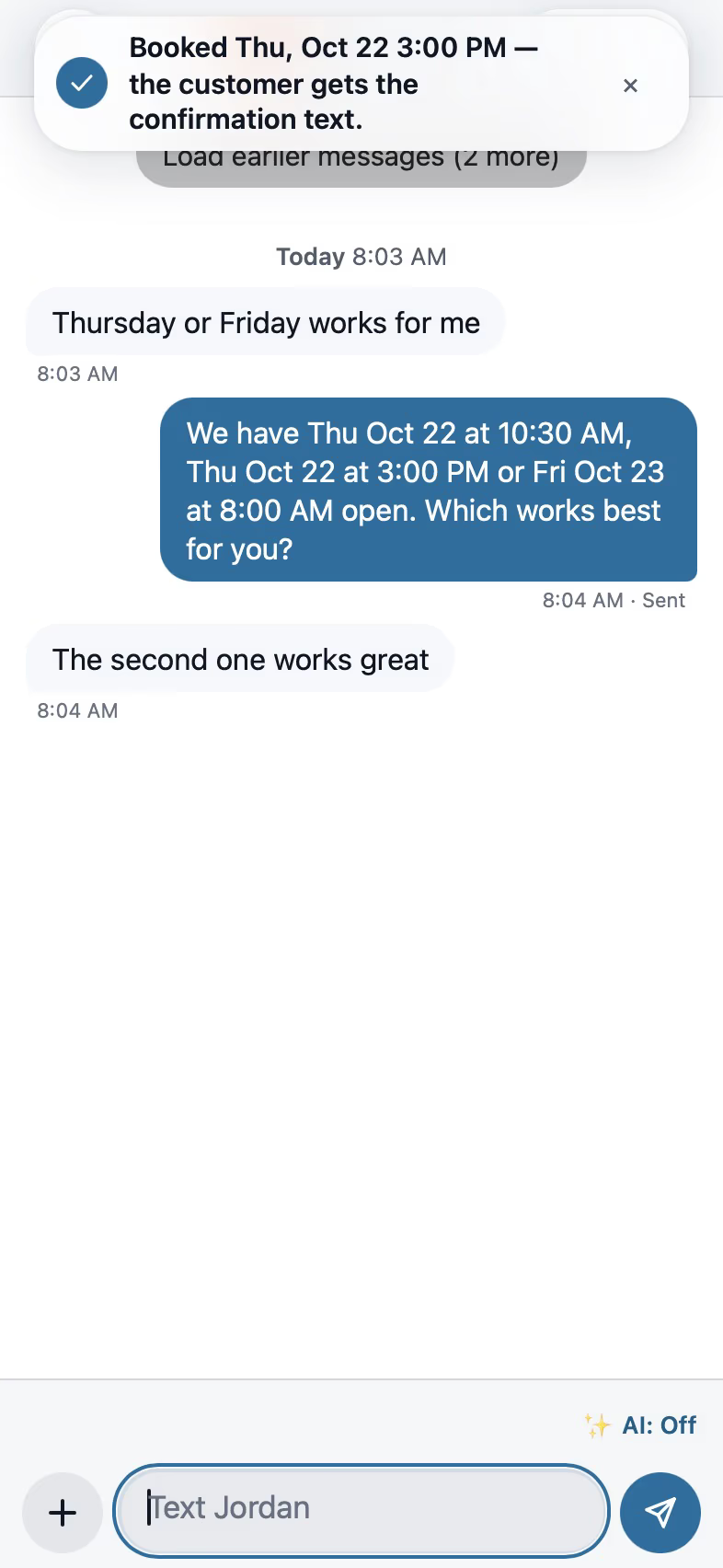
FollowStack inbox on iPhone with a suggested reply to a customer text

A text answered and booked from the inbox

A customer text rings on the Today screen. The suggested reply is ready and goes out in one tap, Offer times puts three open slots near the customer's address into the message, the customer picks one, and one tap books it.

19 seconds, iPhone

AI front desk

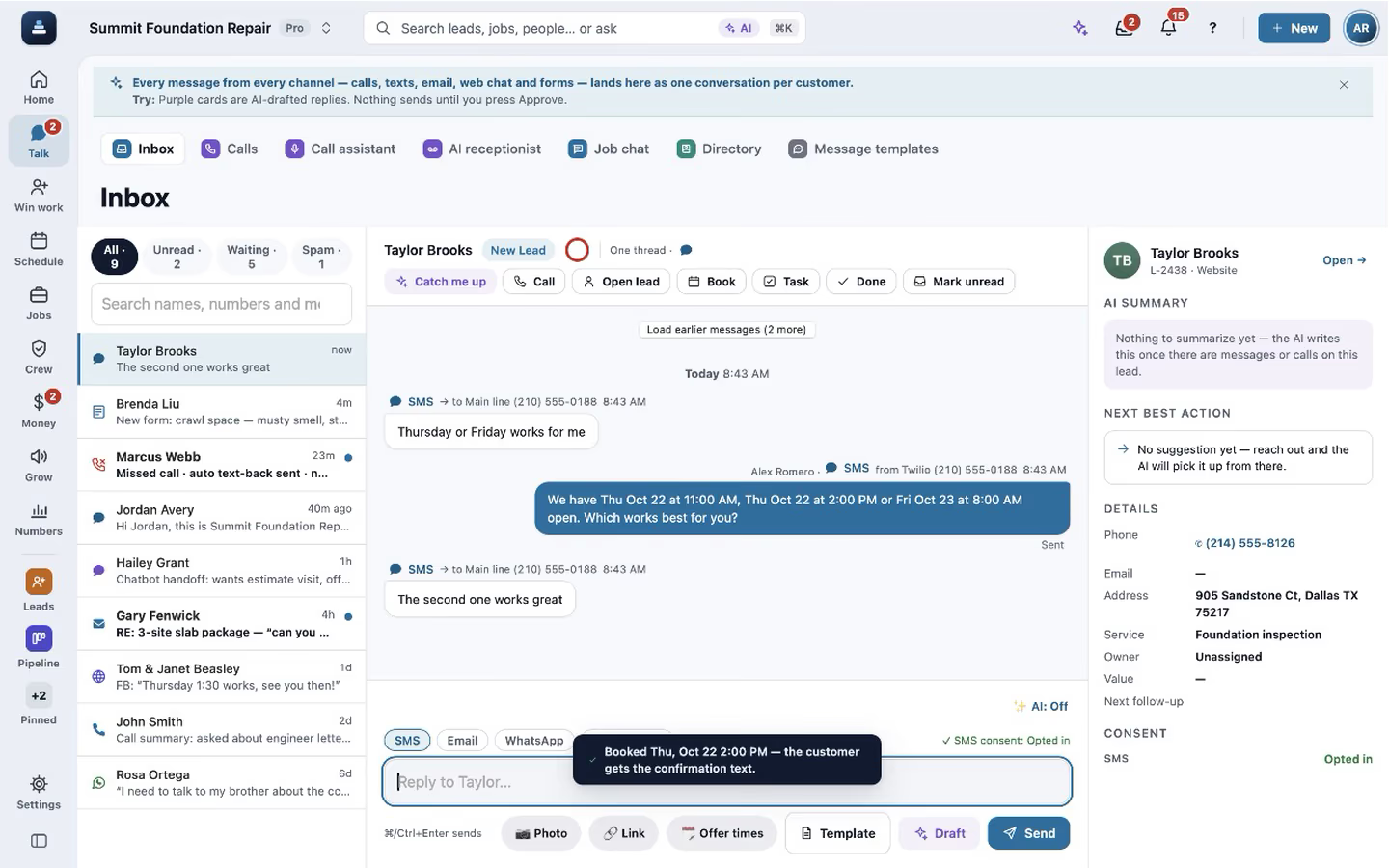
FollowStack desktop inbox with the thread, an AI summary and the customer details

The same inbox on a computer

The three-pane desktop inbox shows the alert, the suggested reply, Offer times, the customer's pick and the booking, with the thread summary and customer details beside it.

18 seconds, Computer

AI front desk

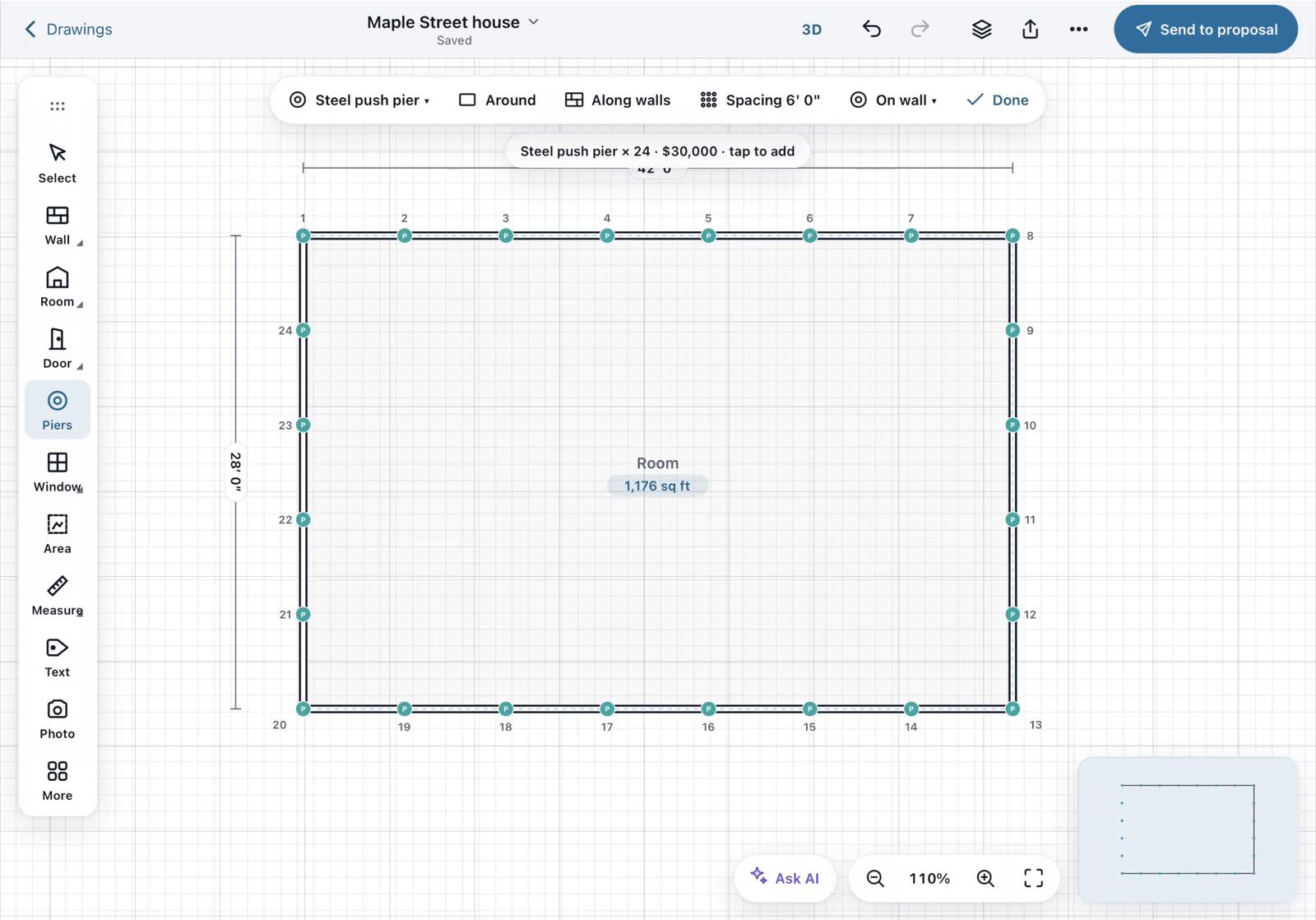
Field CAD on iPad with a house outline and 24 numbered piers placed around it

Draw a 42 by 28 house and place 24 piers

On iPad, four walls are drawn with a finger and typed lengths (42, 28, 42). The outline closes at 1,176 sq ft, and Piers, Around previews and places 24 piers every 6 feet.

20 seconds, iPad

Field CAD

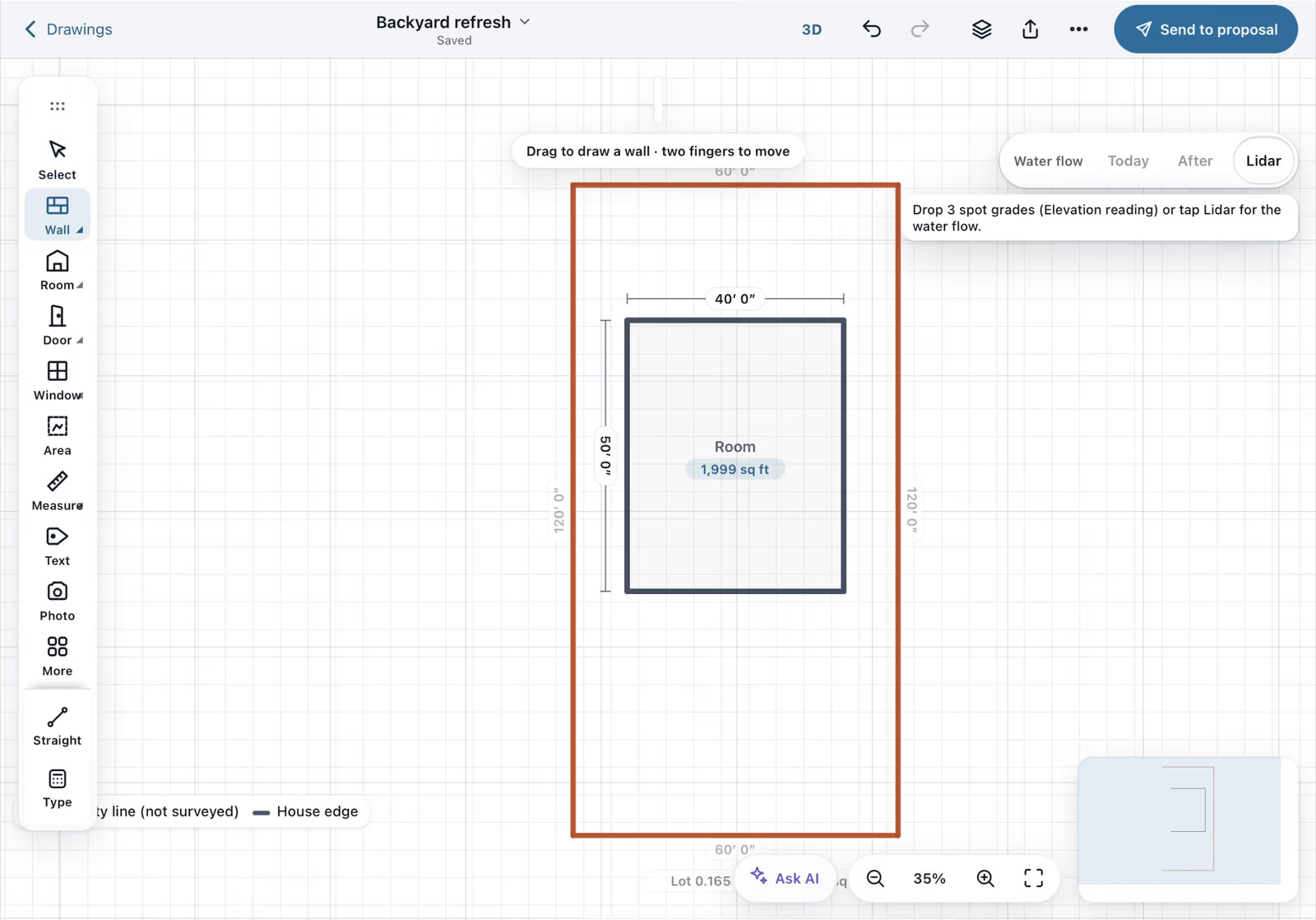
A new Field CAD drawing with the property line and house footprint filled in from the address

The lot and the house drawn from the address

On a job with an address in a supported Texas county, a new drawing fills in the property line, the house footprint and the lot size, each with its public source and "not a survey".

9 seconds, iPad

Field CAD

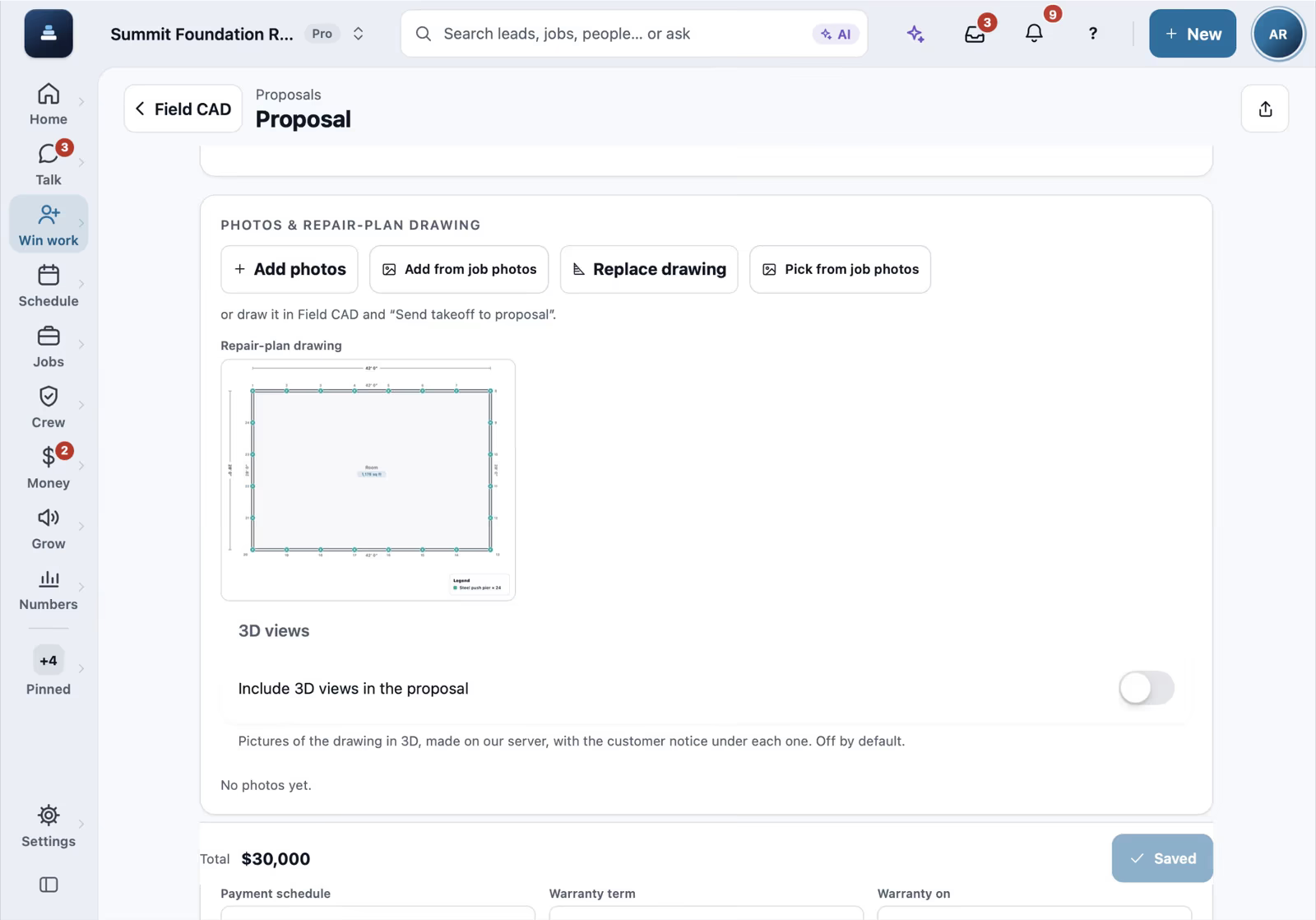
A FollowStack proposal opened from a Field CAD drawing with the repair plan inside

A proposal made from the drawing

Tap Send to proposal on the drawing and pick the customer. The proposal opens with the takeoff total and the repair-plan drawing already in it.

10 seconds, iPad

Proposals and payments

Roof mode on iPad with a traced roof, its ridge and the roof report

Measure a roof yourself

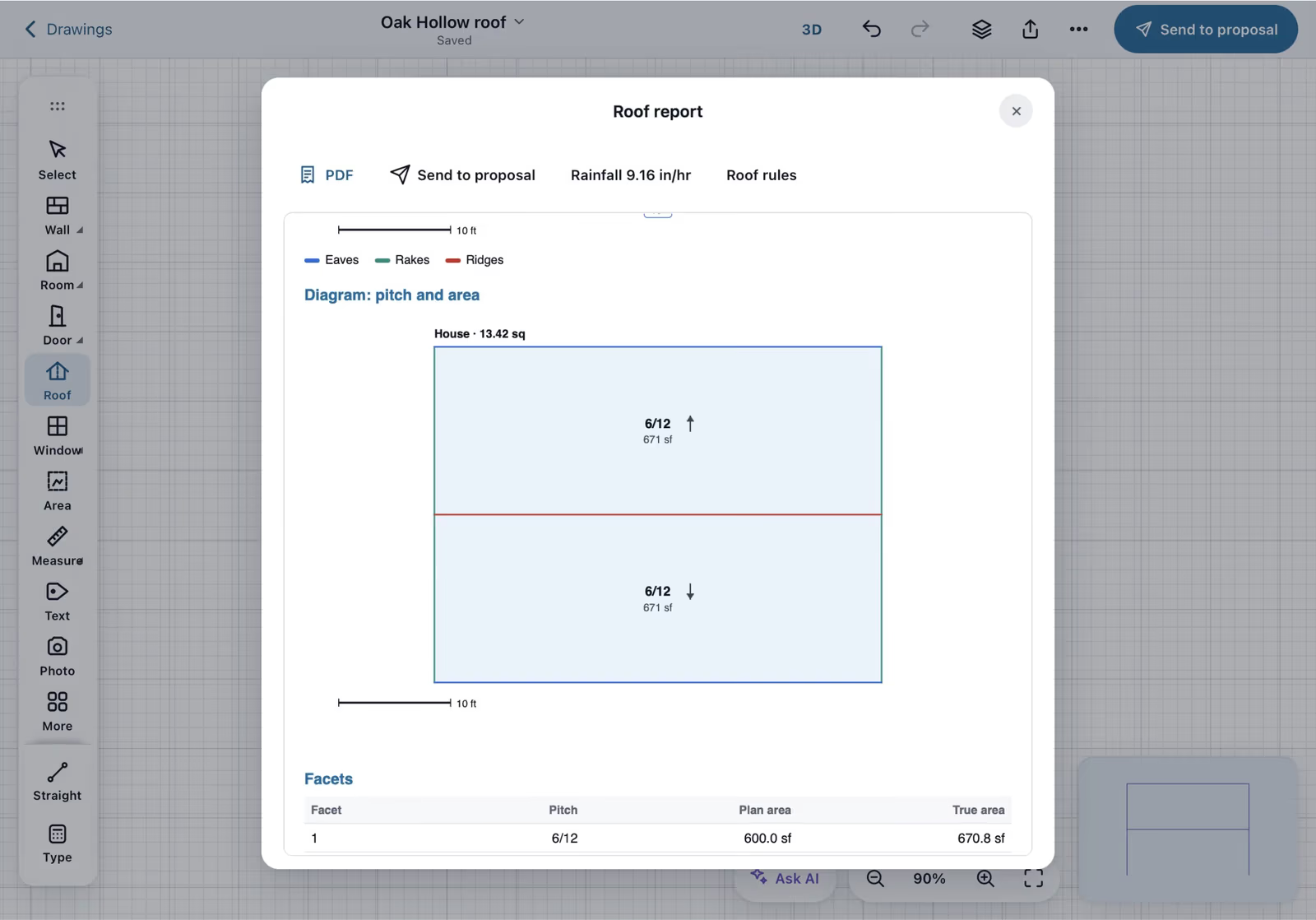
In Roof mode, four strokes trace a 40 by 30 roof and its ridge, the edge roles set themselves, the pitch is set to 6/12, and the roof report shows 1,341.6 sq ft, 13.42 squares, waste and bundles.

18 seconds, iPad

Takeoffs and Roof mode

Roof mode on iPhone with the roof report

The roof flow on a phone

The same roof measuring flow on an iPhone, from the outline to the roof report.

16 seconds, iPhone

Takeoffs and Roof mode

A landscape bed on iPad with a planting kit applied and the order list by supplier

A bed kit and its order list

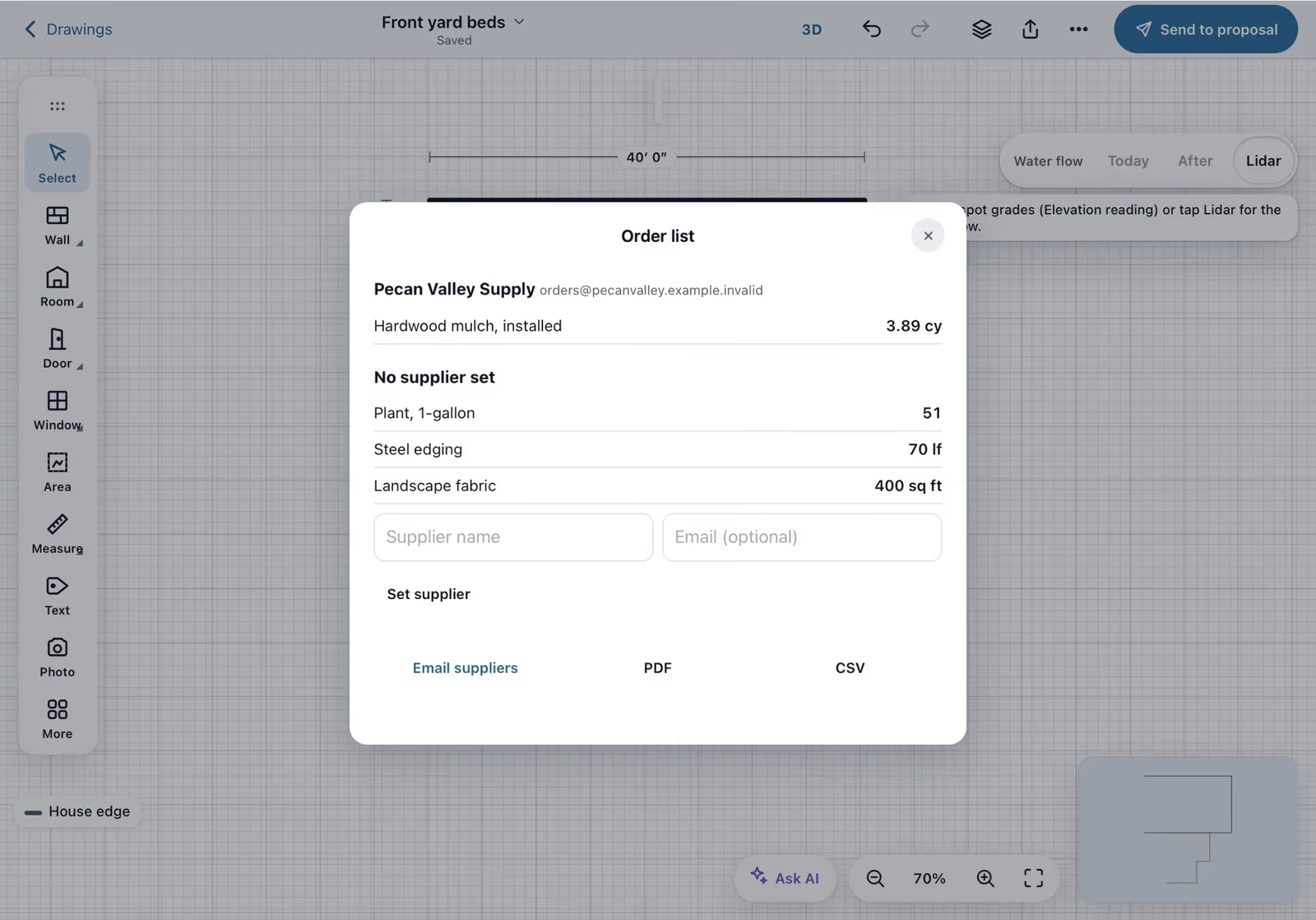
A landscaping company taps a bed beside the house and applies a bed install kit (3 in mulch, 1-gallon shrubs 3 ft apart). The house edge is found automatically, and the order list groups mulch, plants, edging and fabric by supplier.

12 seconds, iPad

Takeoffs and Roof mode

A guided foundation evaluation on iPhone with a photo finding and the homeowner web report

A guided inspection, sent from the driveway

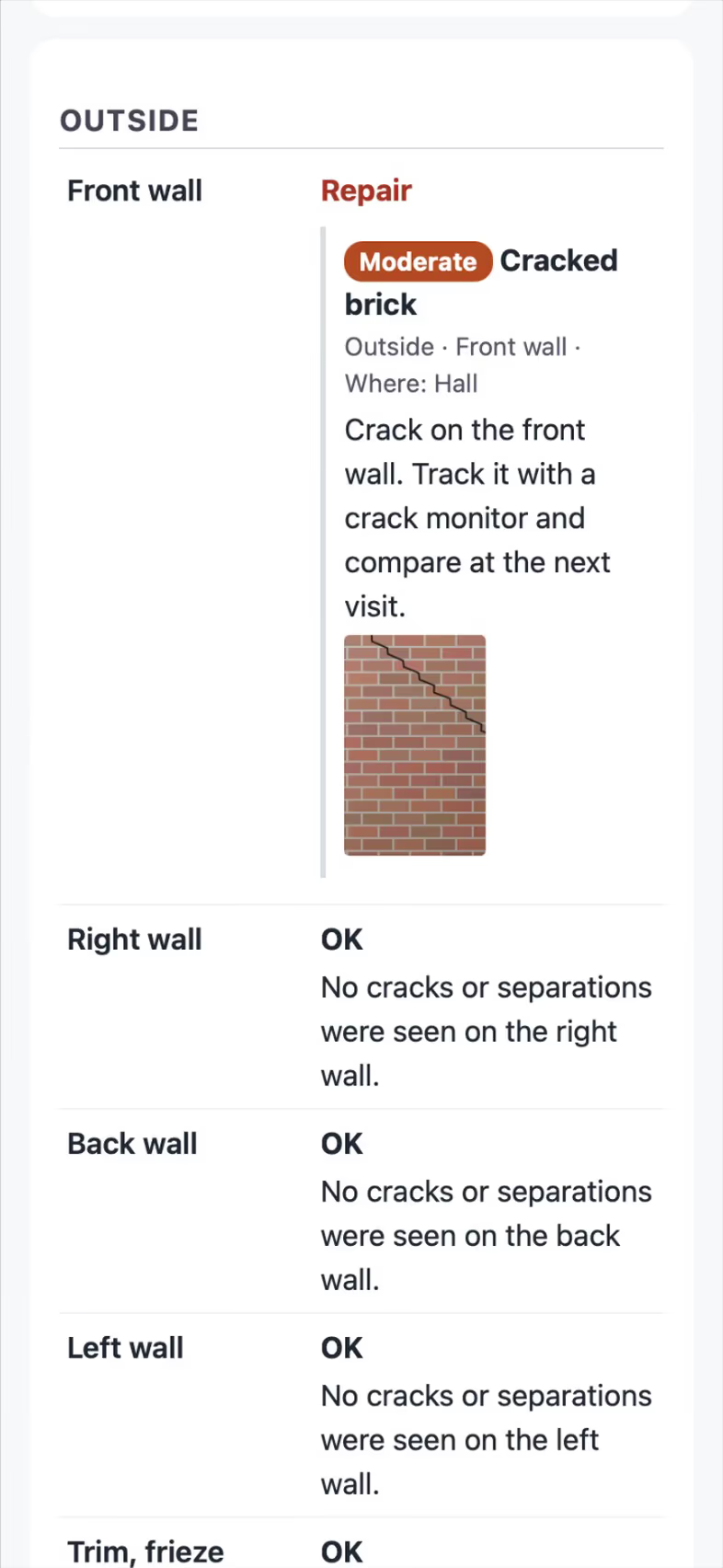
In a guided foundation evaluation, a photo of cracked brick becomes a finding, All good rates Outside and Inside in one tap each, Send report, and the homeowner's web report opens with the finding and its photo.

21 seconds, iPhone

Inspections and reports

The TREC REI 7-6 checklist on iPhone with item 1B marked Deficient

A TREC home inspection on the phone

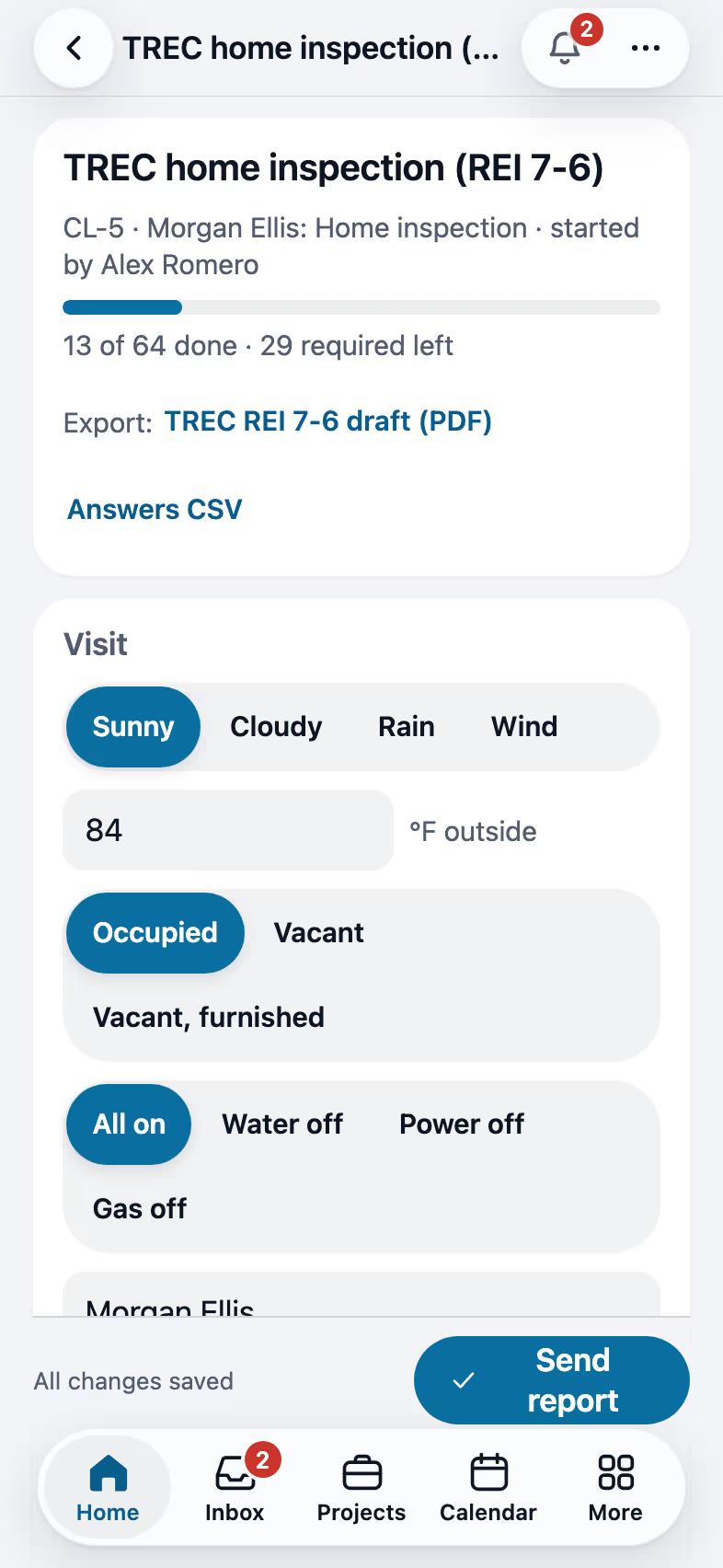
On the TREC REI 7-6 checklist the inspector sets the weather, the temperature, occupancy and utilities, marks 1A Foundations Inspected and picks Slab on grade, marks 1B Grading and Drainage Deficient so the standard comment fills in, then taps All good to rate the rest of section I as Inspected with the library comment. The progress at the top reads 13 of 64 done.

19 seconds, iPhone

Inspections and reports

The TDA SPCS/T-5 checklist on iPhone with the structures and the foundation answered

A Texas T-5 termite report on the phone

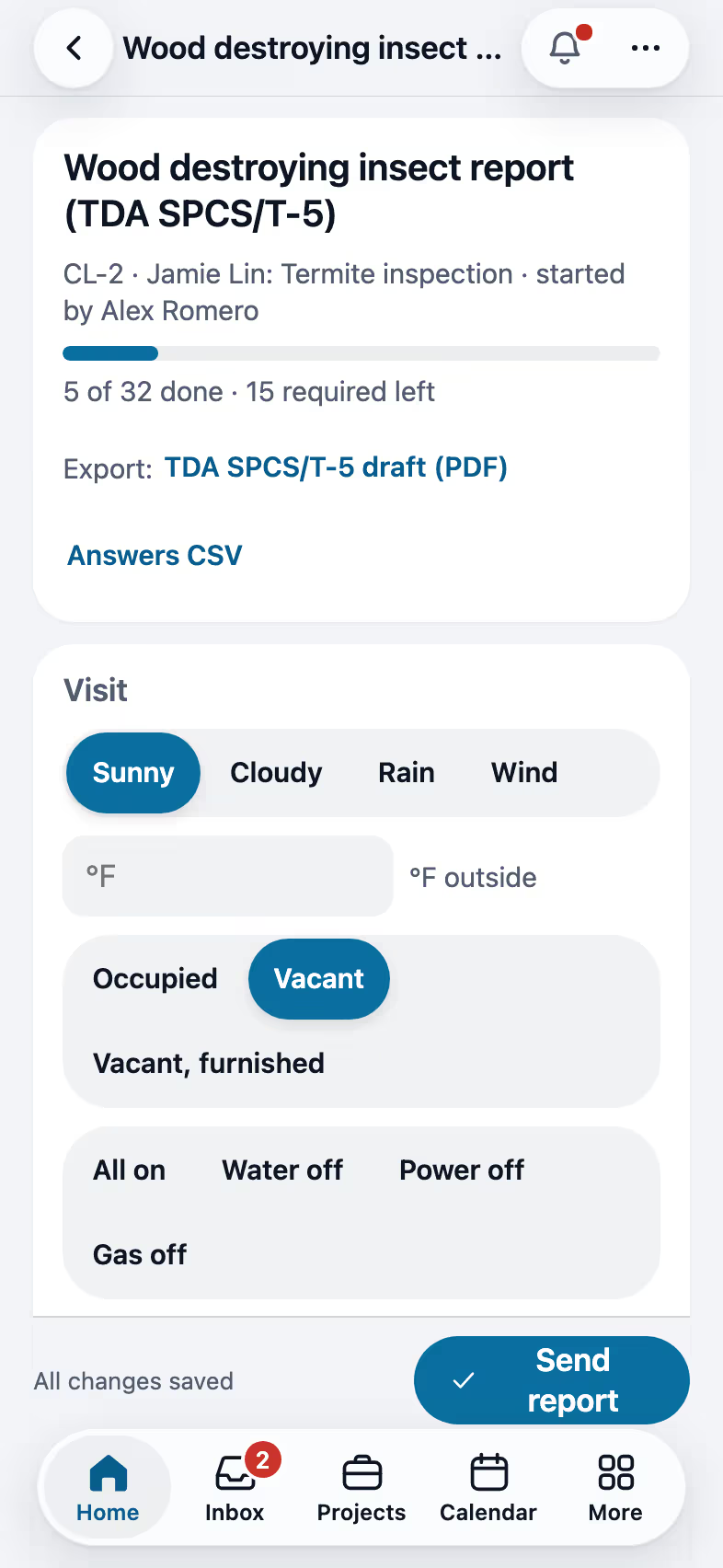
On the TDA SPCS/T-5 wood destroying insect report the inspector sets the weather and occupancy, marks the buyer as the purchaser, sends the report to the purchaser and the agent, picks Main house and Detached garage, then Slab and Brick. The progress at the top reads 5 of 32 done.

16 seconds, iPhone

Inspections and reports

A homeowner proposal on iPhone with the pier plan, the estimate and a signature

The homeowner signs with a finger

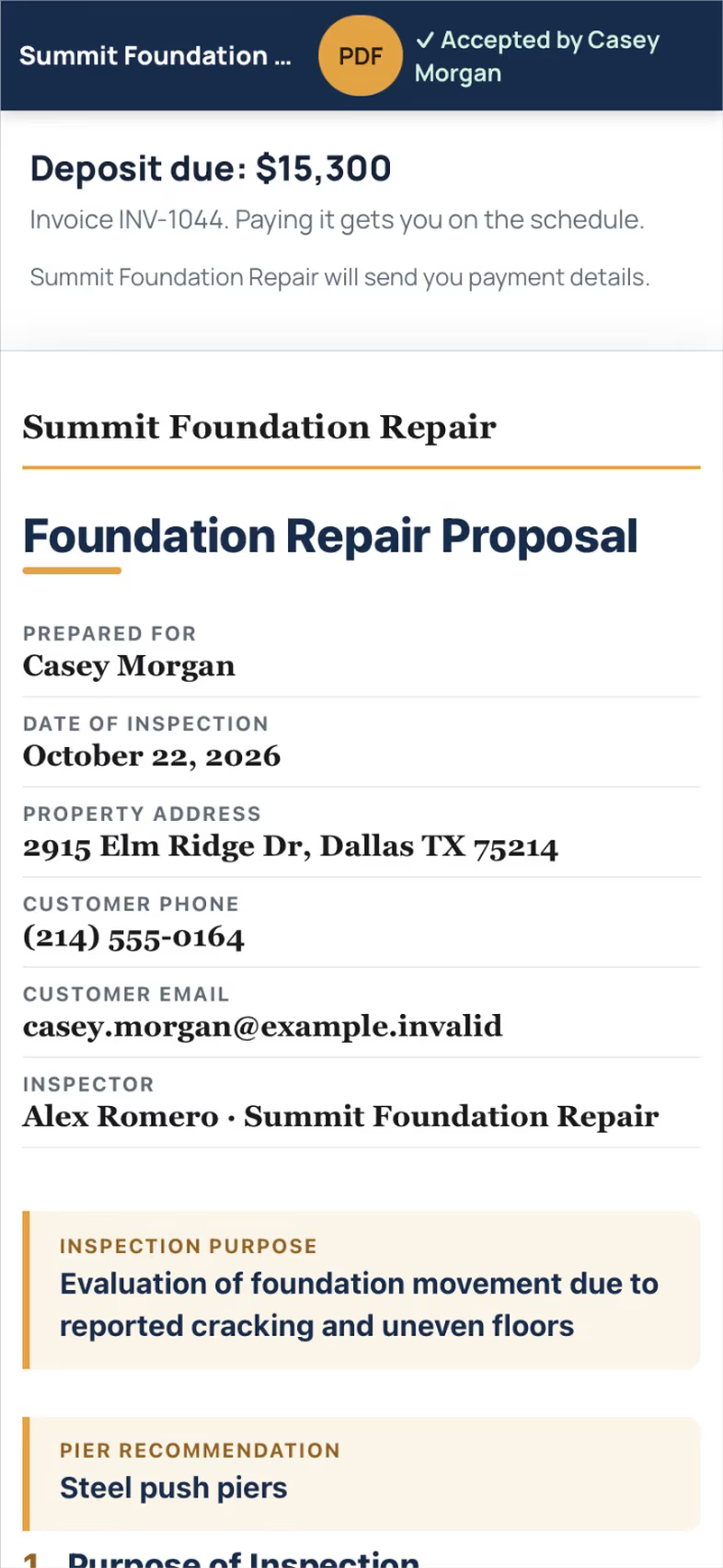
The homeowner opens the proposal link and sees the Field CAD plan, the pier layout and the repair estimate with 50 percent deposit terms. They sign with a finger, legal name and consent, and the deposit due and its invoice follow. The demo company has no card account connected, so the clip ends on the deposit invoice rather than a card payment.

16 seconds, iPhone

Proposals and payments

The FollowStack customer portal on iPhone showing the home movement chart over three visits

The homeowner sees how the house moved

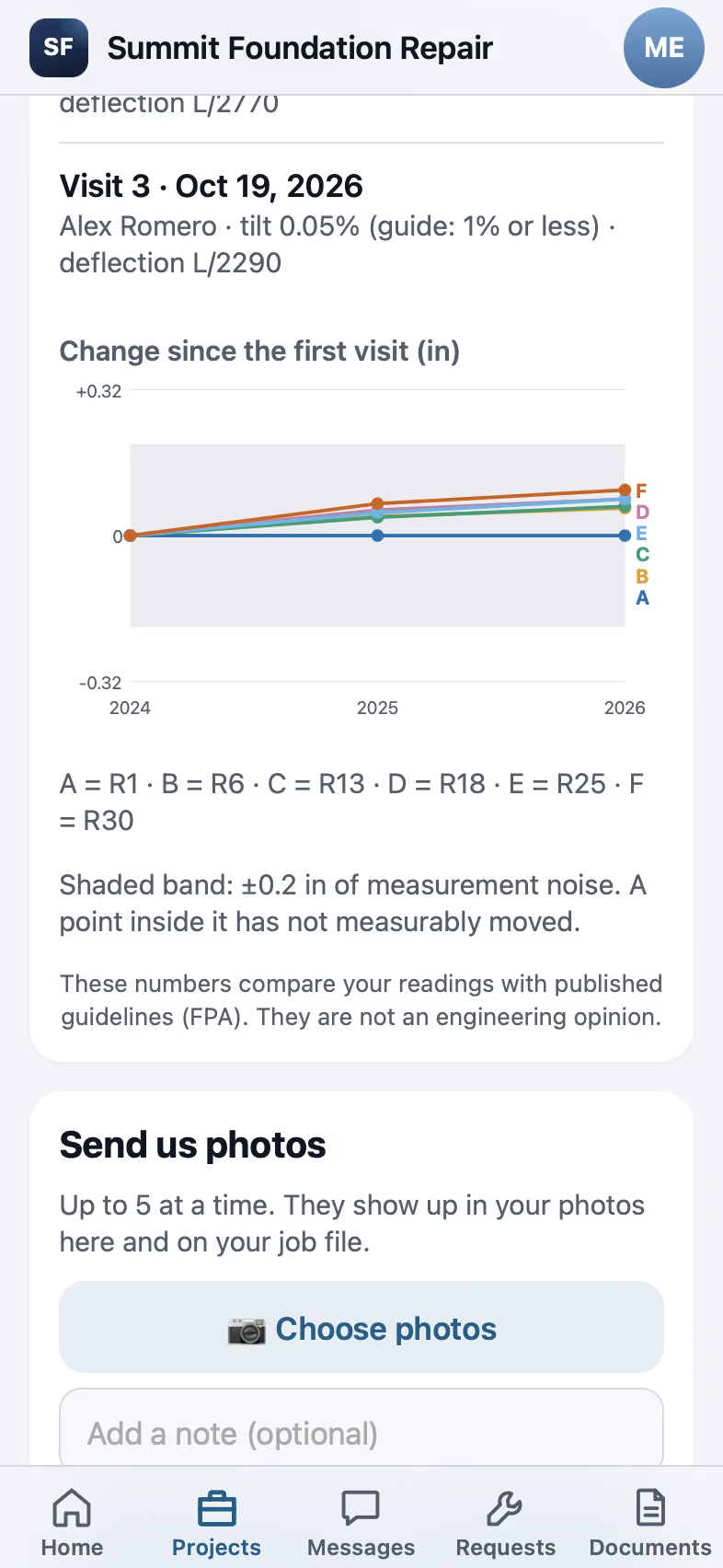
The customer signs in to the portal with a one-time code, opens the project and sees the home movement chart over three visits a year apart, with the measurement noise band shown.

12 seconds, iPhone

Customer portal

The crew close-out sheet on iPhone with the pier log prefilled from the proposal

A crew lead clocks in and closes out a visit

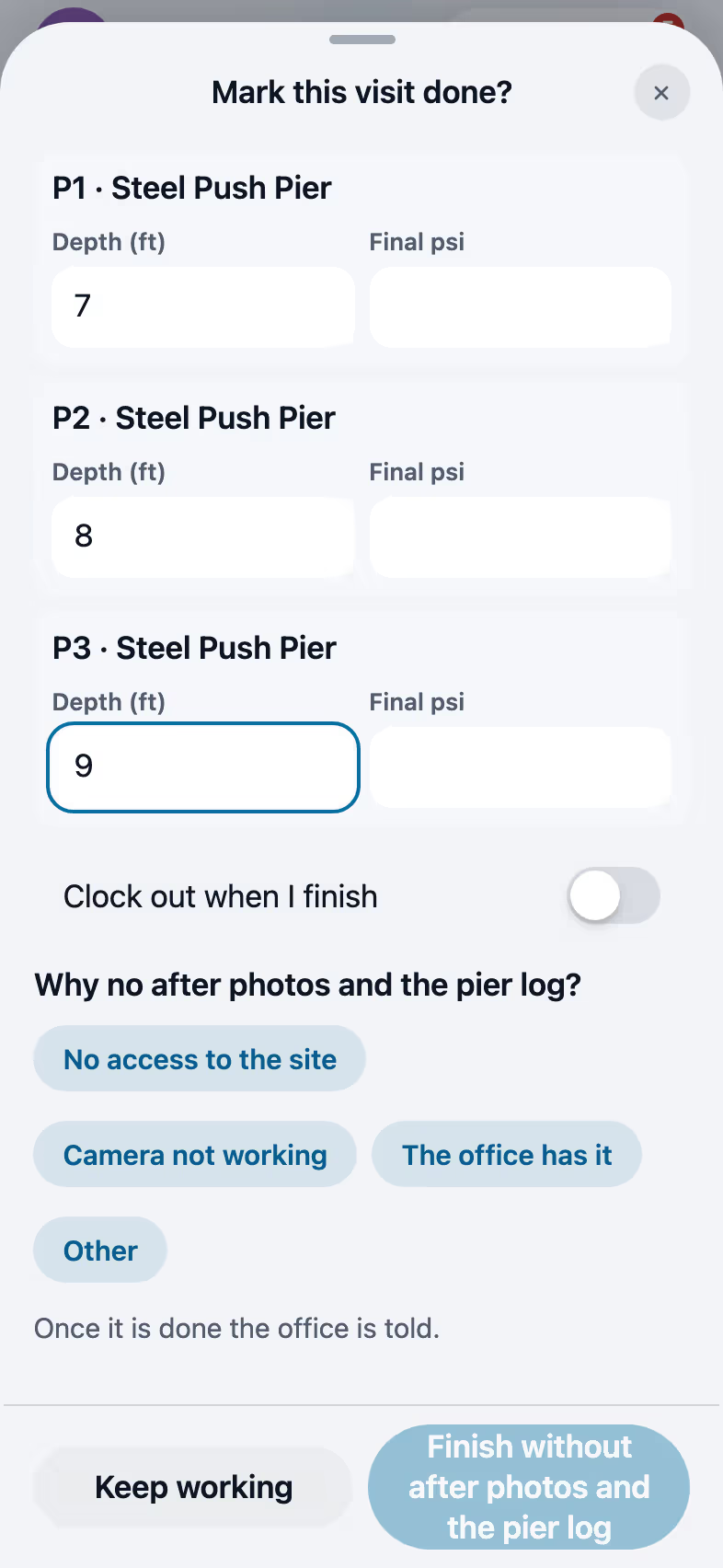
The crew lead opens Today, taps Clock in and picks the 7 AM job, starts the visit, then taps Mark done. The close-out sheet asks for after photos and shows the pier log with the three piers from the proposal, and the crew lead types each depth.

14 seconds, iPhone

Crews and jobs

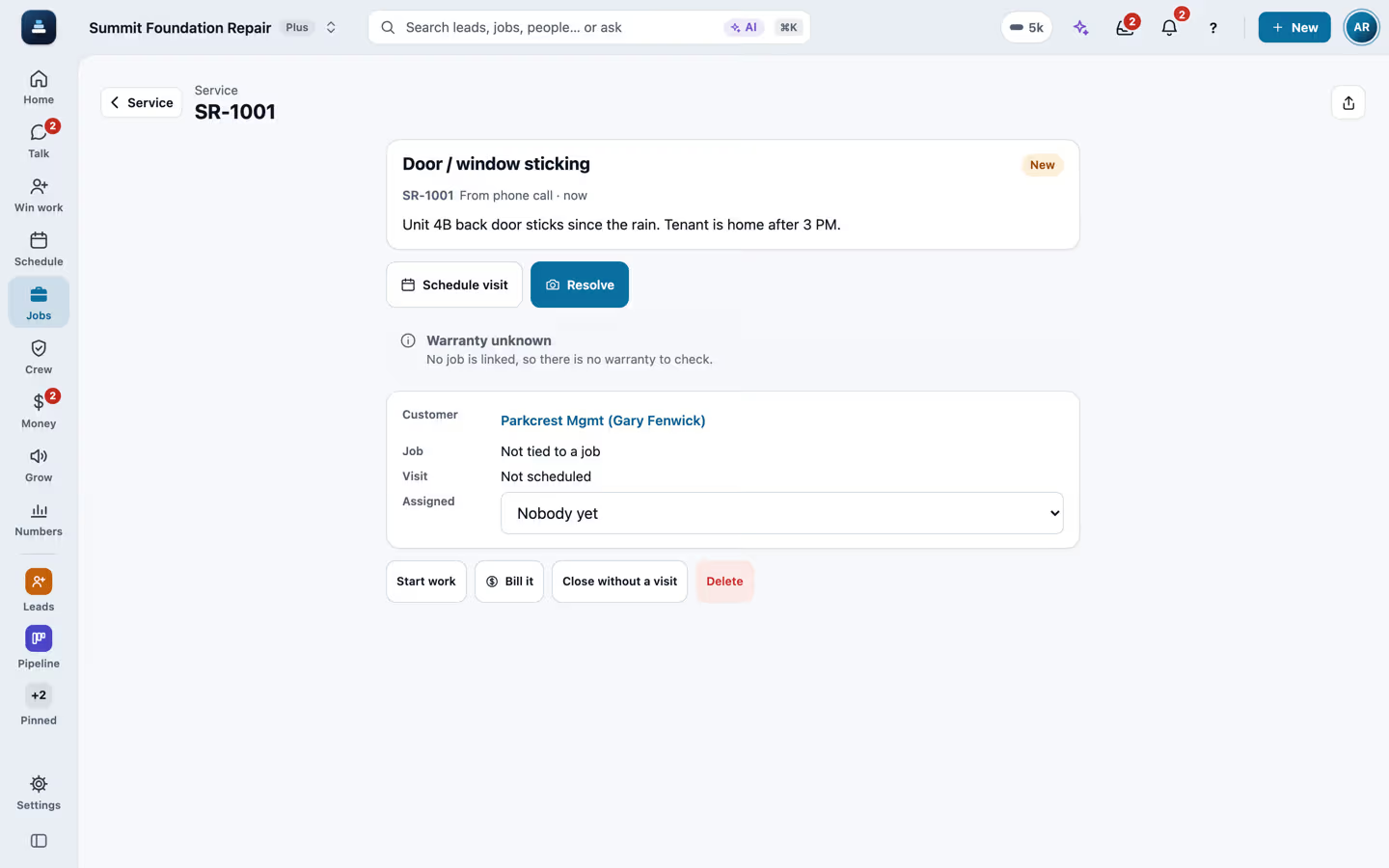
The Service screen after a new ticket was opened for a property management customer

A service ticket for a property manager

On Service, a new ticket finds the property management customer by name, picks Door or window sticking, adds a note about the unit and when the tenant is home, sets how the request came in, and opens the ticket.

21 seconds, Computer

Crews and jobs

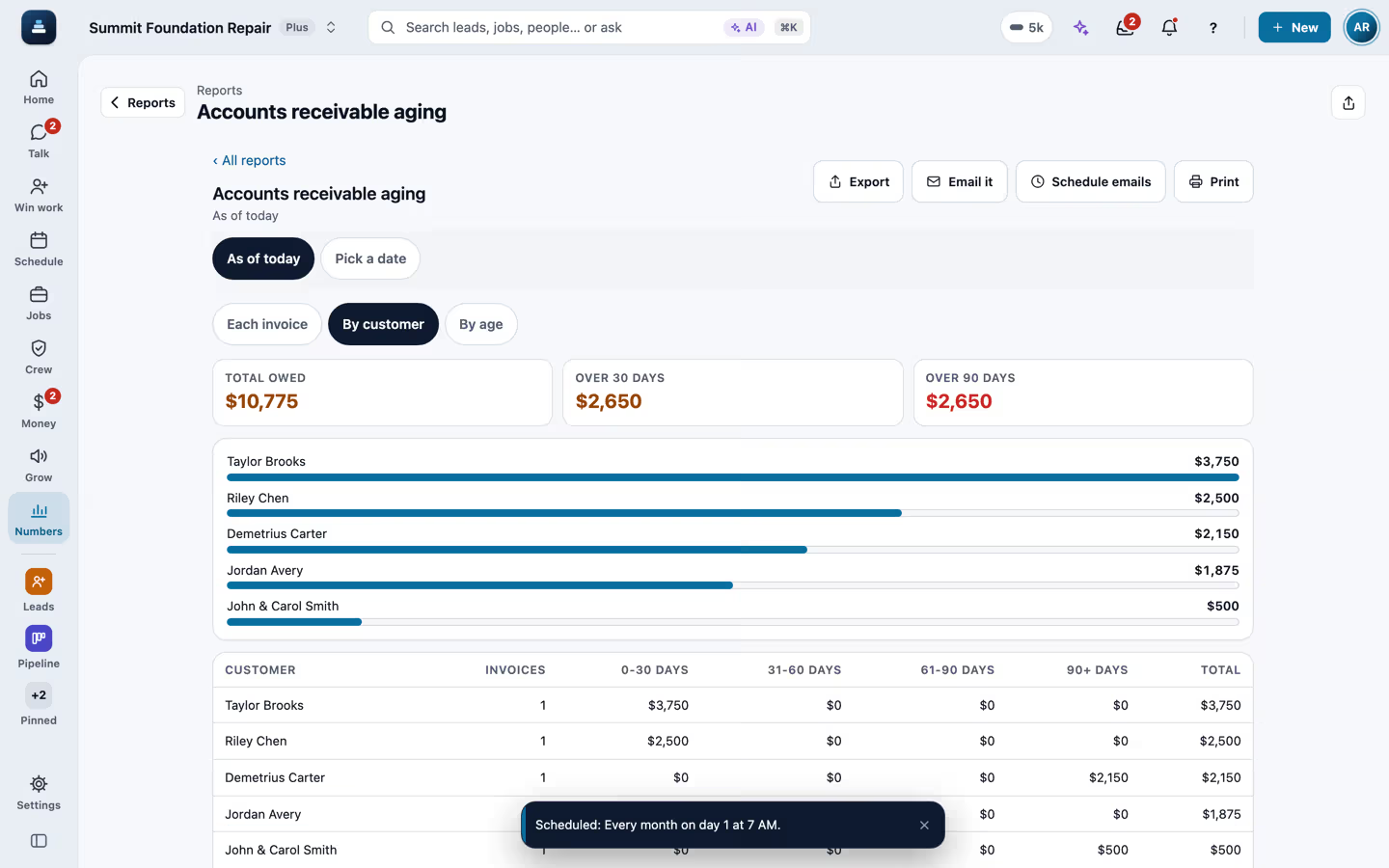
The accounts receivable aging report after a monthly email was scheduled

A report exported and emailed to the CPA every month

In Reports, typing aging finds Accounts receivable aging. Grouped by customer, it exports to Excel. Then Schedule emails is set to every month with the Excel file and a second address for the accountant, and saved.

21 seconds, Computer

Proposals and payments

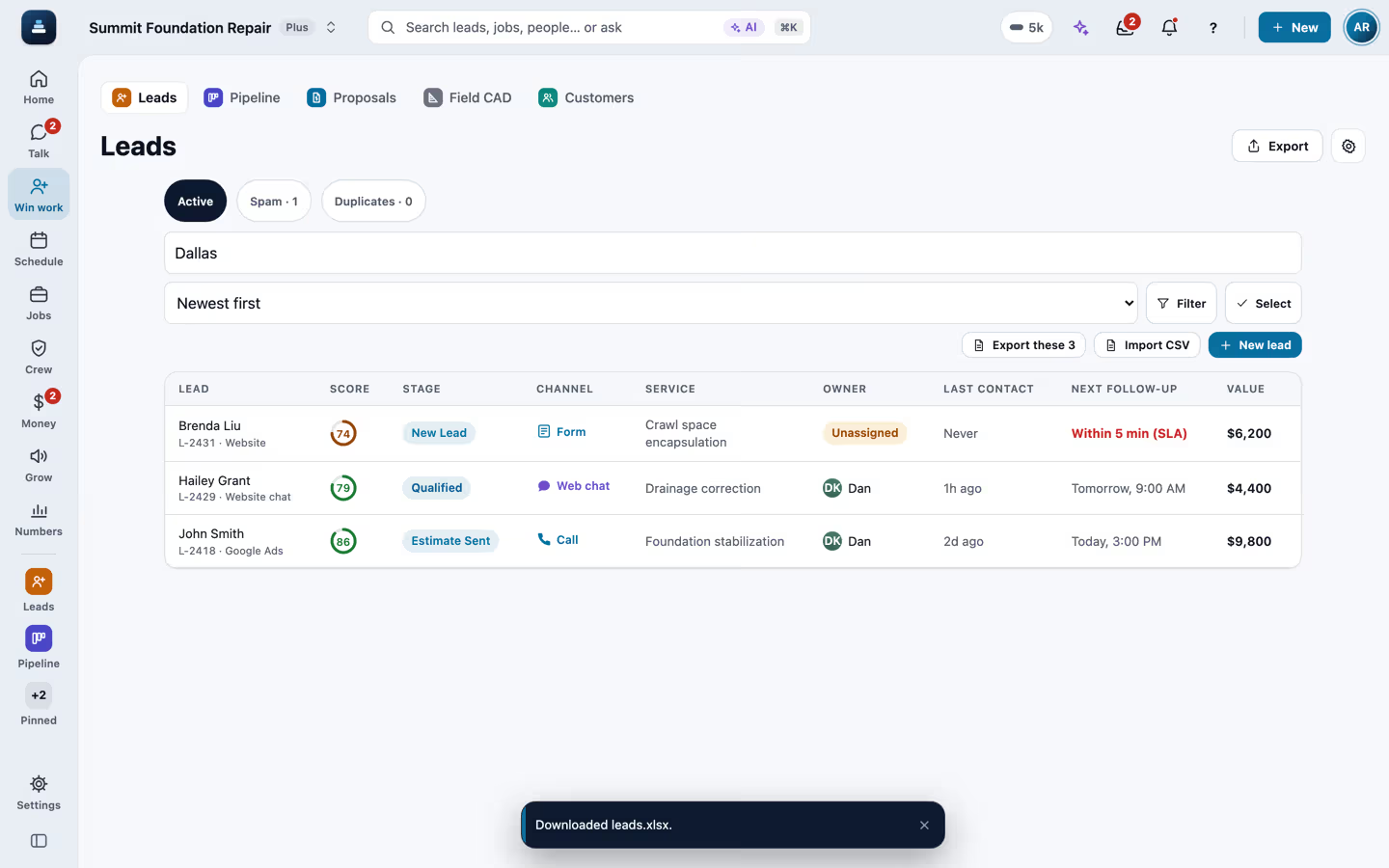
The leads list filtered by a search after the Excel file downloaded

A filtered list exported to Excel

On the Leads list a search for Dallas leaves three leads. Export asks whether to export the 3 on screen or all 10, the 3 on screen are chosen, and the Excel file downloads.

11 seconds, Computer

Proposals and payments

Add equipment on iPhone with the brand, model, serial and year filled from a photo of the rating plate

Home equipment from a photo of the label

On an HVAC job, Add equipment picks Air conditioner and Read the label takes a photo of the rating plate. The brand, model, serial and install year fill in, with a note to check the numbers before saving, and the tech adds where the unit is. The reading in the clip comes from the AI test stand-in on a demo label.

17 seconds, iPhone

Crews and jobs

The proposal estimate with Good, Better and Best options and the recommended one

Three price options on one proposal

On a complete proposal, the Estimate tab lists the pier lines and the drain. The options card groups them into Good, Better and Best, each with its own price and warranty, and Better is marked recommended.

12 seconds, Computer

Proposals and payments

The customer's proposal in present mode with the pier layout and the Next button

Presenting the proposal at the kitchen table

From the proposal, More and Present to the customer open the customer's page big and easy to read. Next walks through the findings, the foundation sketch with the pier layout, the drainage plan and the repair estimates, with Review and sign at the top.

16 seconds, Computer

Proposals and payments

The Design tab with the Modern, Classic and Compact contract layouts

Contract layouts

On the proposal's Design tab, the contract layout switches between Compact, Classic and Modern. Modern and Compact arrange the sections, like the cover, the estimate and the terms, and Classic prints the proposal as it always has.

19 seconds, Computer

Proposals and payments

The warranty register report with three finished jobs and their warranty terms

The warranty register

In Reports, a search for warranty finds the Warranty register, which lists finished jobs whose proposal carried a warranty, with the term, what it covers, when it started and ends, and whether it is active, lifetime or expired.

10 seconds, Computer

Proposals and payments

The scoreboard with three salespeople, their close rates, signed totals and commission

The scoreboard

The scoreboard lists each person with their new leads, proposals sent and signed, the signed total and the close rate, top seller first. This week and This month switch the period, and the owner sets the commission percent, counted on the signed total the day it is signed. The numbers are made up for the demo company.

12 seconds, Computer

AI front desk

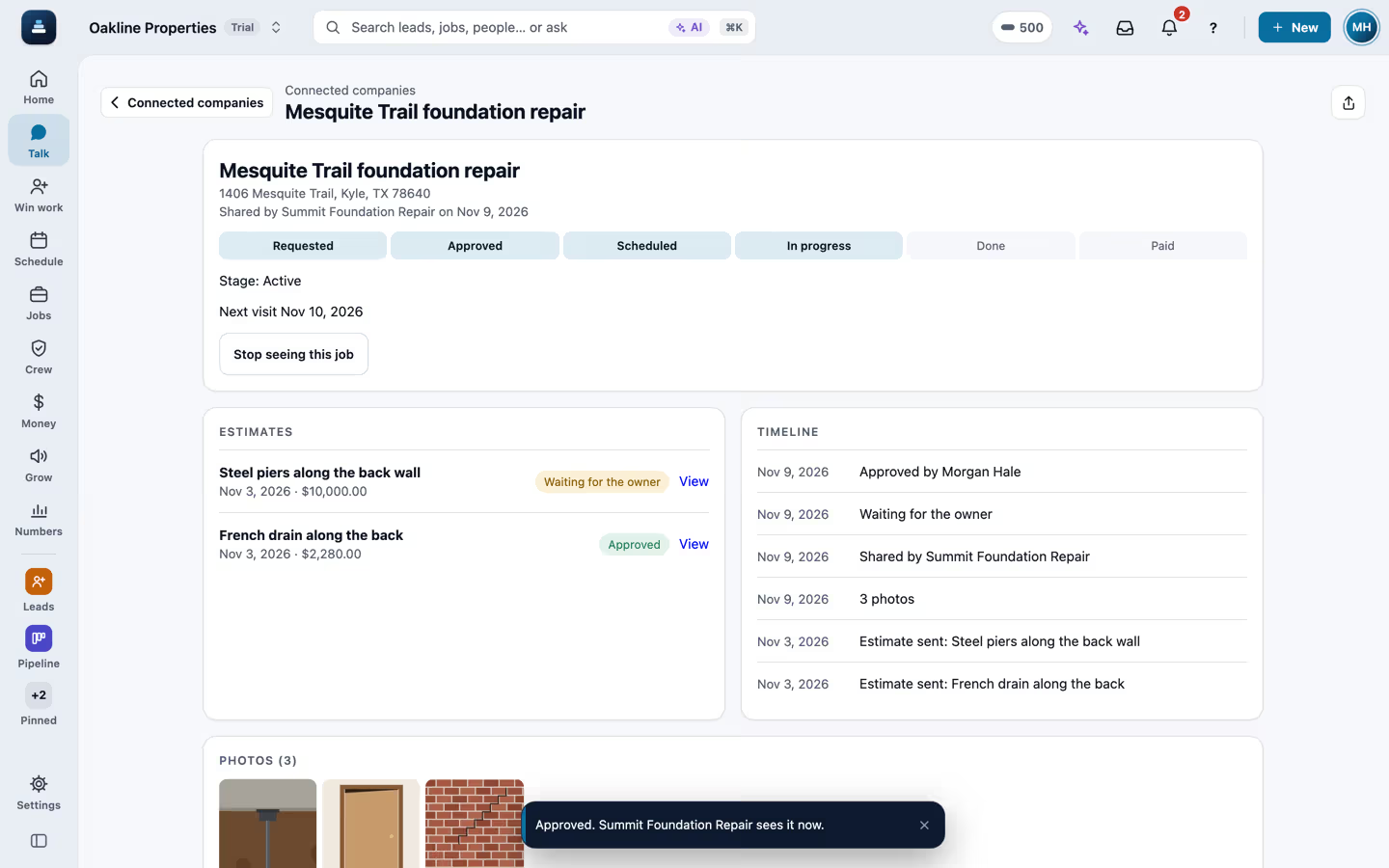
Connected companies with two shared jobs, then the Mesquite Trail job with its six steps, two estimates and three photos, and the drain estimate approved

A job a contractor shares with a property company

A property company opens Connected companies, where a foundation contractor shared two jobs. The Mesquite Trail job shows the six steps up to In progress, the next visit, two estimates and the photos marked for the customer. The pier estimate is over the $5,000 owner approval limit and waits for the owner, and Approve on the drain estimate puts the approval on the contractor's job right away. The companies, people and numbers are made up.

9 seconds, Computer

Customer portal

A property page on iPhone with the contractor's shared job, then Send a request with the job, an on-site contact and access notes

A request sent to a connected contractor

On a property's page, the jobs a connected contractor shared show with a Send a request button. The request says what the job is, keeps the address and adds the on-site contact and the access notes, and Send puts it in the contractor's FollowStack as a new lead. They see the contact and access notes only while the request is open.

14 seconds, iPhone

Customer portal

Properties, then Import a spreadsheet with a unit list, the matched columns, the first rows and the test run, then Properties with four buildings and houses, their units and two portfolios

Buildings and units brought in from a spreadsheet

A property company opens Properties and taps Import a spreadsheet. A unit list of 14 rows matches its columns by itself, from the property and street to the unit, bed and bath, size, market rent, status and portfolio. The test run saves nothing and shows 4 buildings and houses, 12 units and 2 portfolios, and Import brings them in. Properties then shows each building with its units and vacant units, and the two portfolios. The company, addresses and numbers are made up.

19 seconds, Computer

Customer portal

The tenant portal on iPhone: Requests, Plumbing leak, what is wrong, one photo, may we go in, a friendly cat, then Send to Oakline Properties and the request number

A tenant reports a leak from the portal

Jamie, a tenant at Pecan Grove Apartments, opens the Oakline Properties portal on a phone and taps Report a problem. They pick Plumbing leak, write that water is leaking under the kitchen sink and the floor is flooding, add a photo, say the office may go in when nobody is home and mention a friendly cat. Send files it as request SR-1001 on unit 104, and the words mark it a possible emergency for the office to confirm. The company, the people and the address are made up.

20 seconds, iPhone

Customer portal

The vendor link on iPhone: the plumbing leak at unit 104 with the tenant, how to get in, pets and the photo, then Accept the job, a $380 quote, the visit today, the lockbox code on the day, a photo of the fix, Mark the job done and the invoice

A vendor works a repair from a link

Oakline Properties sends request SR-1001 to Hill Country Plumbing, a vendor who does not use FollowStack. The plumber opens the link on a phone, with no account, and sees the leak at unit 104, the tenant's first name and phone, how to get in, the pets and the tenant's photo. They accept, send a $380 quote and set the visit for 2:30 pm today. It is the day of the visit, so Show the access notes and code shows the lockbox code, with a note that each view is logged. They add a photo of the fix, mark the job done and send the invoice. The companies, the people and the address are made up.

33 seconds, iPhone

Customer portal
The Email window for a lead: the subject, a heading, the visit day in bold and the brand colour, a bulleted list, a picture, a See your proposal button, a divider line and a closing line, then Send email

An email with real formatting

Summit Foundation Repair writes a lead an email from the inbox. After the subject comes a heading, the visit day in bold and the brand colour, a bulleted list of the work, a picture of a crack over a door, a See your proposal button with its link, a divider line and a closing line. Send email puts it on the customer's thread. The company, the people and the address are made up, and the picture is a drawing.

34 seconds, Computer

AI front desk

An inspection on iPhone: six photos taken one after another, each showing at once with an uploading mark while the bar at the top counts the uploads, then all six in place and Save

Photos that upload in the background

An inspector takes six photos in a row on an inspection, with every upload slowed to a second and a half like a weak signal. Each photo shows at once with a small uploading mark, the bar at the top counts them, such as Uploading 5 of 6, and Add photo is ready for the next shot right away. When the last one lands, each photo has its caption box and Save keeps the inspection. The company, the people and the address are made up, and the photos are drawings.

12 seconds, iPhone

Inspections and reports

The Calendar on iPhone, then the live call opening by itself with the words coming in, the caller and the office agreeing on Friday at 10, and the ended call with the booked visit, Send confirmation and Undo

A call that books the visit

Summit Foundation Repair forwards its line to the owner's phone. While the owner is on the Calendar, a new caller rings, the owner answers on the phone, and the app opens the live call by itself with the words coming in. The caller asks for someone to look at cracks over two doors, they agree on Friday at 10 AM, and the call ends. The ended call says an on-site assessment was booked from the call and that the customer isn't told until Send confirmation, with Undo next to it. The call is a made-up script sent to the app the way the phone line's live transcription sends it, and the company and the people are made up.

22 seconds, iPhone

AI front desk

A lead on iPhone, then the Assistant counting leads by source, and a card with three tasks to mark done, waiting for your OK, then Approve all (3)

The assistant finishes three tasks after your OK

From a lead's page, the owner opens the Assistant. Asked how many leads came from each source, it analyzes the records. Asked to finish three tasks, it reads them and puts the three changes on one card, each named, waiting for your OK, and nothing changes until Approve all (3). The AI's words come from a test stand-in, written the way the real feature drafts them, and the tasks are typed by their numbers because the stand-in needs them. The company and the people are made up.

25 seconds, iPhone

Apps, offline and Spanish

The digital receptionist screen with when it answers, escalation rules and an example call

The digital receptionist's settings and an example call

The digital receptionist screen shows an example after-hours call, then when it answers (after hours, calls nobody picks up, the tracking line), the escalation rules that ring a person, and the guardrails it keeps.

9 seconds, Computer

AI front desk

A new foundation permit for the City of Kyle on a job

A permit added to a job

On Permits, New permit takes the city, the job, the kind of permit, where it stands and the fee. Create opens the permit page with its steps from needed to closed.

14 seconds, Computer

Crews and jobs

Purchase order PO-0001 for six steel push pier brackets on a job

A purchase order for a job

On Purchase orders, New PO picks the job and where it is delivered, adds six steel push pier brackets at $185, and Create draft opens PO-0001 with its total and Send to vendor.

14 seconds, Computer

Crews and jobs

The equipment page for Truck 2, assigned to a crew member

Company equipment added

On Equipment, Add equipment names Truck 2, sets the type and who has it, and opens the truck's page for its readings, its pre-trip checklist and its log.

11 seconds, Computer

Crews and jobs

The Report an incident form with injury, near miss, property damage and vehicle

Reporting a safety incident

Under Safety, the Incidents tab opens Report an incident. It asks what happened (an injury, a near miss, property damage, a utility strike, a vehicle or equipment), how bad it was, and lets you hold to talk or type what happened.

8 seconds, Computer

Crews and jobs

A new campaign from the Ask for a review template with an audience picked

A campaign from a saved template

On Campaigns, New campaign starts from the Ask for a review template, gets a name and picks who it goes to, like past customers from more than a year ago. Every send is checked for consent, quiet hours and the daily limit first.

16 seconds, Computer

AI front desk

Reviews and referrals with the review request, the referral program and the website widget

Reviews and referrals

Reviews and referrals shows the review request for a customer, the switch to ask after every finished job, how the review engine works, the referral program with its reward per signed job, and the review widget for your website.

7 seconds, Computer

Customer portal
Roles and permissions with the privileges table and the built-in roles

Roles and what each one can do

Roles and permissions shows which screens each role can view, edit or delete, then the built-in roles, from the owner and the office manager to the salesperson, the field crew and the bookkeeper, each with what it sees.

7 seconds, Computer

Apps, offline and Spanish

The ADP payroll screen with the week's W-2 hours and what to fix first

Time cards and payroll for ADP

Time cards lists the week's hours by person. The ADP payroll screen then shows the W-2 employees with regular and overtime hours, what to fix before sending, Approve these hours, a PDF for the bookkeeper and Open ADP.

10 seconds, Computer

Crews and jobs

The QuickBooks export with the date range and the files for invoices, customers, payments and vendor bills

QuickBooks export files

The QuickBooks export picks this month, then downloads the invoices and the customer list as files that import into QuickBooks Online. The live sync waits for Intuit's approval.

12 seconds, Computer

Proposals and payments

A house plan with named rooms turned into a 3D model in Field CAD

A Field CAD plan in 3D

A Field CAD plan with its rooms and their square footage opens in the editor. One tap on 3D builds the model from the same drawing, and a drag turns it around.

19 seconds, Computer

Field CAD

The New change order sheet with what changed, the price lines and send for signature

A change order on a job

On a job's Change orders tab, New change order asks what changed (a hidden condition, a customer request, a design change or a credit), the price lines and the photos. The customer signs it on the spot, it goes out for signature, or you log a verbal approval.

8 seconds, Computer

Proposals and payments

More clips on the way

Whole-house LiDAR scans, 360 tours and the insurance package are being recorded next. Each use case also has its own page with the steps, the screenshots and the guides.

See the use cases

Want to see it on your own job?

Bring an address you're bidding this week. We'll draw it and price it with you, live on the call.