Contractor management software that runs the whole job
FollowStack is contractor management software that answers the lead, books the visit at the right address, prices the job and gets it signed. The crew, the photos and the invoices stay with the job, on iPhone, iPad and web, in English and Spanish.
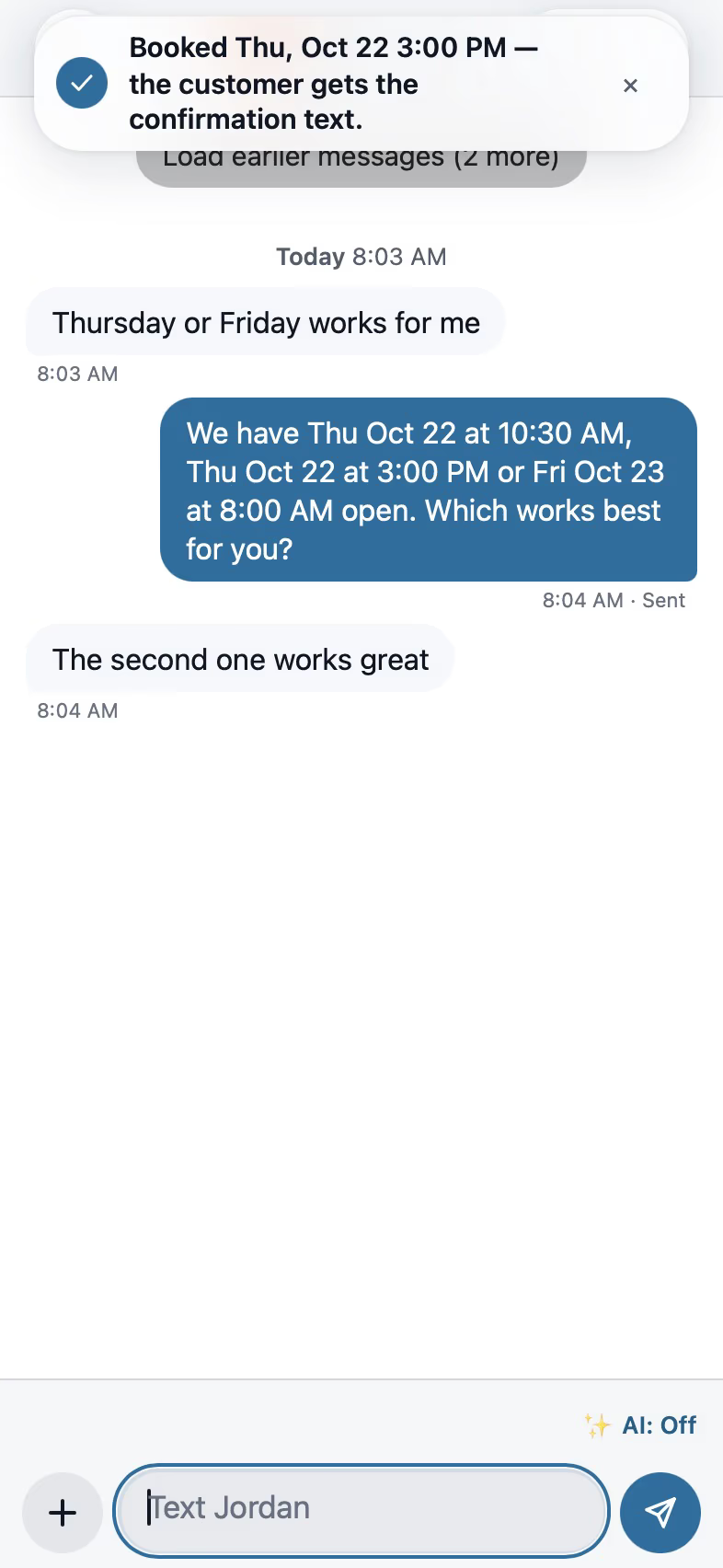
Calls and leads in one place
Every call, text, web form and lead service request lands on one thread per customer, with the next step ready.
- AI receptionist
Answers calls, asks for the address first, books visits on the right person's calendar, never quotes a price, and hands off only to someone who speaks the caller's language.
Needs a connected phone line. - Missed-call text-back
A caller you missed gets a text from the number they dialed within a minute, held to quiet hours.
- One inbox
Calls, texts, picture texts and email on one thread per customer, with send status, alerts at 0, 5 and 15 minutes and a Reply to task after.
- Pipeline
Move leads from new to won with your own stages and drafted next steps.
- Lead cost and return by source
Cost per lead and what each source turned into.

Scheduling that knows the address
Booking asks for the property first, then offers the times that add the least driving for the person who goes.
- Address-first booking
Booking page, chat and receptionist ask for the property address before they offer a time.
- Per-inspector routing
Each inspector is checked against their own stops that day, from their own start address, and the booking goes to whoever adds the least driving.
- Crews and dispatch
Crews, crew visits, the dispatch board and the rain delay.
- Google Calendar and Outlook
Team calendars connect to Google Calendar and Outlook / Microsoft 365.

Pricing the job and getting it signed
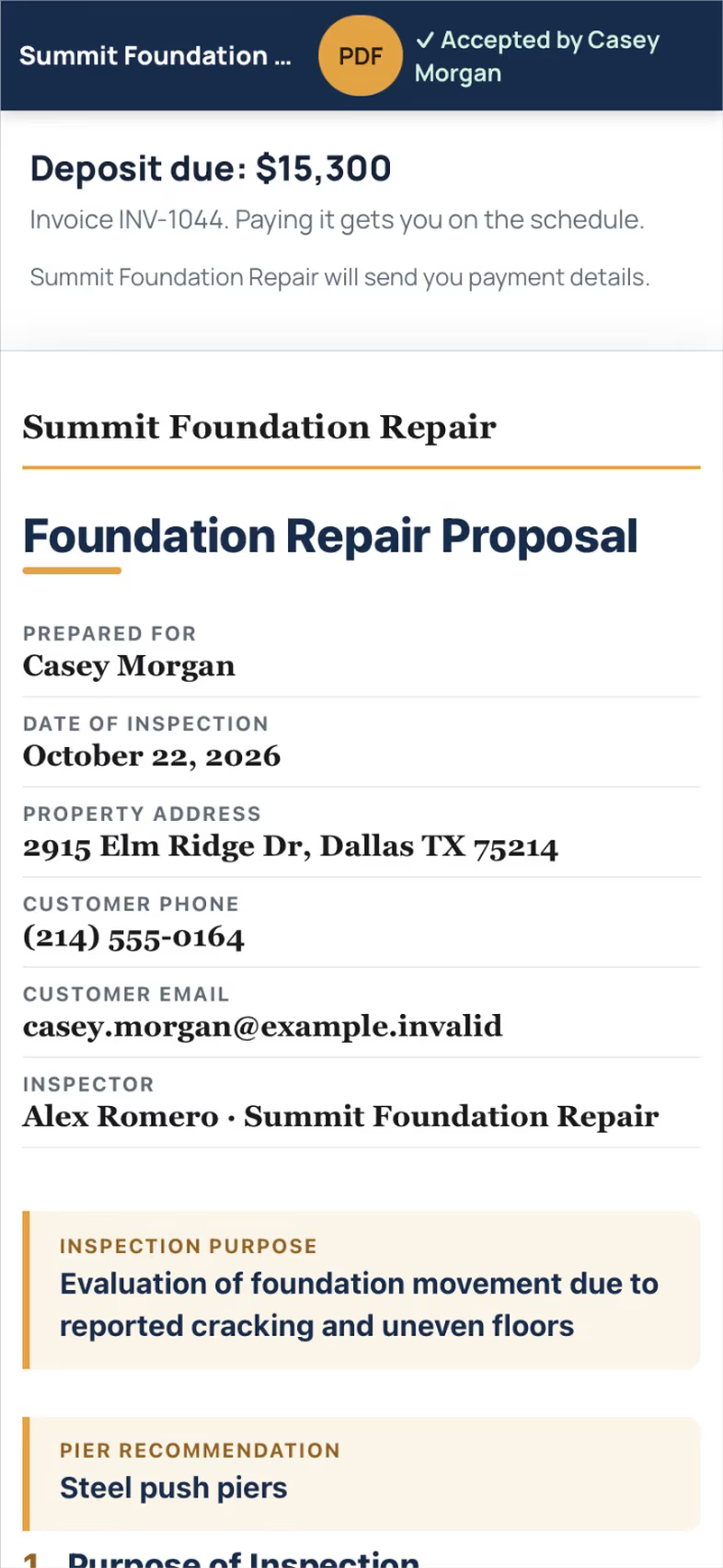
Proposals come from what you measured or inspected, with options, a finger signature and the deposit on the same page.
- Proposals
Proposals and quick contracts from the inspection or drawing, with your own products and the plan picture.
- Good, Better, Best
Send to proposal offers three options; other systems print as options outside the total.
- E-signature
The customer signs from a link; the proposal turns Signed at once; the signed copy is retried until delivered.
- Deposits
Take a deposit on signing and invoice the balance.
Crew time and job costs
Work orders, time cards and photos live with the job on the phone your crew already carries.
- Work orders and daily logs
What the crew does each day, with sign-off.
- Time cards
Clock in and out with one location reading per punch, approvals and payroll export.
- Job photos
Photos filed to jobs with markup, labels, map, QR stickers, albums, photo request links, portfolio, video and voice notes, and a CompanyCam import.
- Job costing
Receipts, bills, purchase orders and the Costs panel per job.

Invoices and the customer portal
Invoices with online pay, billing as the job moves, and one portal link the customer actually opens.
- Invoices and online pay
Line-item invoices with a pay page through the company's Stripe account.
- Milestone billing
Bill as the job moves: deposit, work begins, completion.
- Customer portal
A magic-link portal with projects, proposals, invoices with Pay, documents, job photos, the 360 tour and 3D links, in the customer's language.
- Survey-first review requests
Every customer sees the same review buttons whatever they answer, never twice in 180 days.

FollowStack doesn’t check in outside contractors
Some contractor management software is for facilities that check outside contractors in, with insurance certificates, site sign-in and safety training. FollowStack is for the contracting company itself, to run its own leads, jobs, crews and money.
Questions
What is contractor management software?
Software a contracting company uses to run the business in one place: calls and leads, scheduling, estimates and proposals, crews and time, invoices and customer updates. FollowStack adds an AI front desk, Field CAD drawings and guided inspections.
Which trades is FollowStack for?
Foundation repair, roofing, gutters, landscaping, lawn care, irrigation, drainage, home inspection and 33 more trades, each with its own page. Seven of them have ready-made trade packs.
Does it work for general contractors and subs?
Yes. Subcontracts, lien waivers, RFIs, submittals and AIA-style pay applications are in the commercial tools, which come with the Plus and Ultra plans.
What does it cost?
Basic is $80, Plus $120 and Ultra $150 a month. Every plan has the full CRM and a monthly allowance of credits for AI, texts and calls. We set each company up personally, so start with a demo.
See FollowStack on one of your own jobs
Bring an address you're bidding this week. We'll draw it and price it with you, live on the call.