Track what a job costs
Receipts, supplier bills, purchase orders and subs, and the profit on each job.
Steps
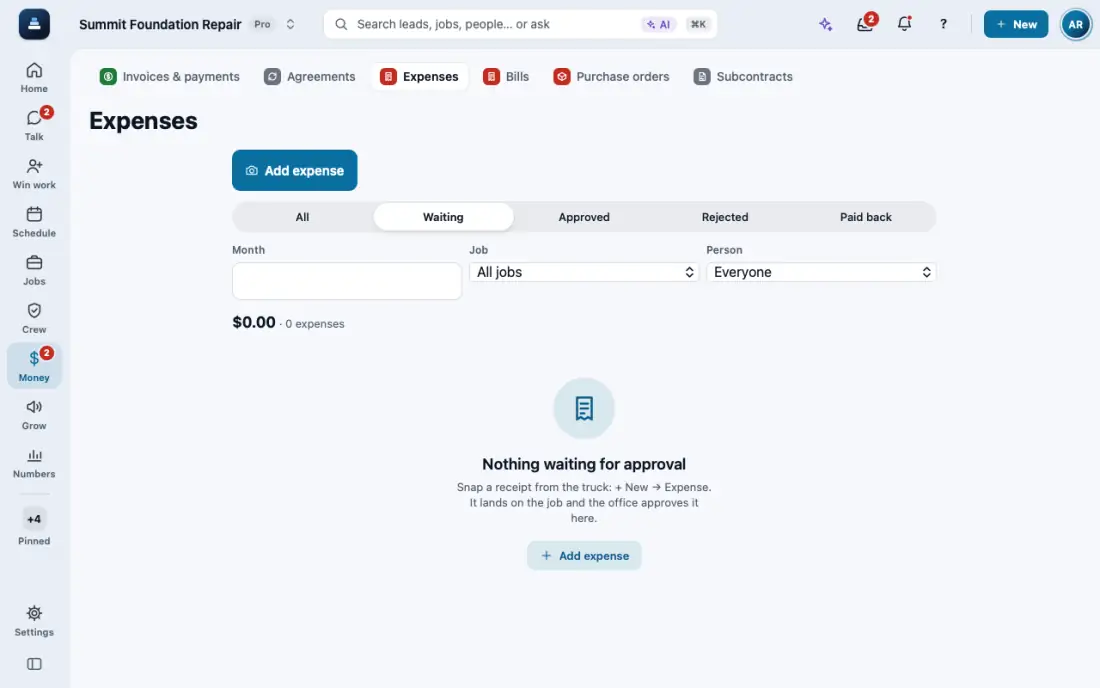
For a receipt from the truck, tap New, then Expense. The camera opens first. Add the amount and the job. Read receipt can fill it in.
The office checks them in Expenses: swipe right to approve, left to reject.
Supplier invoices go in Bills. Snap the invoice, then tap Record payment when you pay it.
On the job, Materials has Create PO from estimate: one purchase order per supplier. Tap Mark as ordered, then Convert to bill when the invoice comes.
For subcontractors, open Subs on the job, tap Add a sub, then Save & send for signature. Pay sub records each payment with a photo of the lien waiver.
The job's Costs panel adds it up: spent by category, gross profit and margin. Commercial jobs also get Pay apps for AIA style billing.
In the app, open Help & guides and tap Show me: FollowStack points at each button as you go.
Related guides
- The field crew's day on the phone
- Your phone app
- Schedule crews and dispatch
- Time clock and time cards
- Close out the job
- Permits, inspections and punch lists
- Handle service calls and maintenance plans
- Track safety talks, incidents and equipment
- Give jobs to subcontractors at their rates
- Send a request to a vendor with a link
- Handle repair requests from tenants
- Set up your properties, units and portfolios
- Keep soil reports, permits and site facts on a property
- Share a job with a property manager or investor
- Send requests to your pros and approve their estimates