Turn a missed call into a signed proposal
A homeowner calls while you're on a roof. FollowStack texts them back and books the visit near their address. On site you inspect, draw and price the job, and the customer signs on their phone. Our goal for the visit itself is 30 minutes.
Step by step
The missed call gets a text back
Turn on missed-call text-back once in Automations. When nobody picks up, the caller gets a text from your business number within seconds, and the conversation opens in the Inbox on a lead with their number.

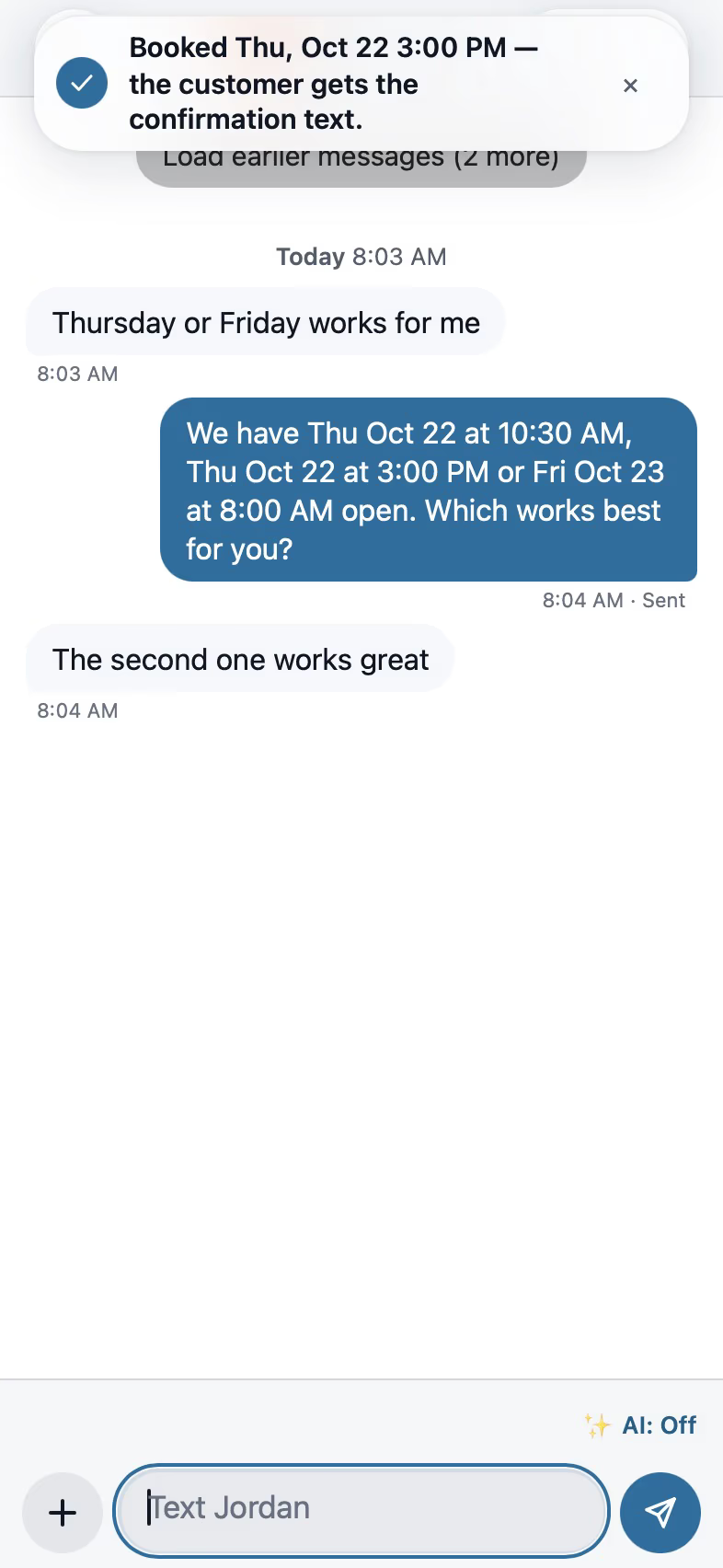
Reply and book from the text
A suggested reply is ready when you open the thread, and nothing goes out until you tap Send. Offer times puts three open slots near the customer's address into the message, and when they pick one, Book puts it on the calendar.

Walk the house with a guided inspection
The checklist runs in walking order. A photo of a crack proposes the item, the severity and the comment, and All good rates a clean section in one tap.

Draw the house and place the piers
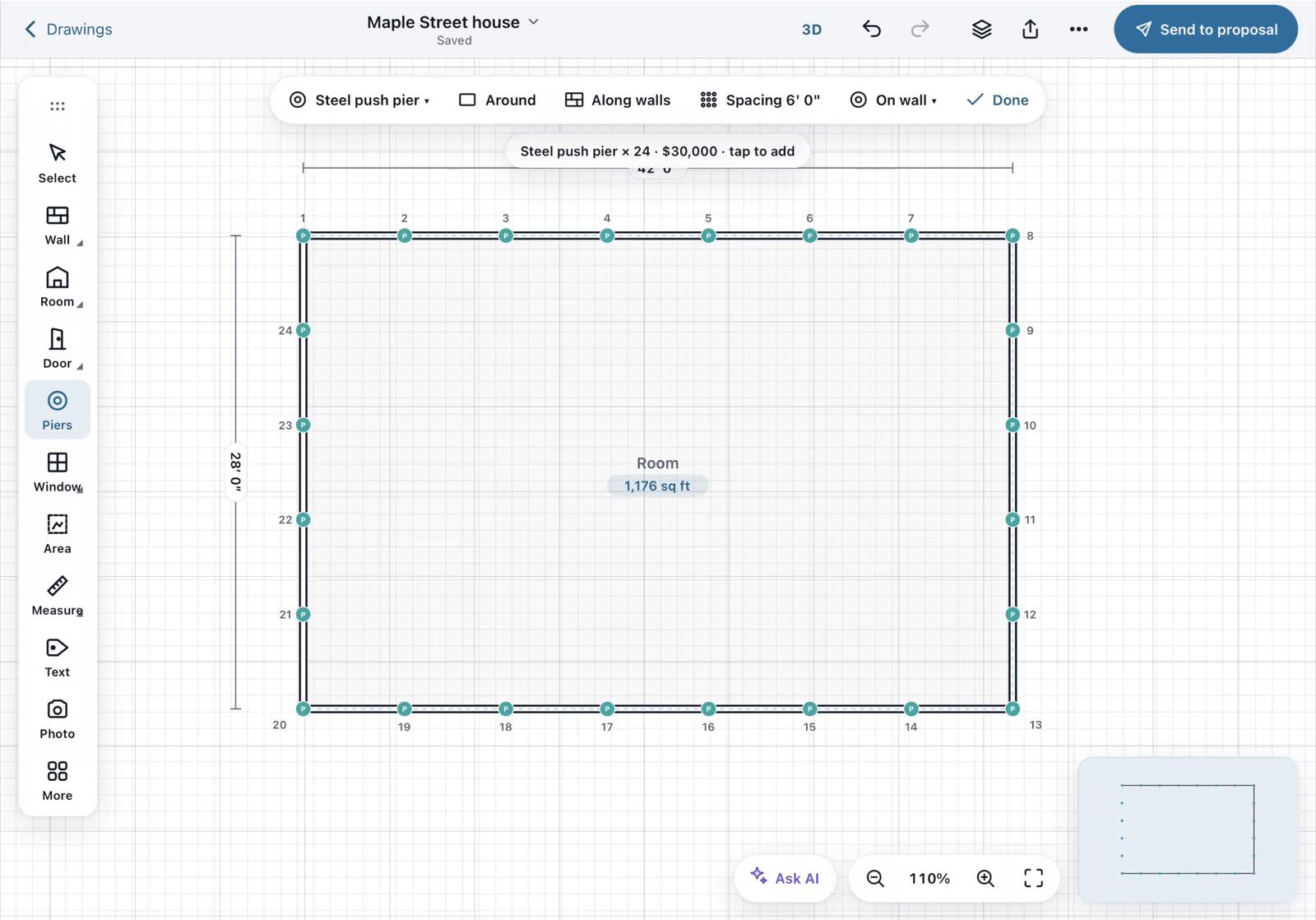
In Field CAD you trace the walls with a finger and type the lengths. The outline closes with its square footage, and Piers, Around places them at the spacing you set.
Send the proposal from the drawing
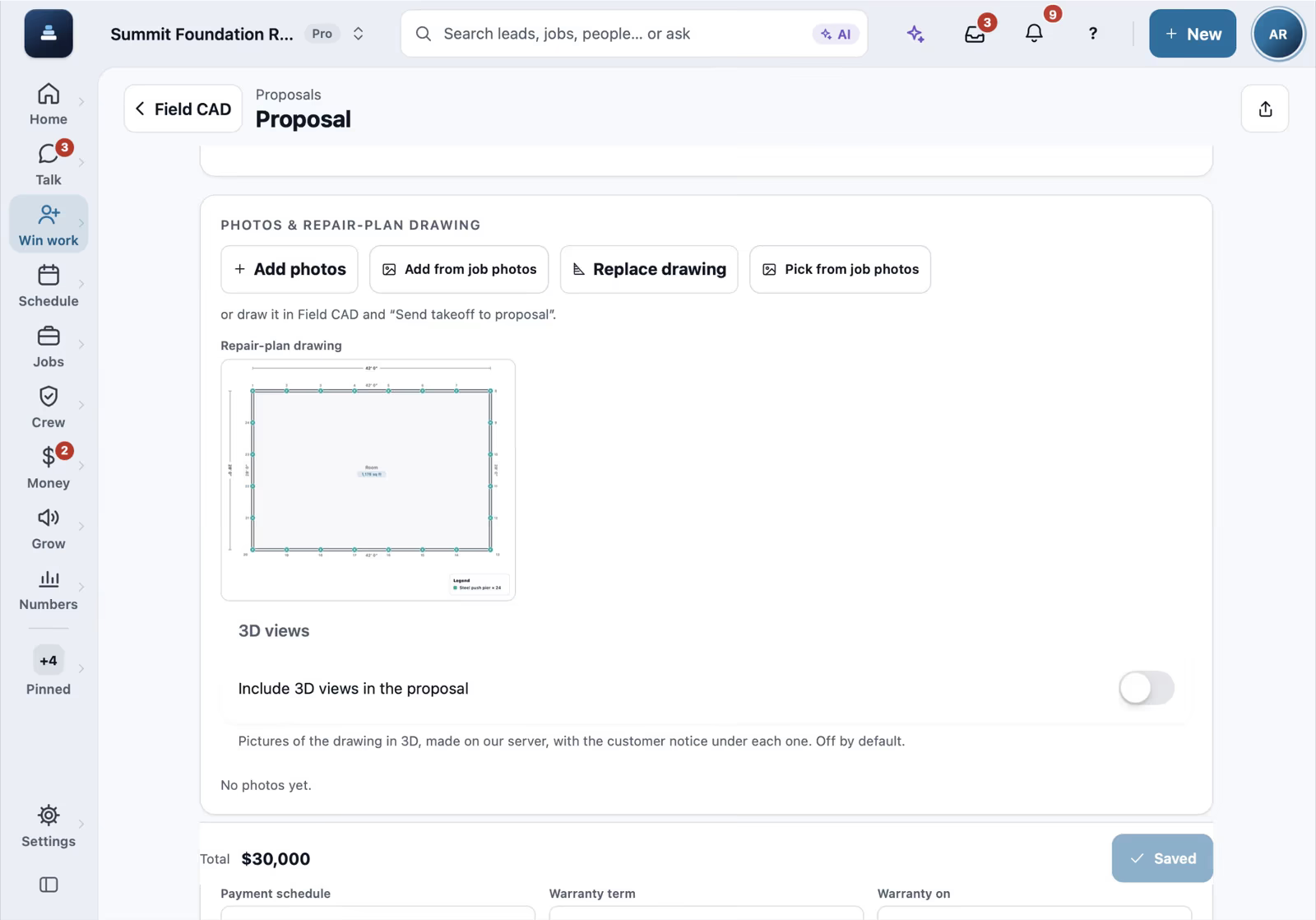
Send to proposal picks the customer and opens the proposal with the takeoff and the plan drawing already in it, priced from your own price book.
The homeowner signs on their phone
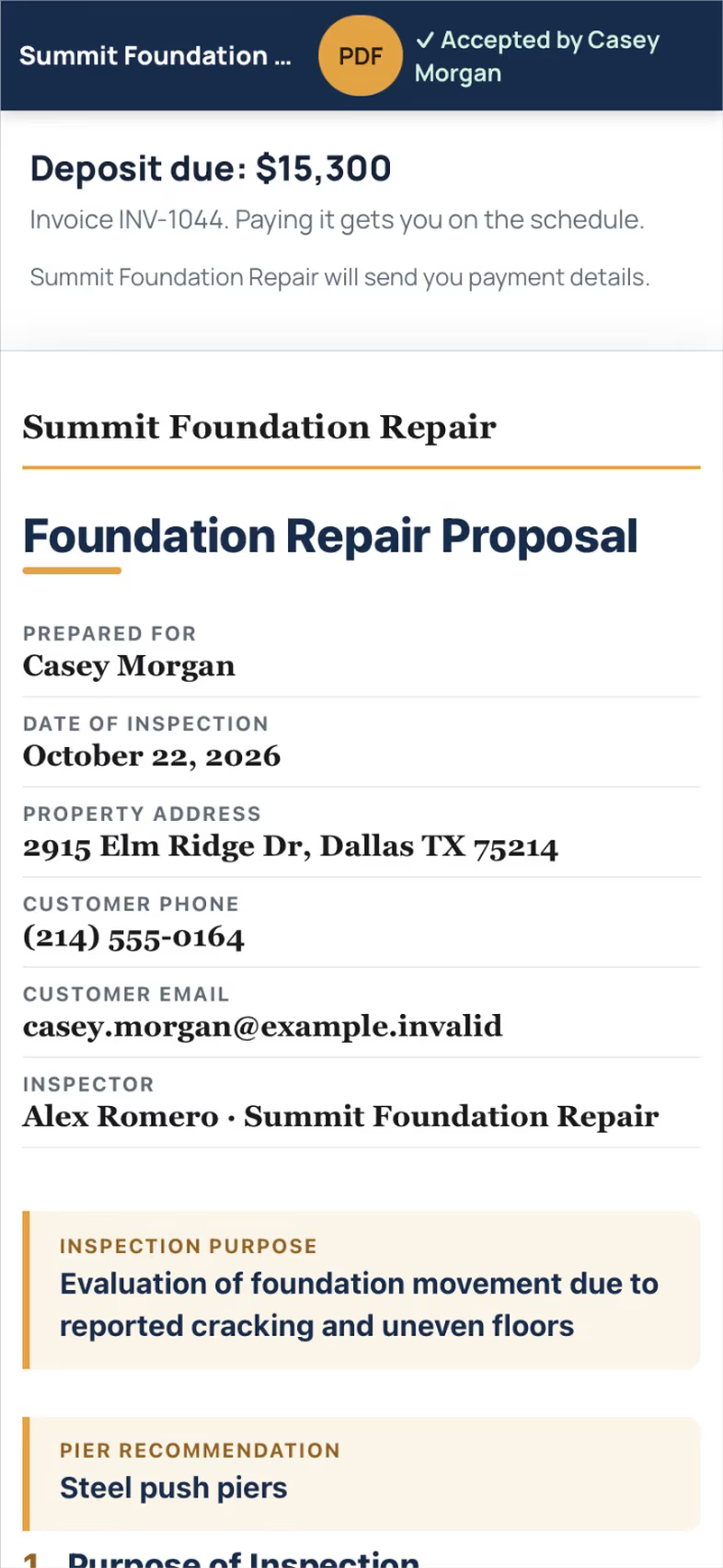
They open the link, read the plan and the price, and sign with a finger. The deposit invoice follows right away, and a company with card payments connected shows a button to pay it.
Recorded in FollowStack with demo data. Names, addresses and numbers are made up. The AI words come from a test stand-in, written the way the real feature drafts them, and no real texts, calls or emails were sent.
The guides for it
Each guide in the FollowStack manual is a few short steps with a screenshot.
- Turn on missed-call text-backA caller you missed gets a text from the number they dialed within a minute.2 min
- Work every conversation from one inboxCalls, texts, picture texts, email and web chat on one thread per customer.3 min
- Offer open times and book from a textPut real open times in the text. When they pick one, book it in one tap.2 min
- Run a guided inspectionA checklist in walking order with a Look, How and Report guide under each item. Works with no signal.6 min
- Draw a house plan in Field CADOutside walls with real lengths, rooms, doors and windows. The takeoff adds up as you draw.8 min
- Place piers around the houseYour own pier products, every N feet around the outline or in a row on a beam line, in a few taps.5 min
- Send an inspection report or proposalFrom the visit to a signing link: findings, photos, your prices and the payment schedule.5 min
- Present the proposal at the kitchen tableOpen the customer's own page on a tablet as a guided walk through, then they sign right there.2 min
- Get the proposal signedThe customer signs from a link. The proposal turns Signed right away and the signed copy reaches them.2 min
- Take a deposit and invoice the balanceA deposit at signing, the balance at completion, and nothing slips.4 min
- Follow up when they read the proposalGet an alert the moment a customer opens the proposal, and let follow ups start on their own.3 min
The features that do it
- Missed-call text-back
- AI reply drafts
- Offer times and book from the thread
- Guided inspections
- Pier layout
- Proposals
- E-signature
- Deposits
Trades that work this way
Keep going
Salespeople and estimators
Leads with an owner, the pipeline, and proposals signed at the table.
See the stepsOwners and managers
Home, the money, who is selling, which sources send junk, and an assistant that asks before it changes anything.
See the stepsYour customers
Booking, the proposal they sign on their phone, the portal and their payments.
See the stepsField CAD drawings on site
Draw the house with typed lengths, measure the roof, and price it from the drawing.
See the steps
See FollowStack on one of your own jobs
Bring an address you're bidding this week. We'll draw it and price it with you, live on the call.