Low voltage contractor software for plan markups and pay apps
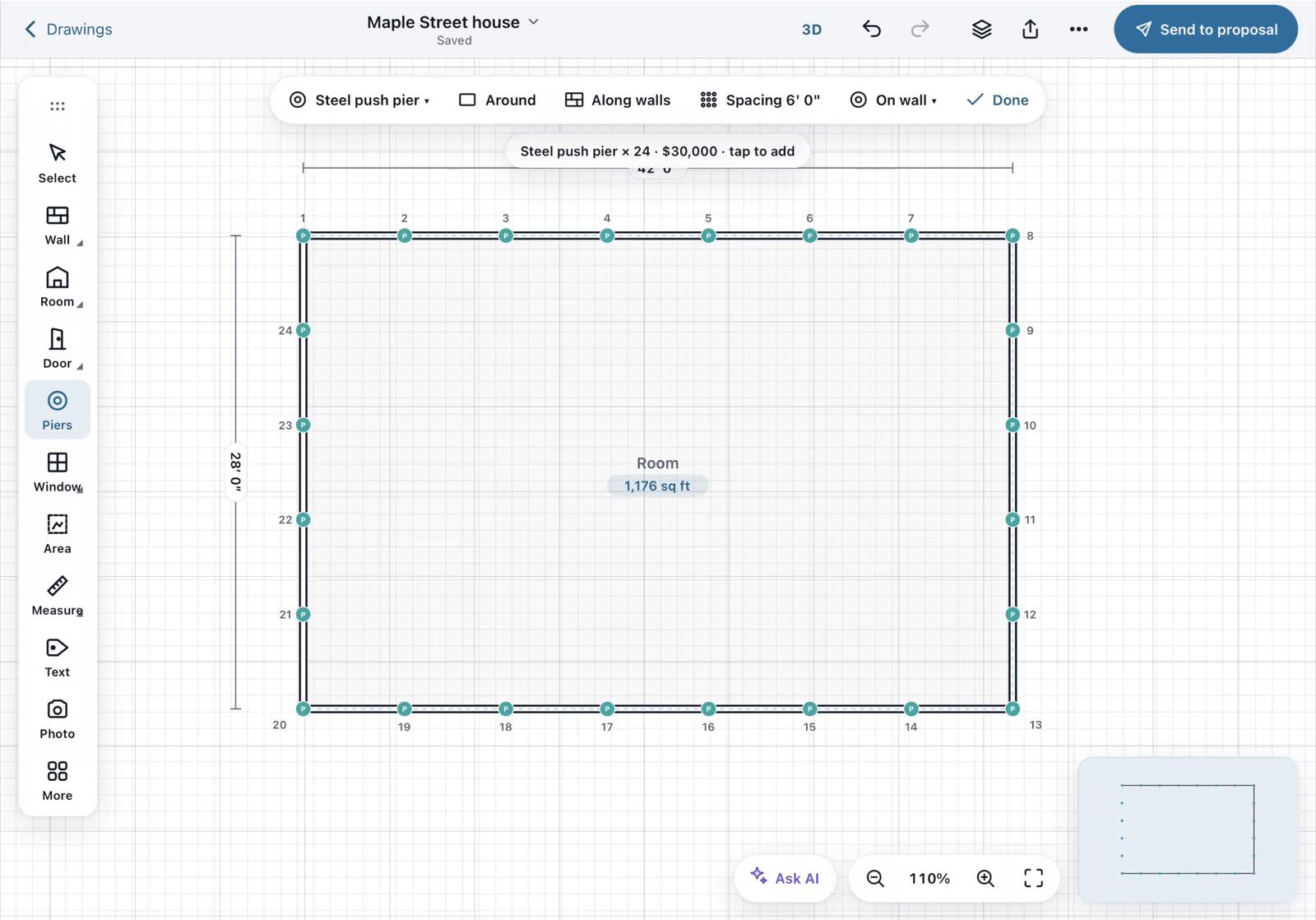
Trace over the plan PDF and pin each run and location with a photo. The low voltage contractor software sends RFIs and approval packages and bills the job with pay applications.
What you need to get done
- Mark up existing plans
- Document installed work
- Handle RFIs and submittals
- Bill commercial jobs
How FollowStack does it
- Plan and aerial underlays
Trace over a plan PDF with Set scale.
Field CAD - Job photos
Photos are filed to the job and placed on the plan.
Crews and jobs - Subcontracts and outside parties
RFIs, notices and approval packages go out from the job.
Crews and jobs - Pay applications
Bill commercial work with AIA-style pay applications.
Proposals and payments - Calls that book the visit
When you answer, the live transcript opens by itself, and a time you both agree on books the visit. The customer hears nothing until you tap Send confirmation.
AI front desk
Trade pack coming soon
A low-voltage pack is not built yet.
How the work runs, step by step
Low Voltage, Telecom and Building Controls
Mark up the plan PDF and keep RFIs and pay apps with the job.
See the stepsJob costing and reports for your CPA
What each job costs and earns, and the reports your accountant asks for, sent every month.
See the stepsCrews and scheduling
The office books the crews, and the crew runs the day on the phone.
See the stepsTexting and the digital receptionist
One inbox for texts, calls and chat, calls that book the visit, and a receptionist that answers when nobody can.
See the steps
User guides to start with
- Take and file job photosPhotos file themselves to the job. Mark them up, request photos from a customer, and find them on a map.3 min
- Track what a job costsReceipts, supplier bills, purchase orders and subs, and the profit on each job.4 min
- Send invoices and collect paymentsSend invoices with a pay link, connect Stripe, and chase what is overdue.3 min
- Set up how calls are answeredAnswer modes, ring order, recordings and the missed-call text.4 min
- Set up your trade and take its tourEach trade adds its services, visit types and a starter price book, then a short tour in the order that trade works.3 min
- Work every conversation from one inboxCalls, texts, picture texts, email and web chat on one thread per customer.3 min
- Send an inspection report or proposalFrom the visit to a signing link: findings, photos, your prices and the payment schedule.5 min
Related trades
Plumbing
Answer and book every call by address, and package leak claims for insurance.
Plumbing softwareHVAC and mechanical
Sell maintenance plans that bill themselves and answer every no-cool call.
HVAC and mechanical softwareElectrical and lighting
Pin fixtures and panels on the plan and track the permit.
Electrical and lighting softwareSecurity systems
Survey the site and pin every camera and sensor on the plan.
Security systems softwareAll 52 trades
Find yours, from foundation repair to pool service.
All trades
Comparing tools? FollowStack vs Housecall Pro and FollowStack vs ServiceTitan.
See FollowStack on one of your own jobs
Bring an address you're bidding this week. We'll draw it and price it with you, live on the call.