Send invoices and collect payments
Send invoices with a pay link, connect Stripe, and chase what is overdue.
Steps
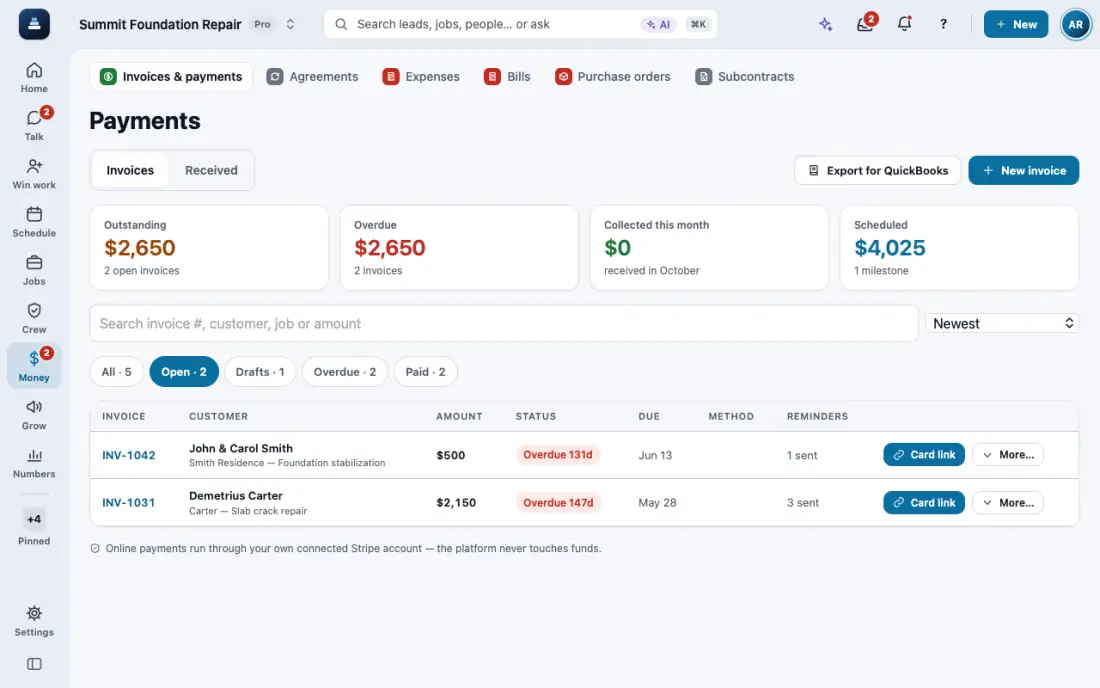
Open Payments and tap New invoice, or make one from a proposal. The customer gets a link to see it and pay.
Connect Stripe for card payments: Settings, then Connections, then Stripe. Invoices still send before it is connected.
Someone else pays it, like a relative or an investor? Open the invoice and tap Payer: pick their lead or customer, or type their name and phone or email. The job stays the customer’s, and the invoice, reminders and receipts go to the payer. Clear payer bills the customer again. Or ask the AI: “bill INV-1043 to Tom Reyes”.
For an overdue invoice, Card link makes a pay-by-card link you can text. Overdue invoice reminder in Automations sends reminders on its own.
In the app, open Help & guides and tap Show me: FollowStack points at each button as you go.