Job costing and reports your CPA can open
Receipts, bills and crew hours land on the job, so the job page shows what you spent against what you sold. Reports export with real numbers and dates, and the ones your accountant wants can go out by email every month.
Step by step
Costs land on the job
Receipts, bills and purchase orders file to the job they belong to. The job page shows the contract, the cost to date, the gross profit and the margin, with spent against estimated cost by category. Crew hours count once each person has a pay rate.

Approve expenses from the field
A crew member snaps a receipt in the truck and it waits for approval. The office approves or rejects it, and approved costs show on the job right away.

Find the report and export it
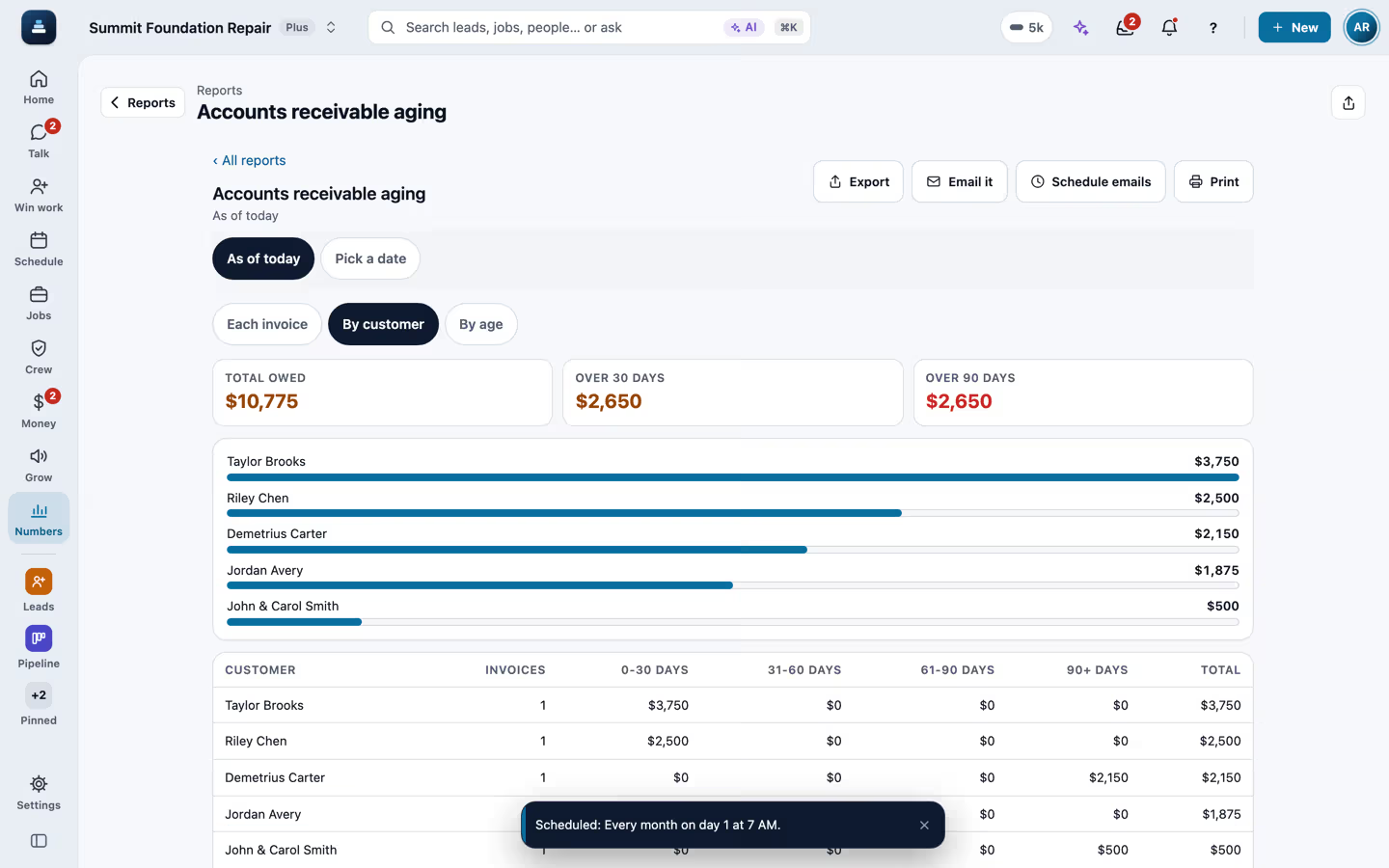
Reports are grouped the way an office works, with money, sales, customers, purchases, finance and tax, operations and team. Type a word to find one, pick the dates and the grouping, then export to Excel with real numbers, Word, PDF with your company name and page numbers, or CSV. A vendor statement puts one supplier's bills and your payments in a running balance to check against their statement, and sales by product or service shows what you sell most, with quantities.

Email it to your CPA every month
Email it sends the file to up to 10 people with a short note. Schedule emails sends it every day, week or month at the hour you pick, and each schedule shows when it last went out. At tax time, the year-end package puts profit and loss, sales tax, 1099 vendors, aging and more in one Excel file.

Send your books to QuickBooks
The QuickBooks export files cover invoices, customers, payments and vendor bills for the dates you pick. The live QuickBooks sync is built and waits for Intuit's approval, so for now the files import into QuickBooks.

Recorded in FollowStack with demo data. Names, addresses and numbers are made up.
The guides for it
Each guide in the FollowStack manual is a few short steps with a screenshot.
- Run reports and send them to your team and your CPASales, purchases, what customers and vendors owe, profit and loss, taxes and hours, as Excel, Word, PDF or CSV, by email now or on a schedule.4 min
- Track what a job costsReceipts, supplier bills, purchase orders and subs, and the profit on each job.4 min
- Send your books to QuickBooksCSV exports of invoices, customers, payments and bills, ready to import.3 min
- Send invoices and collect paymentsSend invoices with a pay link, connect Stripe, and chase what is overdue.3 min
- Download all your company dataOne file of every record, with secrets stripped. Owners only.2 min
- See who is selling and pay commissionOne board with each person's new leads, proposals sent and signed, close rate and commission.2 min
The features that do it
Keep going
Owners and managers
Home, the money, who is selling, which sources send junk, and an assistant that asks before it changes anything.
See the stepsThe office team
One inbox, formatted emails and templates, the calendar, invoices and tasks that close themselves.
See the stepsExport any list
Every list exports the way you filtered it, to Excel, Word, PDF or CSV.
See the steps
See FollowStack on one of your own jobs
Bring an address you're bidding this week. We'll draw it and price it with you, live on the call.