Take a deposit and invoice the balance
A deposit at signing, the balance at completion, and nothing slips.
Steps
Every proposal carries a payment schedule, for example a deposit at signing and the balance at completion. Pick one of yours or edit the split.
When the customer signs, the deposit invoice is ready. With Stripe connected they can pay by card on the spot. Otherwise record the check or cash.
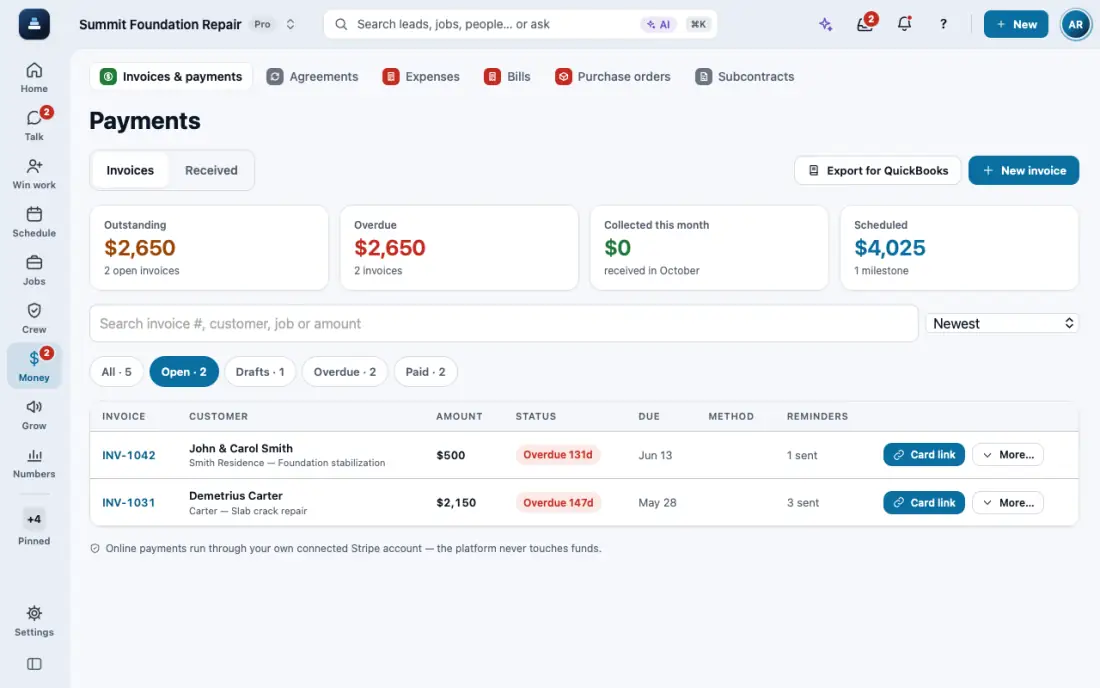
Record what you are paid: Payments, open the invoice, then Record payment. Enter the amount, method and check number.
When the work is done, send the final invoice by text or email. The customer gets a link to see it and pay.
Home and Payments show what is still owed and what is overdue. A payment entered by mistake is voided, never deleted.
In the app, open Help & guides and tap Show me: FollowStack points at each button as you go.
Related guides
- Send invoices and collect payments
- Financing, payment plans and milestone billing
- Send an inspection report or proposal
- Choose who the contract is made out to
- Copy or delete a proposal from the lead
- Present the proposal at the kitchen table
- Let FollowStack learn how you work
- Follow up when they read the proposal
- A fine foundation, drainage work or a repair
- Add your pier products
- Offer three price options
- Get the proposal signed
- Send the welcome email
- Build the insurance package