A day of security systems work with FollowStack
Survey the site and pin every camera and sensor on the plan. Here is how a day runs in FollowStack for security systems, step by step.
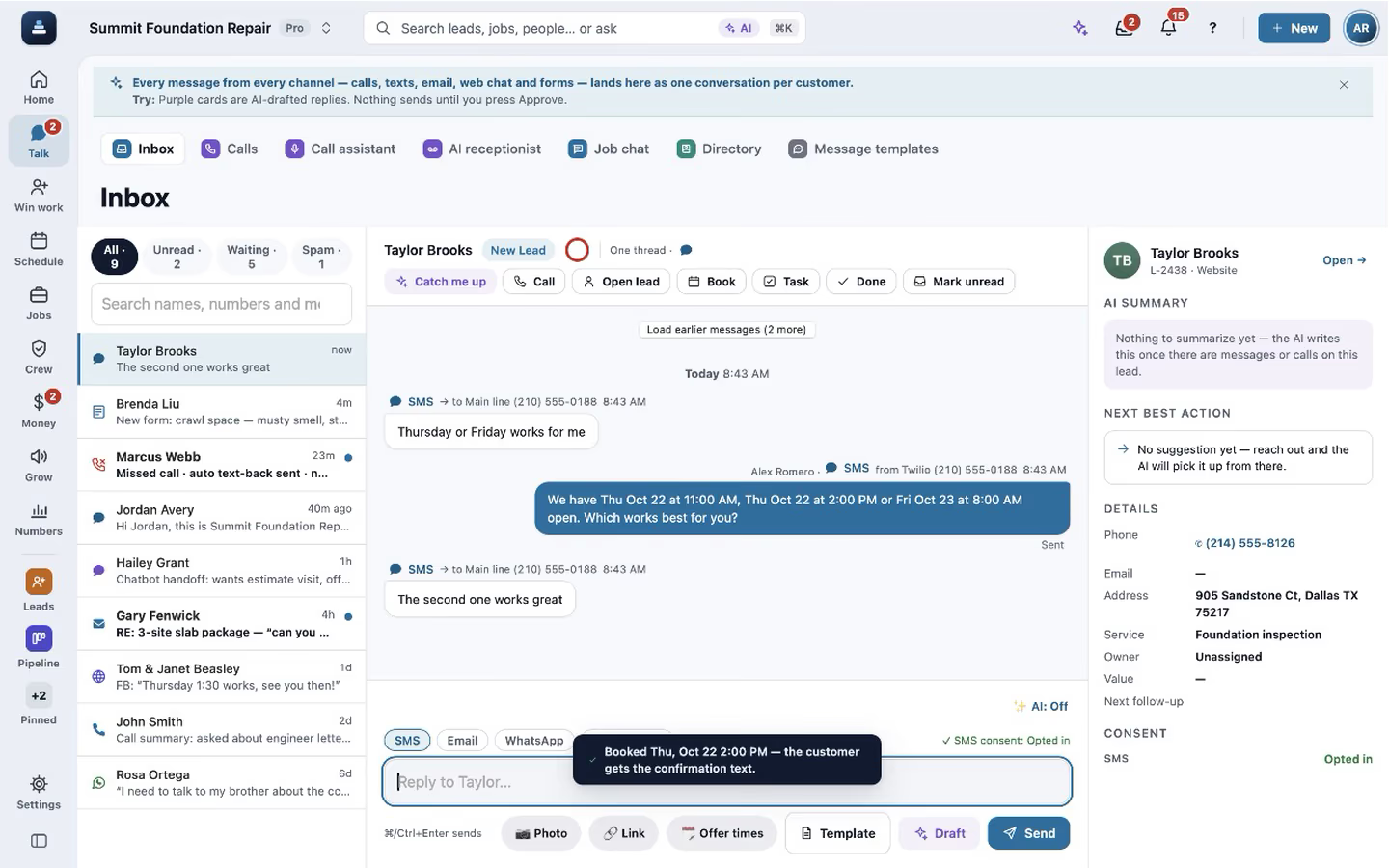
Step by step
Start from the general setup
FollowStack has no starter setup for security systems yet, so you start from the general one and add your own services, visit types and prices in Settings. Quick setup shows what is still missing.

The call becomes a visit
The digital receptionist answers when nobody can, asks for the address first and books the visit on the right calendar. Texts and web forms land in the same inbox, each with a suggested reply. When you answer a call yourself, the live transcript opens by itself, and a time you both clearly agree on books the visit, with the customer told only when you tap Send confirmation.

Pin each device on the plan
Drawing hints get the floor plan to scale in minutes, and each device location is pinned with its photo. The proposal prices the equipment and the labor from your price book.

Send the proposal
Price it from your price book, add the plan and the photos, and send the proposal. The customer signs on their phone.

Run the job and get paid
The job goes on the schedule, the crew works from the phone app, and invoices and payments sit in one list with what is overdue. Photos never make the crew wait: each one shows at once and uploads in the background, even with a weak signal.

Recorded in FollowStack with demo data. Names, addresses and numbers are made up. The AI words come from a test stand-in, written the way the real feature drafts them, and no real texts, calls or emails were sent.
The guides for it
Each guide in the FollowStack manual is a few short steps with a screenshot.
- Draw a house plan in Field CADOutside walls with real lengths, rooms, doors and windows. The takeoff adds up as you draw.8 min
- Take and file job photosPhotos file themselves to the job. Mark them up, request photos from a customer, and find them on a map.3 min
- Send an inspection report or proposalFrom the visit to a signing link: findings, photos, your prices and the payment schedule.5 min
- Handle service calls and maintenance plansWarranty and repair tickets, and plans that schedule and bill their own visits.3 min
- Schedule crews and dispatchCrews, crew visits on a schedule, the dispatch board, and the rain delay.4 min
- Send invoices and collect paymentsSend invoices with a pay link, connect Stripe, and chase what is overdue.3 min
- Let the digital receptionist answerIt answers, asks for the address first, books on the right person's calendar and never quotes a price.4 min
- Book a visit for a leadOpen times follow the address and each inspector's day. Two or more inspectors can share one visit.3 min
Keep going
Owners and managers
Home, the money, who is selling, which sources send junk, and an assistant that asks before it changes anything.
See the stepsThe office team
One inbox, formatted emails and templates, the calendar, invoices and tasks that close themselves.
See the stepsCrews and scheduling
The office books the crews, and the crew runs the day on the phone.
See the steps
See FollowStack on one of your own jobs
Bring an address you're bidding this week. We'll draw it and price it with you, live on the call.