Run the job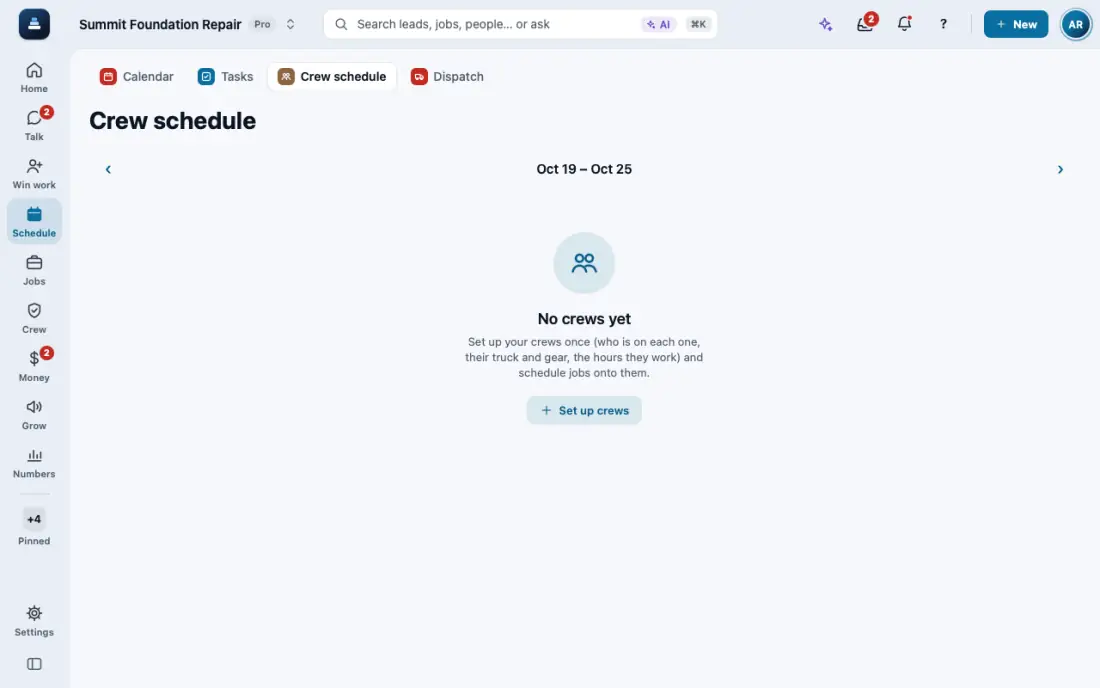
Schedule crews and dispatch
Crews, crew visits on a schedule, the dispatch board, and the rain delay.
Steps
Set up your crews once: Crews, then New crew, and add the people.
Open Schedule, then Crew schedule, and put each job's visits on a crew and a day.
Dispatch shows the day by crew. Open a visit to move it to another day or crew.
Bad weather? Rain delay moves the day and can text the customers.
On a phone, a crew with 3 or more stops shows Best order: it puts the stops in the order with the least driving, shows the miles saved and the new start times, and Use this order saves them. Stops already started stay put.
In the app, open Help & guides and tap Show me: FollowStack points at each button as you go.
Related guides
- Your phone app
- Close out the job
- Make a change order
- Permits, inspections and punch lists
- Track what a job costs
- Handle service calls and maintenance plans
- Track safety talks, incidents and equipment
- Give jobs to subcontractors at their rates
- Send a request to a vendor with a link
- Handle repair requests from tenants
- Set up your properties, units and portfolios
- Keep soil reports, permits and site facts on a property
- Share a job with a property manager or investor
- Send requests to your pros and approve their estimates