How property managers handle their buildings, service requests and maintenance
Sign up as a property management company and FollowStack starts with Properties and Connected companies pinned. Bring in your buildings and units from a spreadsheet. Tenants report repairs from their portal with photos, possible emergencies are flagged for the office, repairs over the owner's limit wait for the owner's OK, and vendors who don't use FollowStack work from a link. Recurring maintenance runs on a schedule, and each owner gets a portal with the work on their properties. Contractors who also use FollowStack can connect with you and share their jobs, so you see the progress, the photos and the estimates without a phone call.
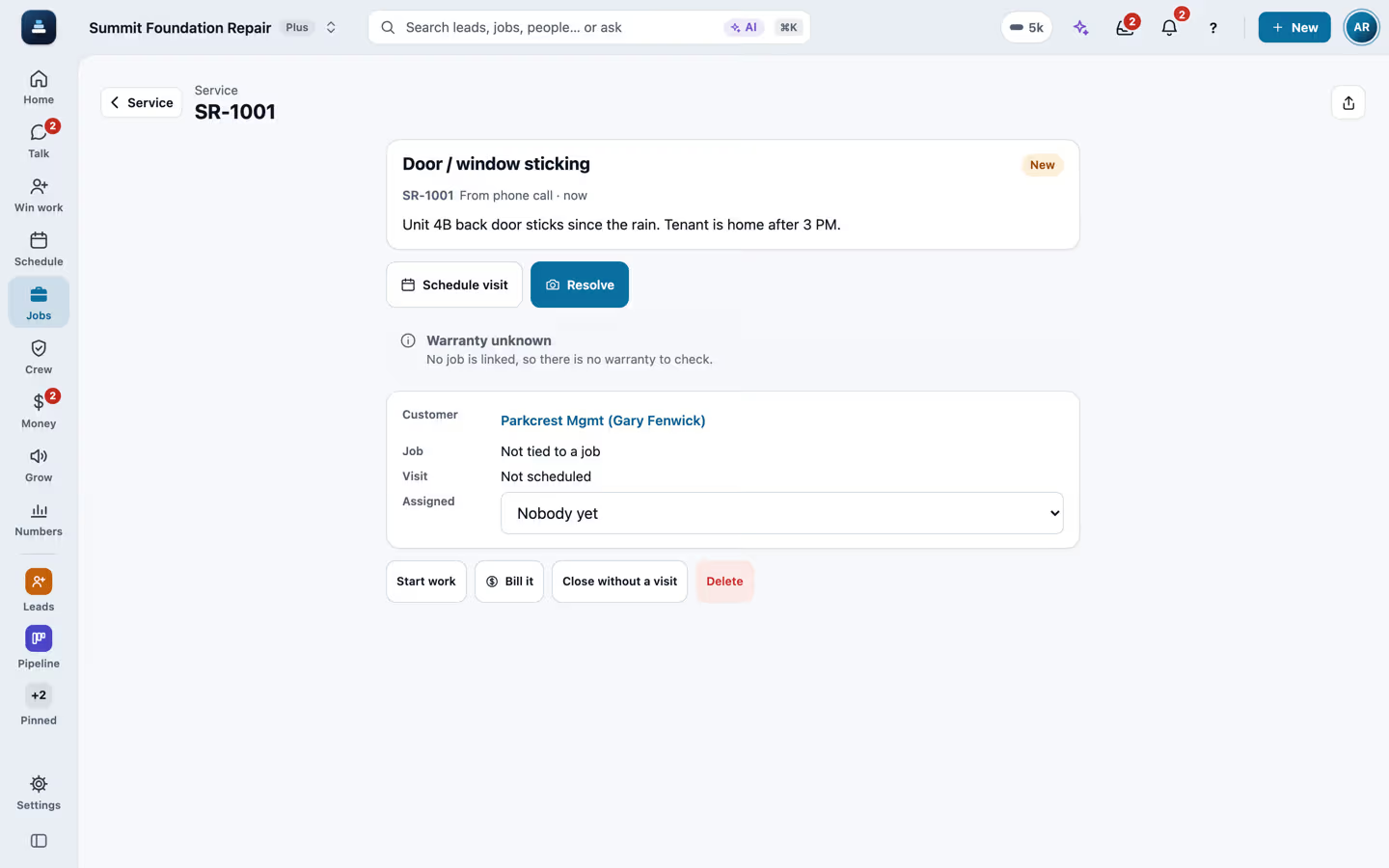
Step by step
Bring in your buildings and units
On Properties, tap Import a spreadsheet and pick the unit list your old software exports. Lists from AppFolio, Buildium, Rent Manager and Yardi work, or any sheet with an address column. The columns match by themselves, a test run saves nothing, and importing the same file again updates what changed and never adds anything twice.

Keep each building's details and units
Each property keeps its type, status, year built, size, parcel, portfolio, insurance with the date it ends, and notes. In the last 60 days before a policy ends, the property shows how many days are left. Each unit has its beds, baths, size, market rent and status, which is occupied, vacant, on notice, make ready or offline. Group properties into portfolios by owner or LLC. Who may change details, units and portfolios is a role setting.

Tenants report repairs from their portal
In their portal a tenant taps Report a problem, picks the kind of problem, says what is wrong, adds photos, says whether you may go in when nobody is home and mentions any pets. It takes under a minute, and the request lands in Service on their unit. A call or a text becomes a request too. HOA and condo association managers work the same way, with each resident reporting from the portal for their home.

Possible emergencies and the owner's limit
Words like flooding, gas smell or no heat mark a request as a possible emergency and alert the office right away. Only someone in the office confirms it, with It's an emergency, and the request shows who did and when. Type the estimate for the repair: above the owner's approval limit the visit waits for the owner's OK, by a link they approve with one tap or by phone. An emergency the office confirmed goes ahead.

The lockbox code only on the day of the visit
Each unit keeps its access notes and lockbox code. The crew or the vendor on a visit sees them only on the day of that visit, and every view is logged. Owners and managers tap Who has seen it for who viewed the code and when. The code never shows in exports or in the tenant's portal.

Send a repair to a vendor with a link
Vendors who don't use FollowStack get the request by text or email. They open the link without an account, accept, pick a time, see the code on the day of the visit, and send photos, a quote and their invoice, which all show on the request. A quote over the owner's limit waits for the owner's OK. The link expires on its own, 60 days after you send it or 30 days after the visit when that is later.

Or send it to a connected company
A repair can also go to a contractor you're connected with on FollowStack. They see the photos, the tenant's first name and phone, and how to get in only while the request is open, the lockbox code only on the day of their visit, and you get an alert every time they view the code.

Put maintenance on a schedule
Maintenance agreements repeat every set number of days, every other month, quarterly or 3 times a year, and they schedule and bill their own visits. Your own move-in and move-out checklists run like any other inspection.

Every address with its history
Properties lists each address with its stage, inspection status and photos. Each owner gets their own portal link to see the proposals, invoices and photos for their jobs. One sign-in is off until you turn it on. Then an owner who also uses other FollowStack companies that turned it on opens each portal without another code.

See your contractors' jobs live
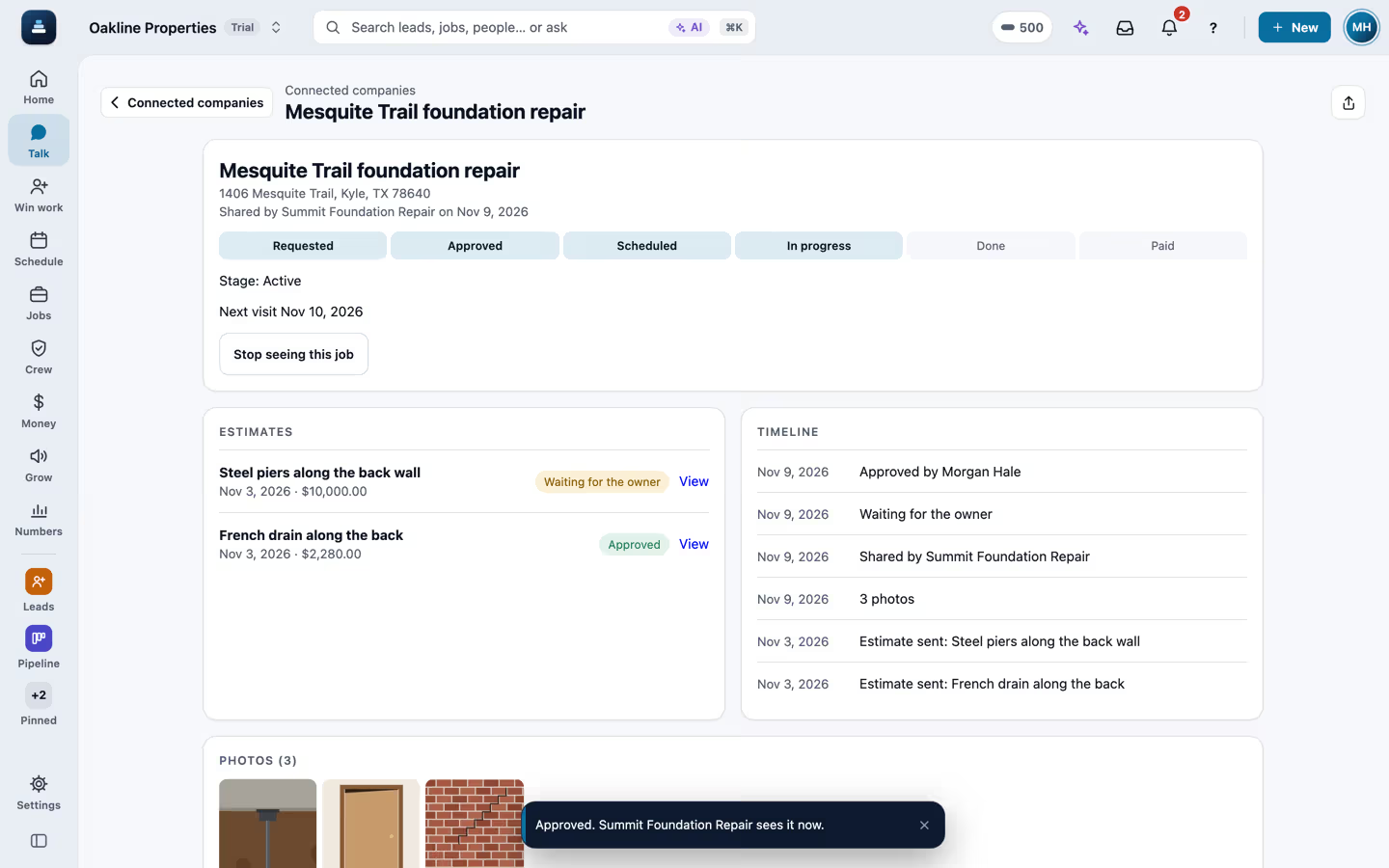
When a contractor who uses FollowStack connects with you by code and shares a job, it shows in Connected companies with the stage, the six steps from requested to paid, the photos they marked for the customer and the estimates they sent. Nothing is copied into your account, and you never see their costs or notes.
Send requests and approve estimates
Send a request from a property and it lands in the contractor's FollowStack as a new lead, with your on-site contact and access notes. Tap Approve on an estimate and the approval shows on their job right away. Above the owner approval limit you set, the owner linked to the property gets a text or email to approve or decline first.

Recorded in FollowStack with demo data. Names, addresses and numbers are made up.
The guides for it
Each guide in the FollowStack manual is a few short steps with a screenshot.
- Set up your properties, units and portfoliosBring in your buildings and units from a spreadsheet, keep each property's details and insurance, and group properties into portfolios.4 min
- Handle repair requests from tenantsTenants report a problem with photos from their portal. Possible emergencies are flagged for the office to confirm, repairs over the owner's limit wait for the owner's OK, and the crew sees the unit's lockbox code on the day of the visit.4 min
- Send a request to a vendor with a linkVendors who are not on FollowStack get their own link: no account, no app. They accept, pick a time, and send photos, a quote and their invoice.3 min
- Bring your customers and prices overImport a CSV from your old system: customers, projects, open invoices and your price book.6 min
- Share a job with a property manager or investorConnect with a company you work with, then share a job. They see its progress, the customer photos and sent estimates live, never your costs or notes.3 min
- Send requests to your pros and approve their estimatesFor property managers, investors and realtors. A request lands in the pro’s FollowStack as a new lead. Over your limit, the owner approves by text first.3 min
- Handle service calls and maintenance plansWarranty and repair tickets, and plans that schedule and bill their own visits.3 min
- Take and file job photosPhotos file themselves to the job. Mark them up, request photos from a customer, and find them on a map.3 min
- Give customers a branded portalA magic-link portal with projects, proposals, invoices with Pay, documents and photos.3 min
- One sign-in for all of a customer’s portalsOff until you turn it on. Then a tenant, owner or homeowner who uses several FollowStack companies that turned it on signs in once and opens each portal, with no new code.2 min
- Send invoices and collect paymentsSend invoices with a pay link, connect Stripe, and chase what is overdue.3 min
- Set up templates and custom fieldsStart repeat jobs ready to go, make documents from your own wording, and add the fields your company needs.3 min
- Schedule crews and dispatchCrews, crew visits on a schedule, the dispatch board, and the rain delay.4 min
- Share your online booking pageCustomers book a visit themselves. The address comes first, so the times work for the route.3 min
The features that do it
- Property and unit import
- Property details and units
- Portfolios
- Tenant repair requests
- The owner's approval limit for repairs
- Lockbox codes on the day of the visit
- Vendor job links
- Repairs sent to a connected company
- Connected companies
- Service tickets and maintenance agreements
- Job photos
- Checklists and field forms
- Customer portal
- One sign-in across portals
Keep going
Real estate investors
Live progress and photos from your contractors, requests that land as leads, one-tap approvals for estimates and repairs, and your properties in portfolios.
See the stepsThe customer portal and payments
A portal for each customer, signatures on the phone, deposits and invoices.
See the stepsCrews and scheduling
The office books the crews, and the crew runs the day on the phone.
See the steps
See FollowStack on one of your own jobs
Bring an address you're bidding this week. We'll draw it and price it with you, live on the call.