Set up templates and custom fields
Start repeat jobs ready to go, make documents from your own wording, and add the fields your company needs.
Steps
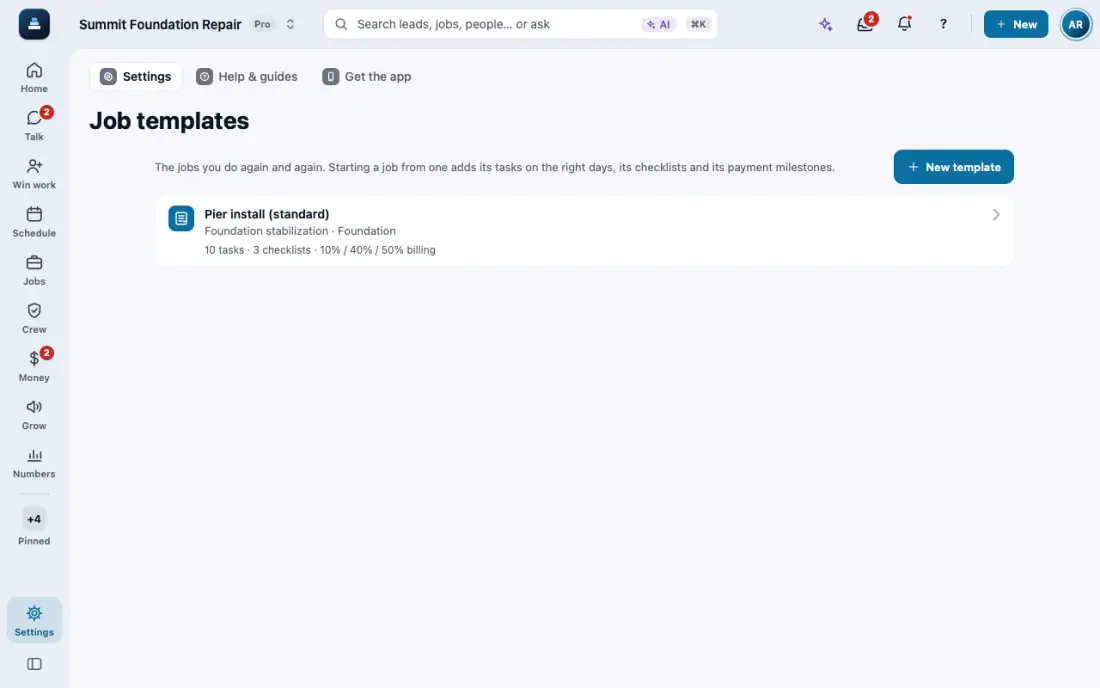
Open Job Templates and tap New template. Add the tasks by day, the checklists, the payment steps and the price book lines.
On a new job, open Template and tap Start from a template. A second tap never adds a second set.
Warranty certificates, lien waivers and notices: Document Templates keeps your wording.
On the job, open Documents, then New from template. Check the filled in preview, then tap Save PDF, Send for signature or Share to portal.
Need a field FollowStack does not have, like a gate code? Settings, then Configuration, then + Add field. Pick the record it goes on: leads, customers, jobs and more.
In the app, open Help & guides and tap Show me: FollowStack points at each button as you go.
Related guides
- See who is selling and pay commission
- Run reports and send them to your team and your CPA
- Invite your team
- Your plan, credits and seats
- Connect your services
- Use FollowStack from Claude or ChatGPT
- Find anything from the search bar
- Ask FollowStack to find, change or count anything
- Use FollowStack in Spanish
- Change your password
- Download all your company data
- Get help from the FollowStack team