Company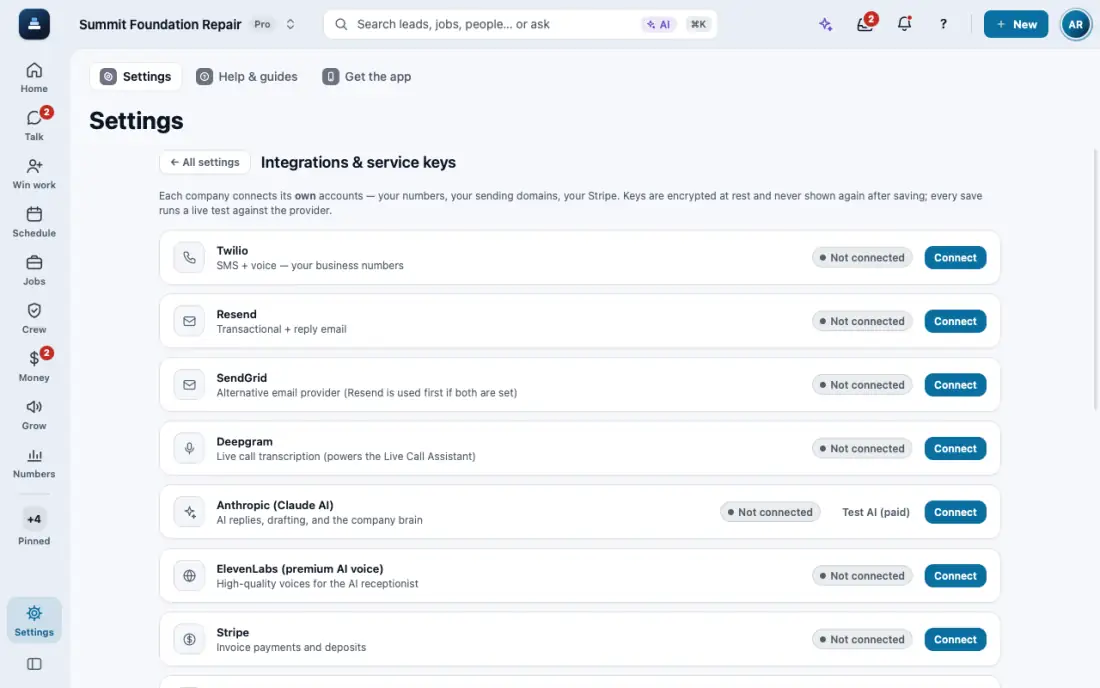
Connect your services
Google Calendar, Twilio, Resend and Stripe in one place, plus lead vendors, an API and webhooks.
Steps
Open Settings, then Connections.
Tap Connect on the service you want and follow its steps. Each card says if it is working. Your own AI key is part of the Ultra plan, so on Basic and Plus the AI card says Available on Ultra and FollowStack’s AI answers with credits.
Integrations hub has lead vendors, API keys with scopes, and webhooks for new leads, bookings, signed proposals and paid invoices.
In the app, open Help & guides and tap Show me: FollowStack points at each button as you go.
Related guides
- Get your business phone number
- Send email in your company name
- Get leads from your website and lead services
- See who is selling and pay commission
- Run reports and send them to your team and your CPA
- Invite your team
- Choose what each role can see and do
- Your plan, credits and seats
- Set up templates and custom fields
- Use FollowStack from Claude or ChatGPT
- Find anything from the search bar
- Ask FollowStack to find, change or count anything
- Use FollowStack in Spanish
- Change your password
- Download all your company data
- Get help from the FollowStack team