Company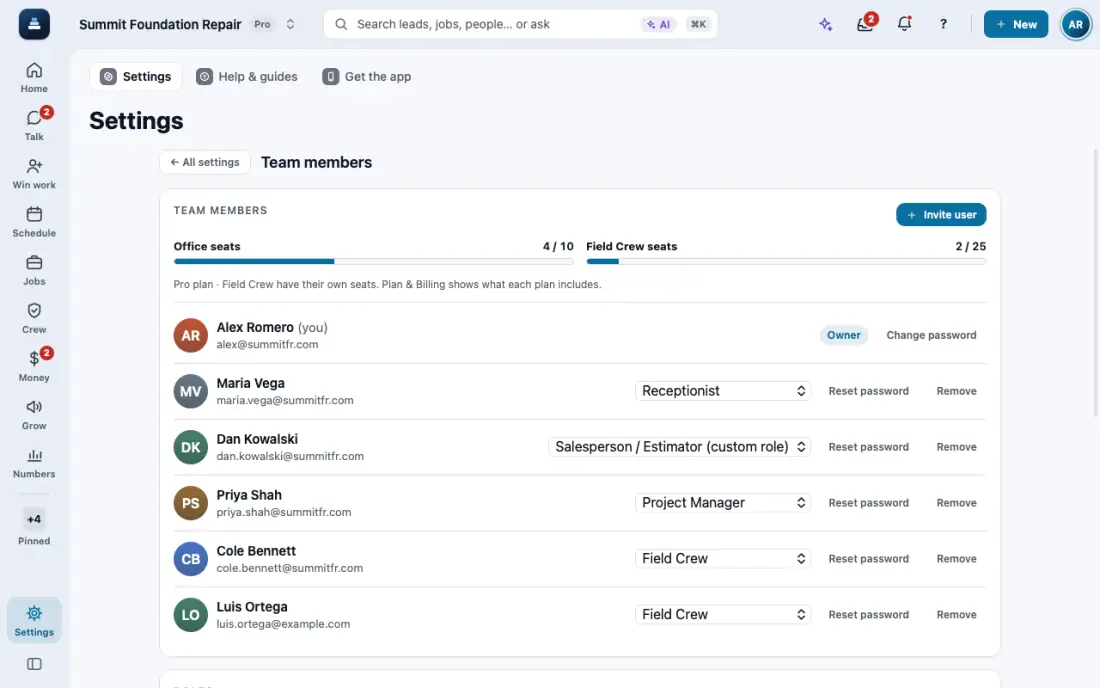
Invite your team
Add office staff and crews, each with a role. Seats are counted as office or field.
Steps
Open Settings, then Team members.
Tap Invite user. Type the name and email and pick a role, like Office Manager or Field Crew.
They get an email to sign in. Change someone's role later with Change role.
Your plan counts office and field seats. Plan & Billing shows how many are used.
In the app, open Help & guides and tap Show me: FollowStack points at each button as you go.
Related guides
- See who is selling and pay commission
- Run reports and send them to your team and your CPA
- Set up templates and custom fields
- Connect your services
- Use FollowStack from Claude or ChatGPT
- Find anything from the search bar
- Ask FollowStack to find, change or count anything
- Use FollowStack in Spanish
- Change your password
- Download all your company data
- Get help from the FollowStack team