Ask FollowStack to find, change or count anything
Ask AI and the Assistant read your records and setup, take you to any screen, and do the work. A delete or a settings change waits for your OK.
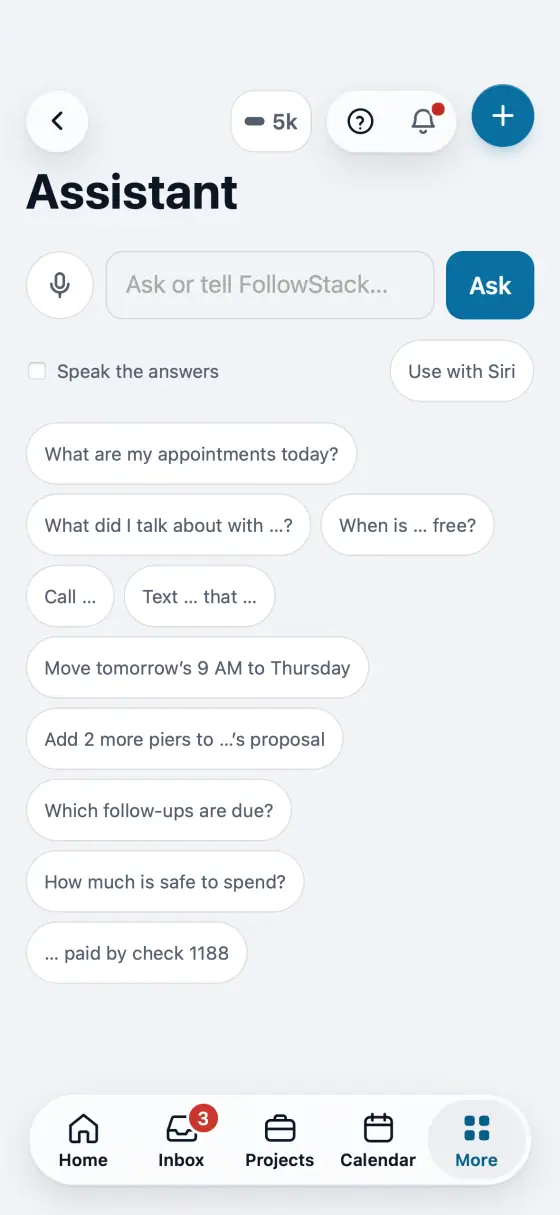
Steps
Type in Ask AI in the search bar, or open Assistant and type or talk.
It knows the screen you had open, so "delete this task" or "what do we owe on this job?" works, and it remembers your last few questions.
Ask for numbers in plain words: "leads by source this year", "sales by month", "overdue invoices". It counts and totals every record your role can see.
Ask it to change things: a customer's phone, a job's status, a task's due date, or "take me to the quiet hours setting".
A delete, a settings change, or a change made after it looked things up shows a card first. Nothing happens until you tap Delete, Approve the change or Approve all (several changes on one card). Approving starts no automation unless you tick Also run. After a single change, Undo puts it back (a deleted record also waits in Trash).
In the app, open Help & guides and tap Show me: FollowStack points at each button as you go.
Related guides
- See who is selling and pay commission
- Run reports and send them to your team and your CPA
- Invite your team
- Your plan, credits and seats
- Set up templates and custom fields
- Connect your services
- Find anything from the search bar
- Use FollowStack in Spanish
- Change your password
- Download all your company data
- Get help from the FollowStack team