Company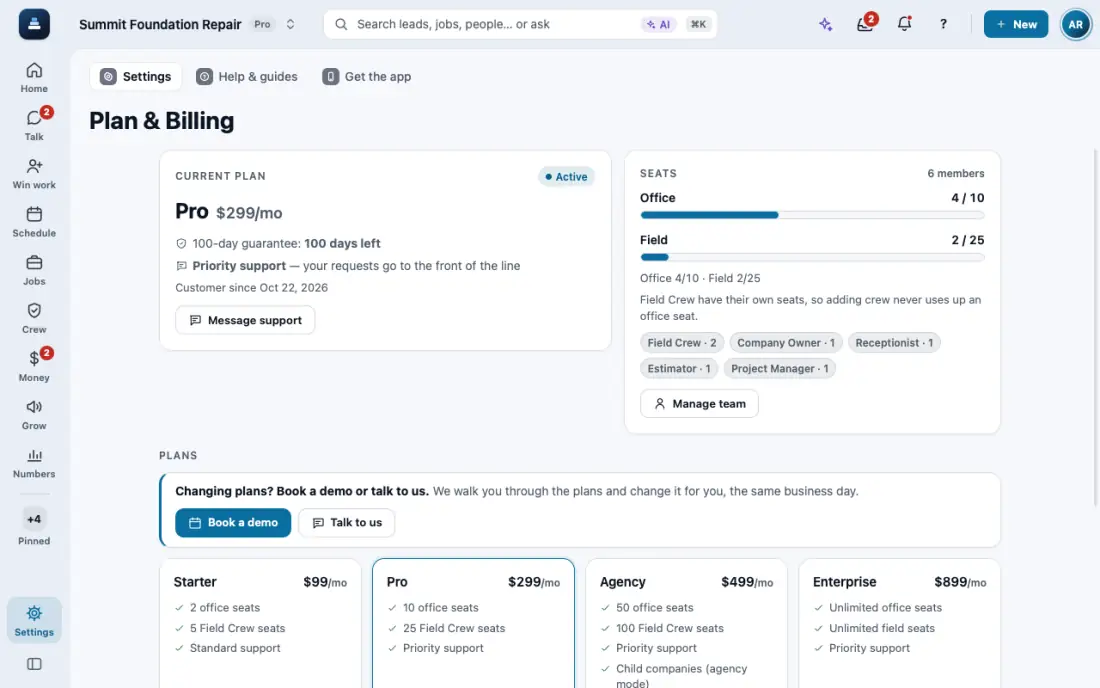
Your plan, credits and seats
The credits AI work uses each month, what is left, and the office and field seats in use.
Steps
Open Usage (or tap the credits chip at the top). It shows the credits left this month, the reset date, and what used them.
Your plan includes credits every month. AI drafts, photo findings, the digital receptionist and texts or calls on a FollowStack number use them. The CRM, incoming texts and calls never stop when credits run out. Your own Twilio or email uses no credits on any plan, and on Ultra your own AI key uses none either.
Open Plan & Billing for your plan and the office and field seats in use. Manage team frees or adds seats. Questions: Message support.
In the app, open Help & guides and tap Show me: FollowStack points at each button as you go.
Related guides
- See who is selling and pay commission
- Run reports and send them to your team and your CPA
- Choose what each role can see and do
- Set up templates and custom fields
- Connect your services
- Use FollowStack from Claude or ChatGPT
- Find anything from the search bar
- Ask FollowStack to find, change or count anything
- Use FollowStack in Spanish
- Change your password
- Download all your company data