A structural engineer field app for site visits and reports
Draw existing conditions to scale, record elevations and crack widths and pin each photo on the plan, then send the report before you drive off. The structural engineer field app records what you measured, and the conclusions stay yours.
What you need to get done
- Record existing conditions to scale
- Take and keep elevation readings with closure checks
- Keep site photos organized by where they were taken
- Book visits and invoice clients
How FollowStack does it
- Drawing hints
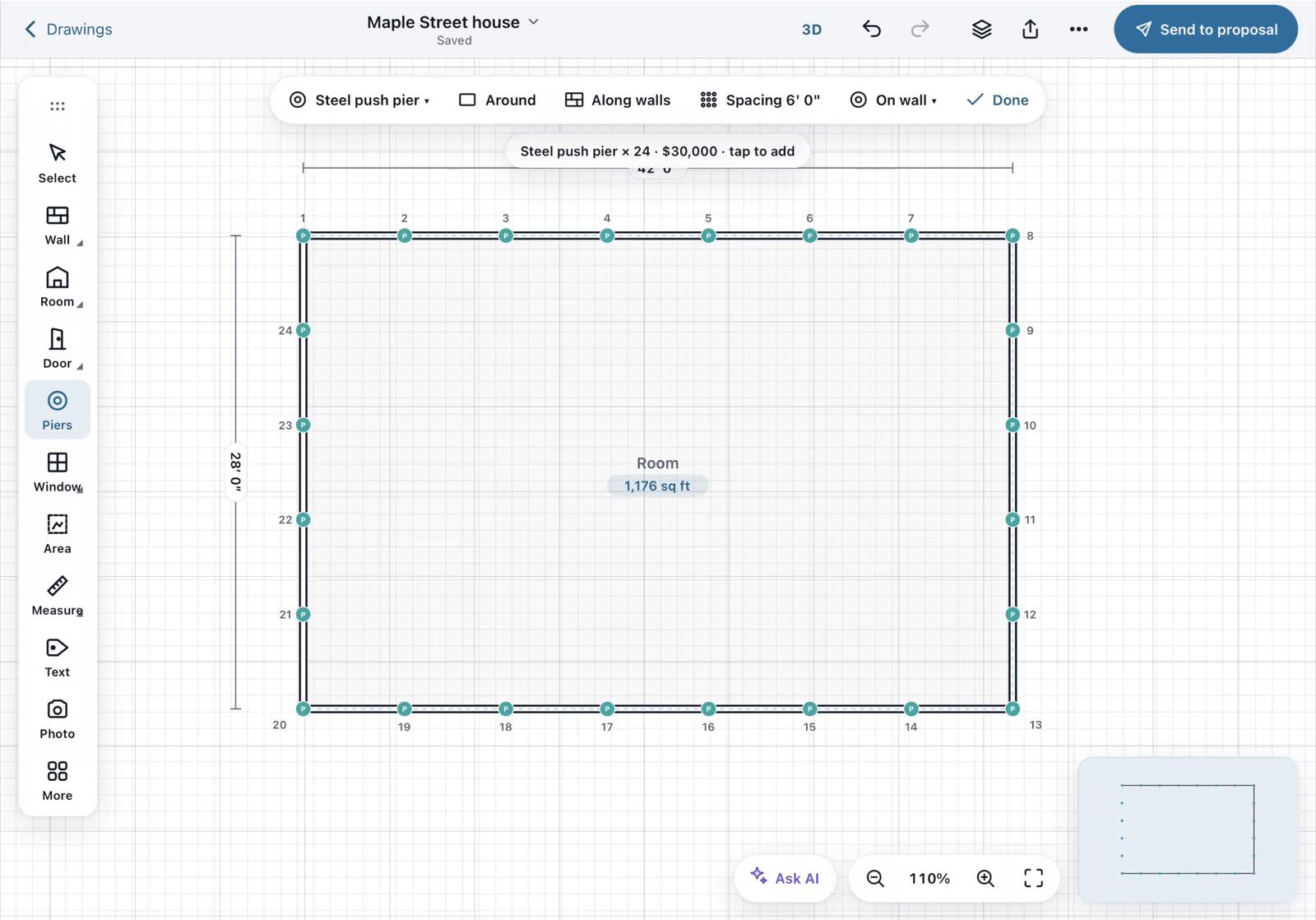
Walls go in to scale with typed lengths, and the app shows square corners while you draw.
Field CAD - Elevation surveys over time
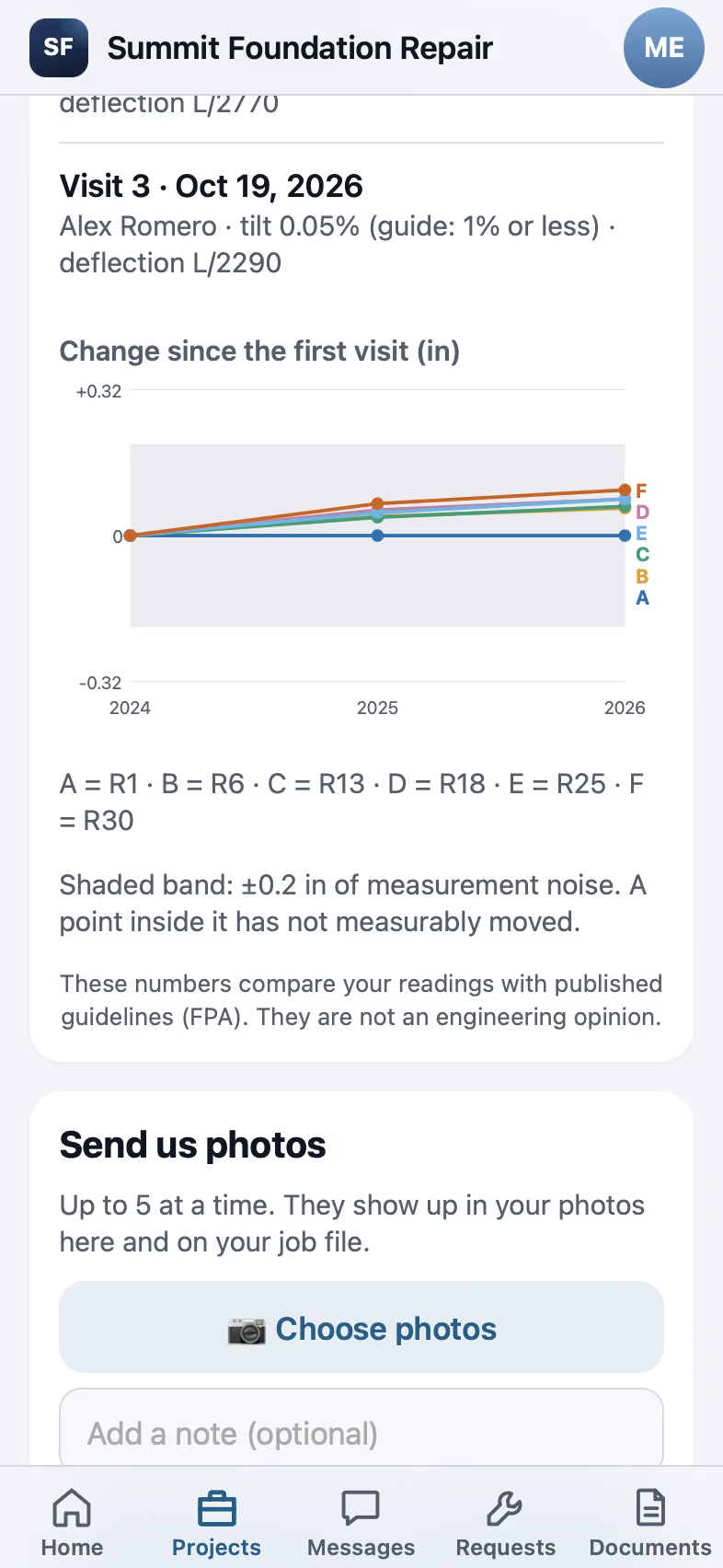
Each survey keeps its instrument, accuracy, benchmark and closure check.
Foundation monitoring - Findings pinned on the plan
Findings and photos sit on numbered plan pins.
Inspections and reports - Checklists and field forms
Build your own site-visit forms with reading, photo and signature items.
Inspections and reports
Trade pack coming soon
An engineer packet, which a foundation contractor can hand to you, is planned. The field tools work today.
How the work runs, step by step
Structural and Civil Engineers
Record existing conditions and elevations on site and send the report from the field.
See the stepsJob costing and reports for your CPA
What each job costs and earns, and the reports your accountant asks for, sent every month.
See the stepsCrews and scheduling
The office books the crews, and the crew runs the day on the phone.
See the stepsTexting and the digital receptionist
One inbox for texts, calls and chat, calls that book the visit, and a receptionist that answers when nobody can.
See the steps
User guides to start with
- Elevation readings and the heat mapType each reading on the plan. Three or more color the floor and draw a floor profile.4 min
- Set up templates and custom fieldsStart repeat jobs ready to go, make documents from your own wording, and add the fields your company needs.3 min
- Set up your trade and take its tourEach trade adds its services, visit types and a starter price book, then a short tour in the order that trade works.3 min
- Work every conversation from one inboxCalls, texts, picture texts, email and web chat on one thread per customer.3 min
- Send an inspection report or proposalFrom the visit to a signing link: findings, photos, your prices and the payment schedule.5 min
- Send invoices and collect paymentsSend invoices with a pay link, connect Stripe, and chase what is overdue.3 min
Related trades
Foundation repair
Run the evaluation, the elevation survey and the pier plan on site, then come back every year.
Foundation repair softwareBasement waterproofing
Plan the drain run with its fall and track wall cracks from visit to visit.
Basement waterproofing softwareConcrete and flatwork
Measure the slab on the satellite view and price it before you schedule the pour.
Concrete and flatwork softwareLeak detection
Pin the leak on the plan and send the adjuster the full claim package.
Leak detection softwareAll 52 trades
Find yours, from foundation repair to pool service.
All trades
Comparing tools? FollowStack vs ArcSite.
See FollowStack on one of your own jobs
Bring an address you're bidding this week. We'll draw it and price it with you, live on the call.