What a crew lead does in FollowStack
The crew lead opens Today and sees the crew's jobs in order with the address, the scope and the customer's number. Clock in, start the visit, log the work and close it out from the phone.
Step by step
See the crew's day
The crew schedule shows each visit with its time, address and status, and who is on the clock. Rain delay is there for a day the weather takes.

Clock in the crew at the job
Clock in asks which job you're on, and Clock in my crew punches the whole crew in together. Each punch keeps one location reading.

Log the day
Log today writes the job's daily log with notes and photos, and the work order keeps what the crew did each day with sign-off.
Close out the job
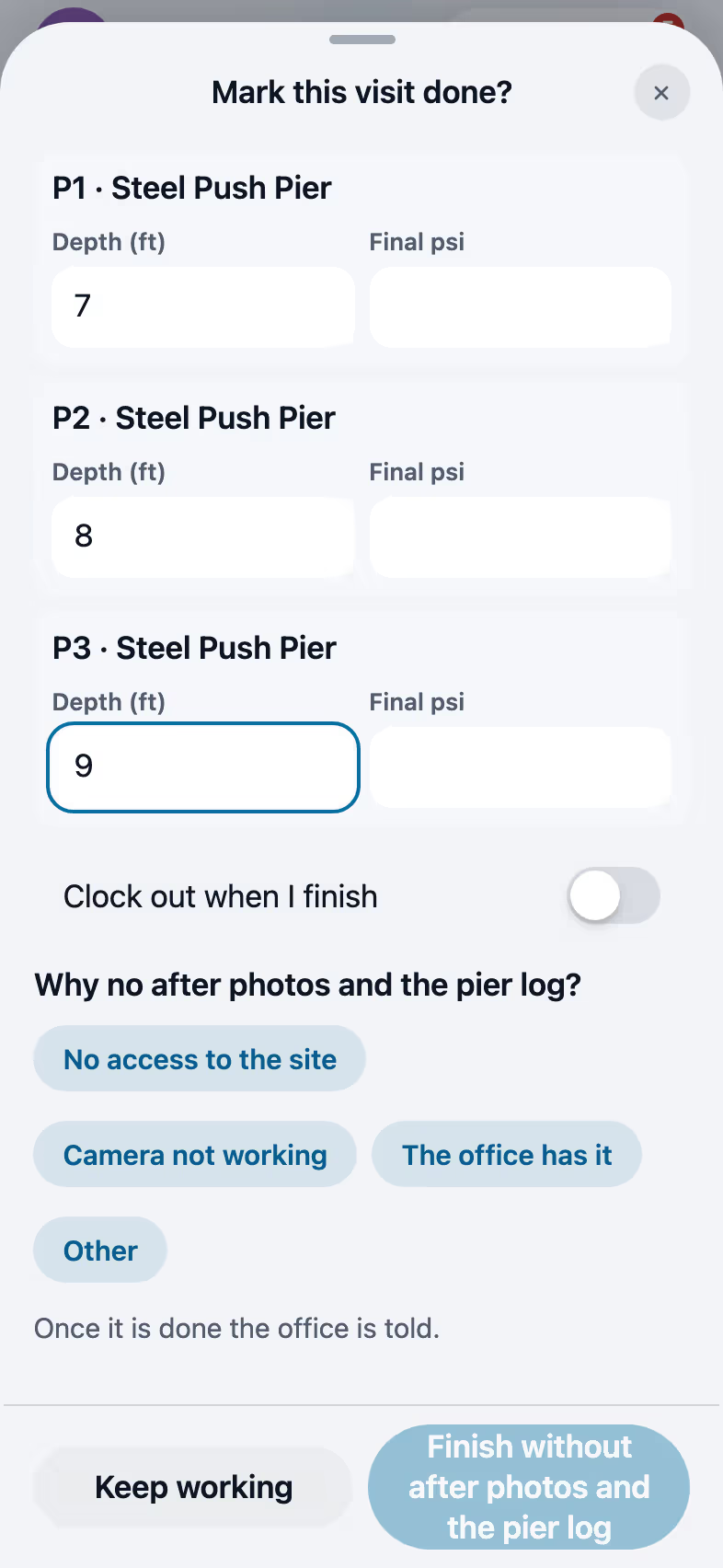
Mark done opens the close-out with after photos and the install log prefilled from the proposal. The last crew day moves the job to Final payment due, so the office knows the bill can go out.

Recorded in FollowStack with demo data. Names, addresses and numbers are made up.
The guides for it
Each guide in the FollowStack manual is a few short steps with a screenshot.
- The field crew's day on the phoneToday's jobs, directions, On my way, the checklist, photos, the daily log and Mark done.4 min
- Your phone appHome, the time clock, tasks, More and weak signal.2 min
- Time clock and time cardsClock in and out on the phone, then approve the week and export it for payroll.3 min
- Close out the jobAfter photos, the pier log filled in from the proposal, and clock out, in one sheet.3 min
- Take and file job photosPhotos file themselves to the job. Mark them up, request photos from a customer, and find them on a map.3 min
- Make a change orderA signed change that updates the contract.3 min
- Track safety talks, incidents and equipmentToolbox talks with crew signatures, incident reports from the phone, and logs for trucks and machines.4 min
- Permits, inspections and punch listsTrack each permit and city inspection, then finish with the punch list and final walkthrough.3 min
- Record the products you applyEach product on a visit with its EPA number, amount, where and the target, printed on the report and kept for inspections.3 min
The features that do it
Keep going
Crews and scheduling
The office books the crews, and the crew runs the day on the phone.
See the stepsThe field crew
Today's jobs, the time clock and the camera, in the crew's own language.
See the stepsJob costing and reports for your CPA
What each job costs and earns, and the reports your accountant asks for, sent every month.
See the steps
See FollowStack on one of your own jobs
Bring an address you're bidding this week. We'll draw it and price it with you, live on the call.