Run the job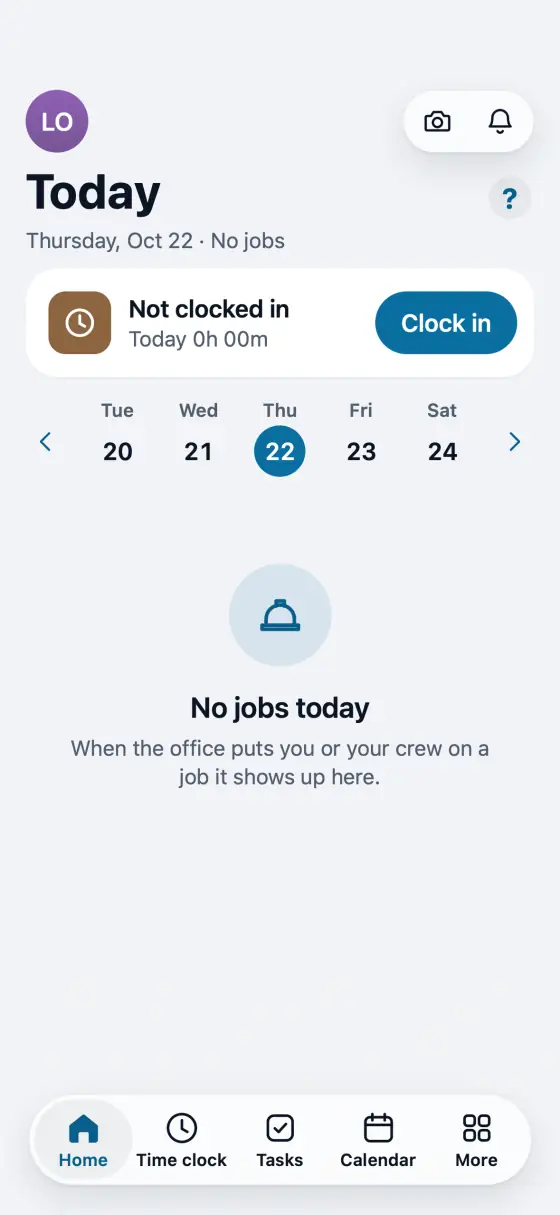
Your phone app
Home, the time clock, tasks, More and weak signal.
Steps
Your phone opens on Home: today's jobs with Navigate, On my way and the checklist.
Time clock clocks you in and out. Tasks is what the office asked you to do.
More has everything else your role can use, and you can pin the ones you use most.
With a weak signal, clock-ins and photos wait on the phone and send when signal returns. Other changes need signal.
In the app, open Help & guides and tap Show me: FollowStack points at each button as you go.
Related guides
- Schedule crews and dispatch
- Close out the job
- Make a change order
- Permits, inspections and punch lists
- Track what a job costs
- Handle service calls and maintenance plans
- Track safety talks, incidents and equipment
- Give jobs to subcontractors at their rates
- Send a request to a vendor with a link
- Handle repair requests from tenants
- Set up your properties, units and portfolios
- Keep soil reports, permits and site facts on a property
- Share a job with a property manager or investor
- Send requests to your pros and approve their estimates