How salespeople and estimators sell with FollowStack
New leads arrive with an owner and an alert. You book the visit, measure and draw on site, present the proposal at the kitchen table, and FollowStack tells you when they read it so the follow-up comes at the right time.
Step by step
Work the leads you own
Lead routing hands new leads out in turn or by service, with an alert to the person who gets one. Each lead shows its automatic score with a plain reason, its stage, channel and next follow-up.

Move deals on the pipeline
Drag a deal to its next stage, or mark it won or lost with a reason. The board weights the pipeline by stage.

Price it from the drawing
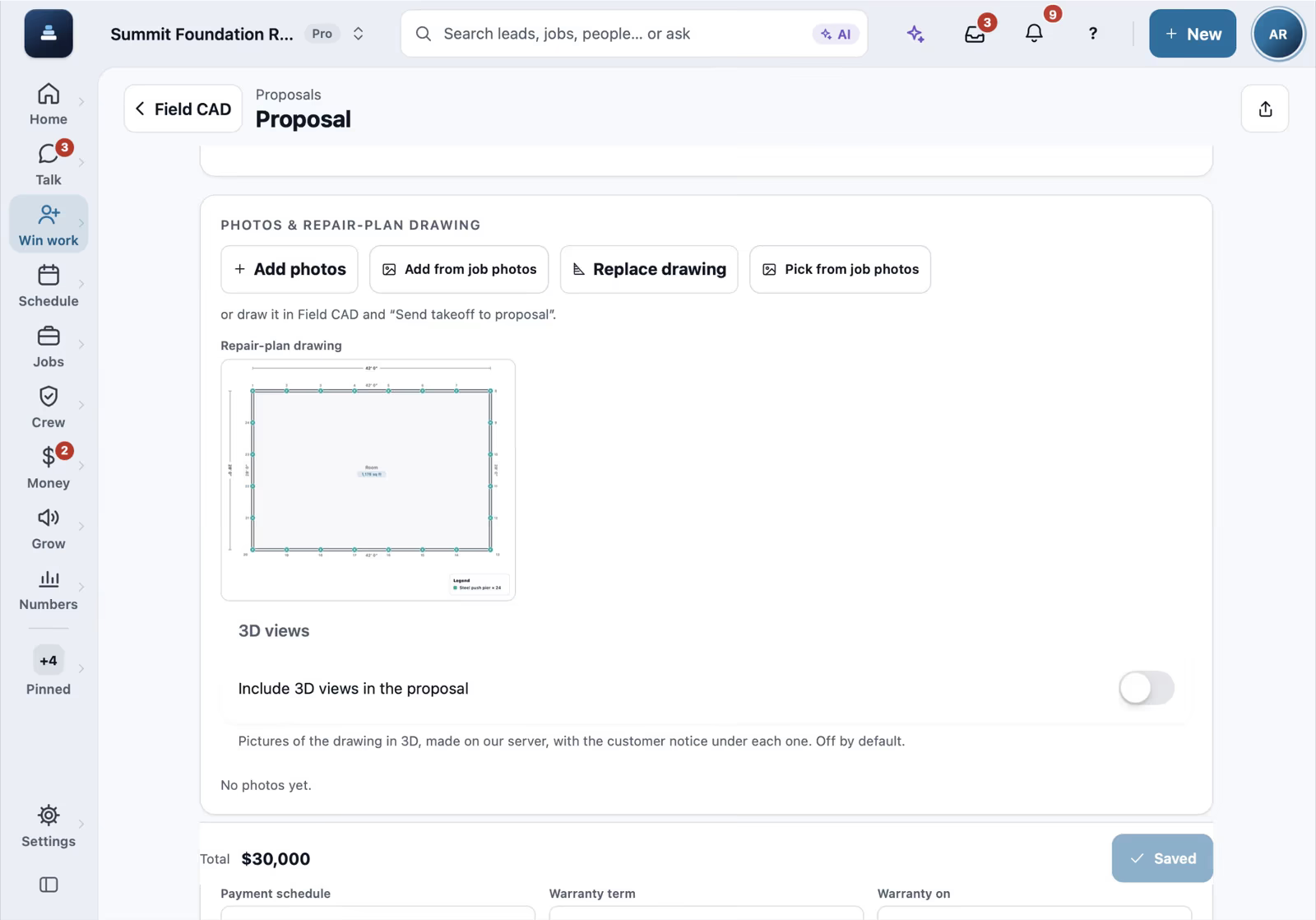
The takeoff from Field CAD goes into the proposal with your price book, and you can offer three price options for the customer to choose from.

Present it and get it signed
Present the proposal on the iPad at the kitchen table or send the link. FollowStack tells you when they open it, so the follow-up lands at the right moment.

Know when they're looking
Insights on each lead and customer list every open of a proposal, report, invoice or album with the device, and the calls, texts and emails both ways with reply times and the best time to reach them. Your own team's looks and mail scanners don't count.

Recorded in FollowStack with demo data. Names, addresses and numbers are made up.
The guides for it
Each guide in the FollowStack manual is a few short steps with a screenshot.
- Move leads from new to wonEvery lead has a stage. Work the Pipeline board and never drop a follow-up.4 min
- Give every new lead an ownerNew leads go to your people in turn or by service, they get an alert, and you see who answers fastest.3 min
- Add a lead by handFor a walk-in or a referral: name, phone, the property address and how they agreed to texts.2 min
- Mark a lead won or lostTap the stage on the lead or the customer, pick Lost and say why. The reason feeds your win and loss report.1 min
- See your leads and jobs on a mapEvery lead, customer and job as a pin. Plan a day of visits, see which streets you work, call from the map.2 min
- Book a visit for a leadOpen times follow the address and each inspector's day. Two or more inspectors can share one visit.3 min
- Send an inspection report or proposalFrom the visit to a signing link: findings, photos, your prices and the payment schedule.5 min
- Offer three price optionsSend three options from the drawing. The customer picks one when they sign.3 min
- Present the proposal at the kitchen tableOpen the customer's own page on a tablet as a guided walk through, then they sign right there.2 min
- Follow up when they read the proposalGet an alert the moment a customer opens the proposal, and let follow ups start on their own.3 min
- Get the proposal signedThe customer signs from a link. The proposal turns Signed right away and the signed copy reaches them.2 min
- See who is selling and pay commissionOne board with each person's new leads, proposals sent and signed, close rate and commission.2 min
- See how a customer engagesInsights on a customer or a lead: what they opened and when, every text, email and call, how fast each side answers and the best time to reach them.2 min
Keep going
A call turned into a signed proposal
The missed call gets a text, the visit is booked near the address, and the proposal is signed on site.
See the stepsField CAD drawings on site
Draw the house with typed lengths, measure the roof, and price it from the drawing.
See the stepsTexting and the digital receptionist
One inbox for texts, calls and chat, calls that book the visit, and a receptionist that answers when nobody can.
See the steps
See FollowStack on one of your own jobs
Bring an address you're bidding this week. We'll draw it and price it with you, live on the call.