Add your pier products
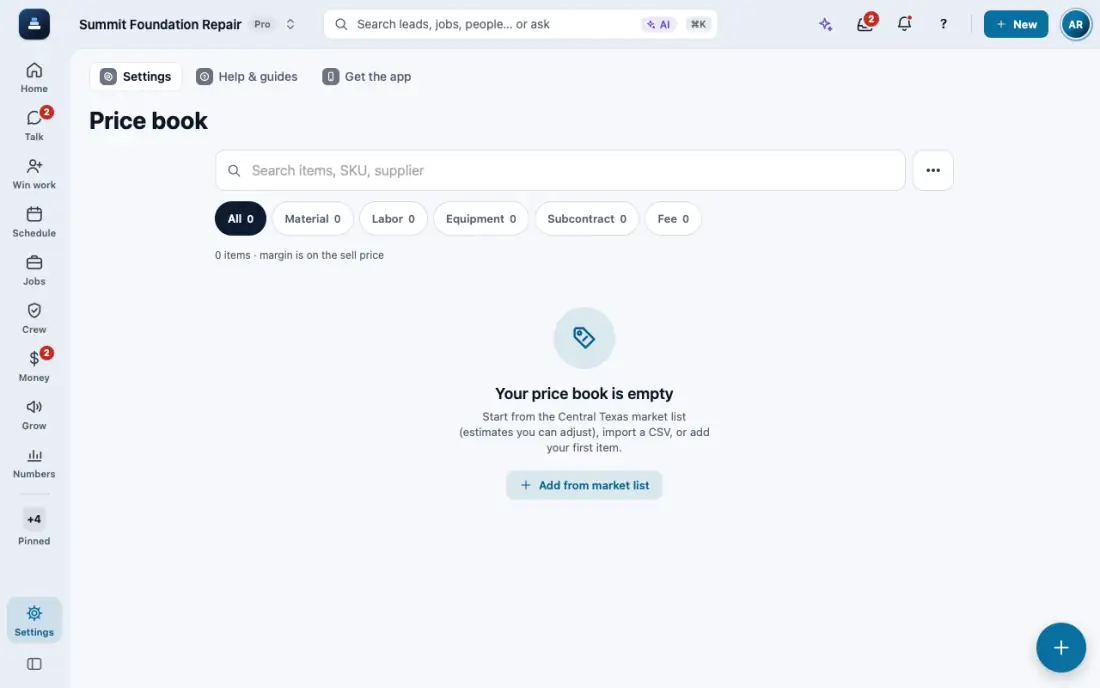
Your piers are products in your price book. Proposals and Field CAD only offer the ones you add.
Steps
Open Price book and tap Add an item.
Type the name your customers know, like Exterior steel pier, with its cost and markup.
Turn on Pier product. Add the Scope of Repair text in English and Spanish, and a picture if you have one.
Save. The proposal's pier recommendation and Field CAD now list only your pier products.
Have many? Import a CSV with a Pier product column from Import data.
Offer the customer steel, concrete and hybrid? Open the proposal, tap More, then Material options. Tick the products, pick a warranty for each, and tap the Make button. Each one becomes its own draft with the same quantities and discount, its own copy of the drawing, and the findings naming that product. Nothing is sent. With two kinds on it, like steel outside and pad and block inside, pick the one to replace under Replace: the other stays as it is. Up to 4 at a time. The co-signers stay on every version. A signed proposal gets no new versions: use Duplicate.
Then tap Send, then Text all versions or Email all versions. The customer gets one message with a link to each version, compares them and signs the one they want. Once they sign one, the other versions are withdrawn and can no longer be signed, also after you revise one. Each version must be made out to the same person. During quiet hours for texts, email them all instead.
In the app, open Help & guides and tap Show me: FollowStack points at each button as you go.
Related guides
- Place piers around the house
- Send an inspection report or proposal
- Bring your customers and prices over
- Offer three price options
- Choose who the contract is made out to
- Copy or delete a proposal from the lead
- Present the proposal at the kitchen table
- Let FollowStack learn how you work
- Follow up when they read the proposal
- A fine foundation, drainage work or a repair
- Get the proposal signed
- Send the welcome email
- Take a deposit and invoice the balance
- Financing, payment plans and milestone billing
- Build the insurance package