Get set up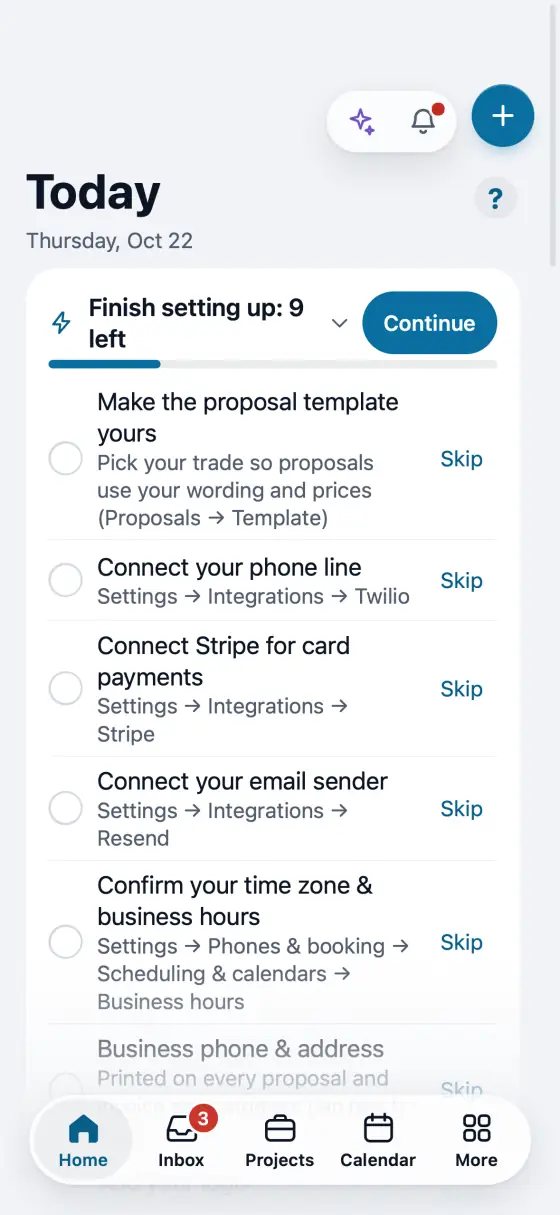
Finish Quick setup
A short stepper that shows only what is still missing. Stop any time and pick up at the same step.
Steps
On Home, find Finish setting up and tap Continue.
Each step says what it sets up and where it lives. Fill it in and save it to move on.
Not ready yet? Tap Skip for now. The step waits on your Home card.
A step that waits on someone else, like your phone line or Stripe, says so and offers Remind me.
Close it any time. Continue on Home opens it again at the same step. Hide for a week hides the card.
In the app, open Help & guides and tap Show me: FollowStack points at each button as you go.