Send a campaign
One text or email to a filtered list of leads who agreed to hear from you.
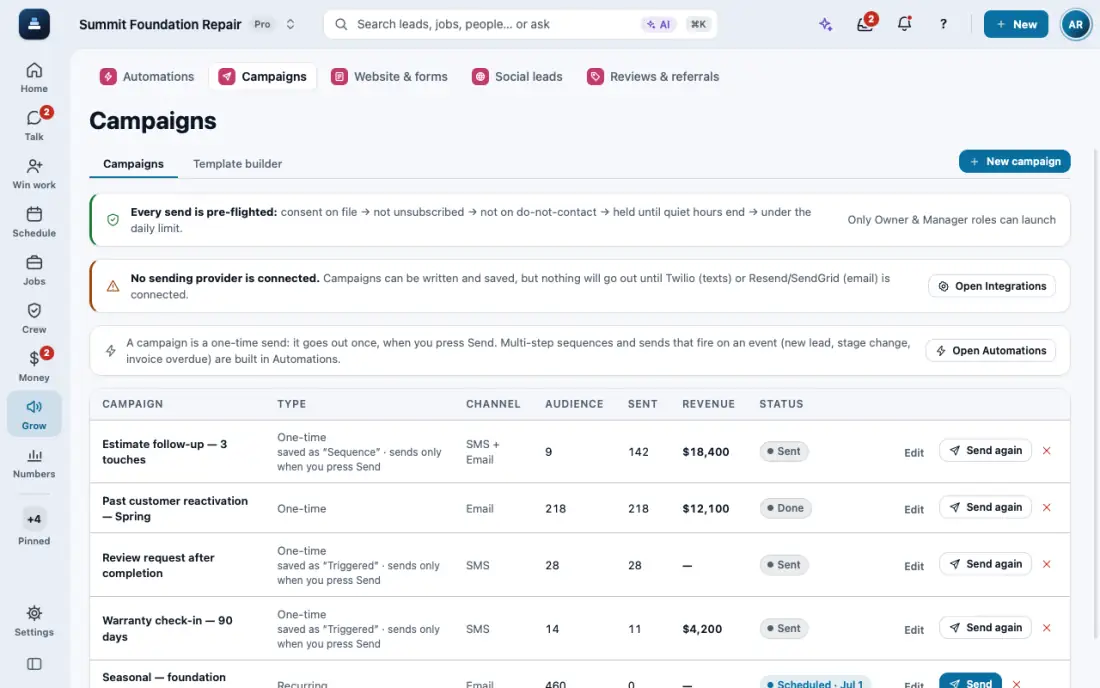
Steps
Open Campaigns and tap New campaign.
Pick who gets it with the filters. Only people who agreed to texts or email are on the list.
Write the message, check it, and tap Send. Each send is logged on the person's thread.
To bring back old leads, pick one of the three ready lists at the top: Quiet 90+ days, Proposal never signed, or Past customers 1+ year. It fills in a ready text you can change.
Tick Write each text for the person and the AI adds their first name, what they asked about and their street, with the same offer and no new prices.
After it goes out, the campaign shows who replied, who booked and who signed, with the total.
In the app, open Help & guides and tap Show me: FollowStack points at each button as you go.
Related guides
- Move leads from new to won
- Mark spam and leads not worth it
- Leads from outside your service area
- Give every new lead an owner
- See your leads and jobs on a map
- Mark a lead won or lost
- Change your pipeline stages
- Add a lead by hand
- Get leads from your website and lead services
- Work every conversation from one inbox
- Let the AI write a reply for you
- Choose how AI replies in the Inbox
- Offer open times and book from a text
- Set up how calls are answered
- See every call and call back
- Turn on missed-call text-back
- Put your AI team to work
- Add a tracking number
- Let the digital receptionist answer
- Share your online booking page
- Book a visit for a lead
- Connect Google Calendar or Outlook
- Work through your task list
- Track commercial bids and accounts
- Make email templates with fields and a Spanish version